
WordPress Malware Removal and Hacked Website Recovery
Unexpected redirects, unknown administrator accounts and security warnings need prompt attention. They are reasons to investigate; the visible symptom alone does not establish the full extent of a compromise or whether customer information was exposed.
For suspected WordPress malware, the first task is to agree a safe assessment: what is affected, what can be preserved, how harm will be contained and which specialist or provider needs to be involved. Khalsa Website Designers reviews the request before accepting a security recovery scope. Work requiring forensic investigation or expertise outside the agreed service must be referred to an appropriate specialist.
Request an initial security assessment. Send the domain and a brief description of the warning or unexpected behaviour. Do not upload infected backups, database dumps, credentials or private customer records through the general form.
Recognise indicators without assuming the whole diagnosis
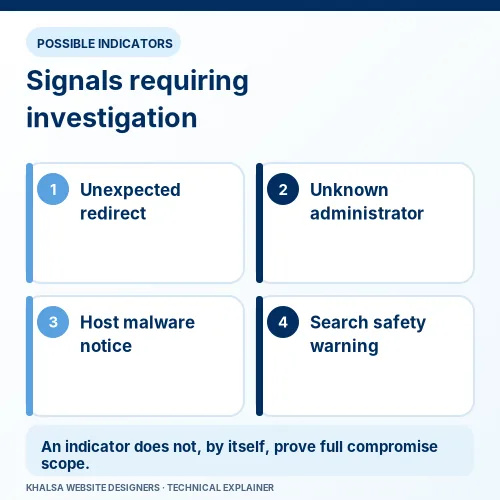
Some incidents are obvious; others are conditional or intermittent. A malicious redirect may affect search visitors while the logged-in owner sees a normal page. A suspicious file may also need contextual investigation before its role is understood.
| Indicator | What to preserve | What it does not establish by itself |
|---|---|---|
| Visitors are redirected to an unexpected website | The affected URL, route used, time and a safe record of the destination. | The entry point, persistence method or full scope. |
| Unknown administrators or unauthorised changes appear | Account and change records, with access restricted. | Whether hosting, email or other accounts are also affected. |
| The host reports malicious files or suspends the site | The original notice, affected paths and available provider evidence. | That every affected component has been identified. |
| Google or a browser displays a harmful-site warning | The exact warning and relevant authorised report. | A guaranteed cleanup method or warning-removal time. |
| A certificate warning appears | The exact connection error and hostname. | That malware is present; TLS failures can have other causes. |
WordPress's hacked-site guidance recommends describing the indicators rather than relying on the word “hacked” as a diagnosis. If the only issue is a connection or certificate failure, website availability investigation may be the appropriate starting point.
Limit harm while preserving a recovery route
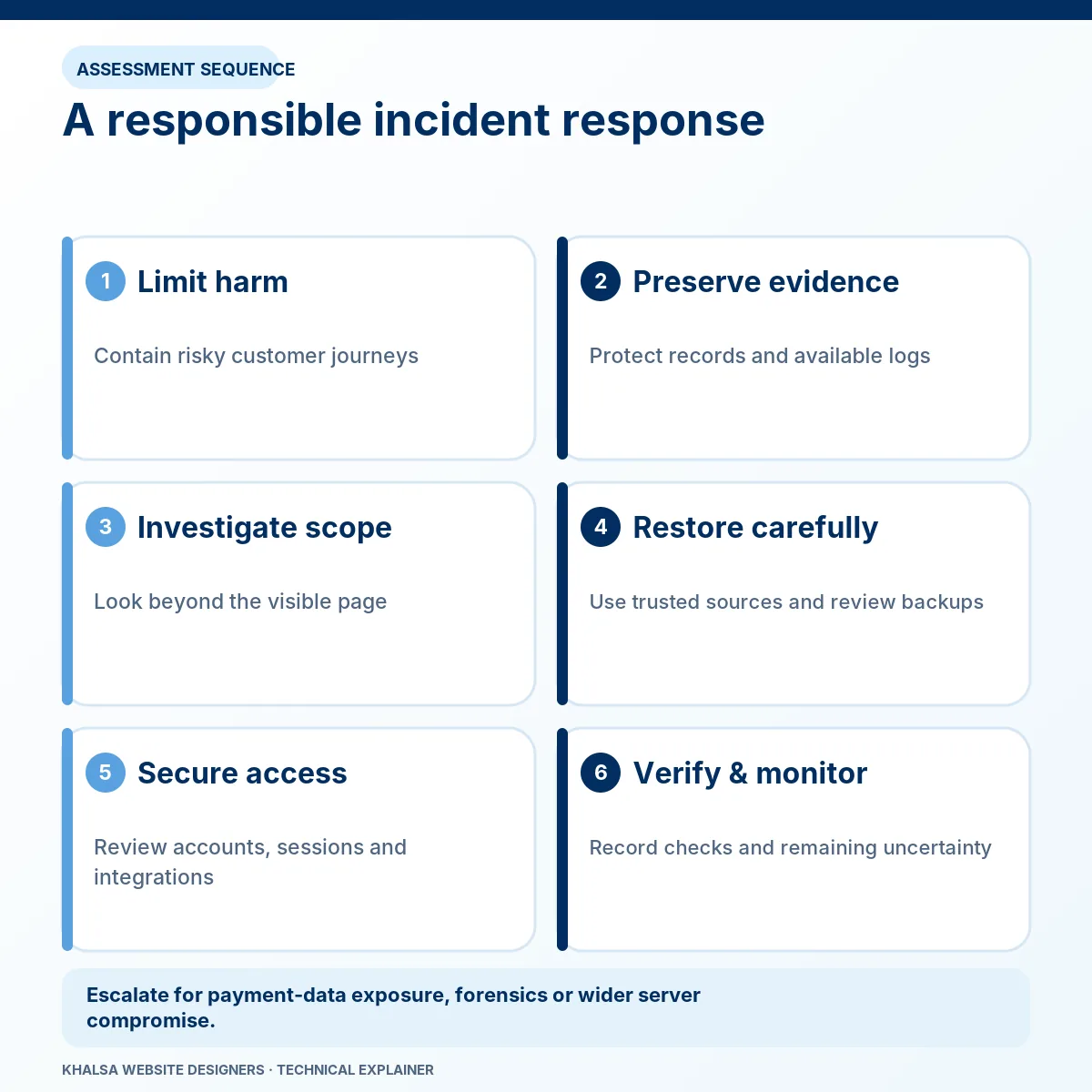
Contact the hosting provider through a trusted channel and follow the agreed incident instructions. If a site may be harming visitors or exposing transactions, continued operation needs an explicit containment decision. Convenience is not sufficient reason to keep a dangerous customer journey open.
Preserve available files, database snapshots and relevant logs before cleanup changes, where doing so can be performed safely and without delaying essential containment. A snapshot of a compromised site is evidence, not a clean recovery image. Its storage and access need appropriate protection.
Use a trusted device and communication route for account recovery. Credentials, sessions and integrations may need coordinated revocation and rotation. If an attacker retains access elsewhere, changing a WordPress password alone may be insufficient. Avoid collecting new secrets inside an environment that is still compromised.
Do not repeatedly delete files, install unverified cleanup tools or overwrite the whole site before the evidence and data-preservation implications are understood. Those actions can remove useful traces or discard recent business records.
Agree the investigation boundary before cleanup
A WordPress installation can sit inside a wider affected hosting account. Other websites, scheduled tasks, server configuration, email accounts or leaked integration credentials may be relevant. A page-level symptom should not artificially narrow the investigation to one plugin directory.
An accepted scope should identify the systems included, account ownership, available access, evidence-handling method, containment authority and escalation contact. It should also state whether the work is technical cleanup, recovery assistance or a separate forensic investigation.
Missing logs and overwritten files may make the original entry route impossible to establish with confidence. A responsible report distinguishes a confirmed finding, a plausible explanation and an unresolved question. It should not invent an attacker identity or claim a complete history from a scanner result.
Remove persistence as well as visible symptoms
Malicious changes can exist in files, database content, privileged accounts, scheduled work or server configuration. Restoring only the homepage or removing one injected link may leave another route active.
Recovery may involve replacing affected software from trusted sources, reviewing site-specific code, removing unauthorised changes, correcting the relevant vulnerability and restoring required content. The exact method depends on the evidence and the integrity of the available backups.
A backup needs its own trust assessment
A backup can predate the visible warning and still contain compromise. Check its provenance, timing and contents before using it as a recovery source. Also identify legitimate changes made after that snapshot, including orders, uploads and enquiries.
A clean scan is limited evidence
A scanner can help locate known patterns or suspicious changes. It cannot prove that every possible malicious modification or access path is absent. Combine appropriate inspection methods with account review, configuration checks and observation of the previously affected behaviour.
WordPress describes hardening as risk reduction rather than risk elimination. That distinction also applies after a cleanup: future security depends on the remaining environment, updates, access and monitoring.
Restore search and browser trust through the correct process
Confirm the exact issue through the relevant provider's authorised tools. Google's Security issues report can describe harmful behaviour it has detected. It is separate from an ordinary indexing report and from the browser's certificate validation.
After the reported problems and their relevant causes have been addressed, the responsible owner can follow the provider's review process with an accurate remediation account. Requesting review before the work is complete can waste time and expose visitors to further harm.
Removing a website fault and removing an external warning are separate events. Google, the host and browser protection services control their own evaluations; no warning-removal date or ranking recovery should be promised.
When other specialists must be involved
Suspected payment-data exposure, wider server compromise, ongoing unauthorised access or a need for defensible forensic evidence can exceed a WordPress cleanup engagement. Involve the host, payment provider or qualified incident specialist as appropriate.
Questions about notification duties or regulatory obligations need the organisation's qualified legal or privacy advisers. A technical repair does not establish that no data was accessed and does not determine the organisation's legal position.
If the available access or evidence is insufficient for a safe recovery, that limitation should be stated before accepting work beyond assessment. Referral is more responsible than implying capabilities or certainty that have not been established.
What an accountable recovery report should contain
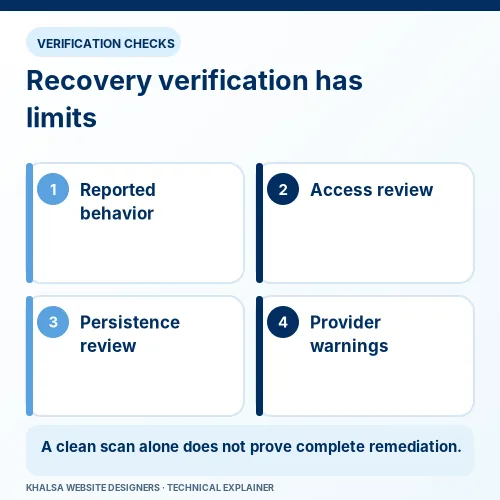
The report should separate the incident findings from the work performed. Include the systems reviewed, observed indicators, containment actions, trusted recovery sources, changed access, tests completed and unresolved risks.
Functional validation matters too: legitimate pages, administrator access, forms and relevant store journeys must be checked without exposing customers to a test. Identify who is responsible for ongoing patching, backups, log retention and monitoring after the agreed recovery period.
Any assurance must match the scope and evidence. “The listed checks passed on this date” is supportable when recorded; “the website can never be hacked again” is not.
Security recovery questions
Is every suspicious redirect definitely malware?
No. Redirect configuration, advertising code, compromised accounts and injected content can produce different behaviours. Preserve the conditions and investigate them. Avoid visiting a suspicious destination on an unprotected customer device.
Will restoring a backup prevent reinfection?
Not necessarily. The backup may already be affected, and the original access route may remain open. Restoration needs to be combined with appropriate remediation and access control.
Can a site remain online during investigation?
That depends on the risk to visitors, data and other systems. The owner and appropriate specialist should agree containment. A maintenance screen alone does not necessarily prevent access to an affected backend or endpoint.
Does the service include penetration testing or forensic attribution?
Those are distinct activities requiring a suitable scope and qualified provider. They must not be assumed to form part of a standard WordPress recovery request.
Send a minimal incident brief
Provide the domain, first known warning with time zone, suspicious behaviour and whether the host or a search provider has contacted you. State whether the website processes payments or sensitive submissions, without including those records.
Discuss the appropriate security assessment route. Scope, capability, access and handling arrangements must be confirmed before an incident is accepted. For unrelated technical symptoms, review our website repair service categories.


