
WooCommerce Checkout and Payment Gateway Error Fixing
When checkout fails, two questions come first: did the customer pay, and did WooCommerce record the correct order? An error screen, a bank notification and an order status can tell different parts of the story. Repeating the payment before reconciling them can create a second problem.
Khalsa Website Designers investigates WooCommerce checkout failures, payment integration faults, custom checkout conflicts and payment-to-order mismatches. The repair scope follows the transaction from the customer's action to the gateway response, store record and fulfilment controls.
Request a checkout investigation. Describe what happens when a customer tries to buy, the gateway involved and whether a payment is confirmed in the processor account. Do not send card numbers, payment tokens or customer records.
For stores selling across countries, include the affected buyer country, currency, shipping destination, payment method and gateway when describing the issue. These details help distinguish a regional configuration problem from a general checkout failure. You can reach Daljit through the existing WhatsApp icon; please never send card details or payment credentials in chat.
Find the stage where the purchase stops
Checkout is a sequence of operations. A page can look correct while a request fails behind it.
| Symptom | Evidence that helps identify the failure stage |
|---|---|
| The checkout button does nothing | Browser errors, validation messages and whether a checkout request was sent. |
| Payment fields are missing or unresponsive | Checkout type, gateway compatibility, script loading and relevant browser messages. |
| Totals or shipping methods fail to update | The exact basket and destination conditions, request response and configured rules. |
| A spinner continues after payment submission | The request outcome, existing order, gateway record and matching logs. |
| The gateway declines payment | The provider's decline or authentication response and the order notes. |
| The processor confirms payment but the order remains pending | A matched transaction, its financial state and the payment notification history. |
| Two orders or charges appear | Separate order and transaction identifiers, submission chronology and automation behaviour. |
A screenshot of the customer page cannot establish all these facts. The investigation needs the records from the systems involved, accessed with the owner's permission.
Separate checkout, money movement and order state
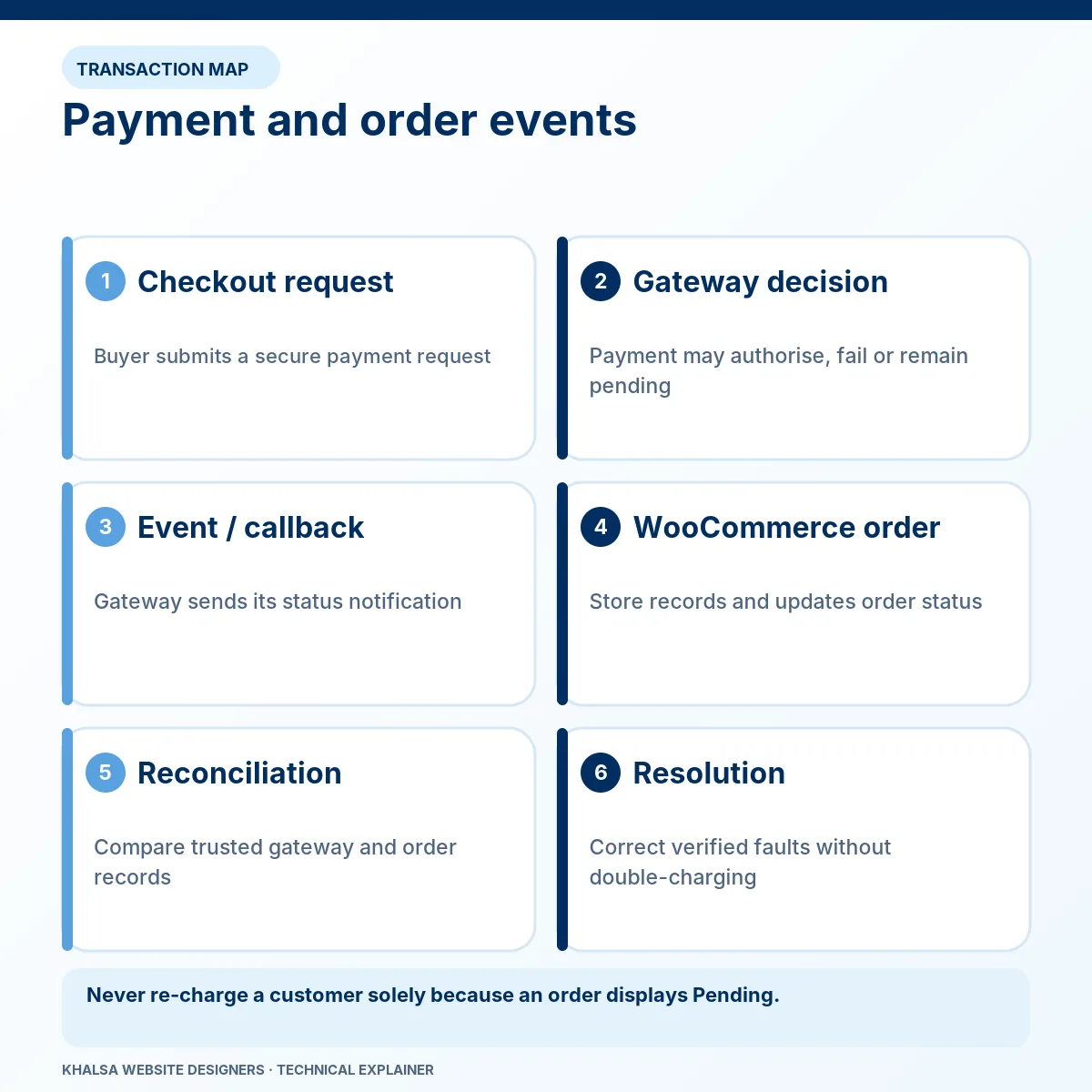
Checkout prepares and submits the purchase
WooCommerce calculates the basket and validates required information. The exact request path depends on whether the store uses the block checkout or classic checkout and on the installed extensions. A compatibility correction needs to match that implementation.
The WooCommerce Checkout block reference explains that payment method availability depends on active gateways and block support. Switching checkout types is a change to evaluate, not a universal repair: it can affect custom fields, express payments, subscriptions and other extensions.
The processor records the financial event
An authorisation can reserve funds without completing capture. A captured payment is different from a customer merely reaching a success page, and an asynchronous payment method may still be awaiting its final outcome. The processor's record must be matched to the correct order, amount, currency and environment.
Merchant restrictions and issuer declines are not necessarily website-code defects. The gateway or account holder may need to resolve them. A developer cannot approve a merchant account or override a bank's decision.
Notifications and store logic update the order
Many integrations use a server-to-server callback or webhook to notify the store of payment events. The customer's browser returning to a thank-you page is a separate path. One can succeed while the other fails.
An event reaching an endpoint does not by itself prove the correct order was updated. The integration must verify and process the relevant event in the correct account and test or live environment. Duplicate and delayed notifications also need safe handling.
Paid at the gateway, pending in WooCommerce
Do not ask the customer to pay again just because the order is pending. First reconcile the processor record with the WooCommerce order and confirm whether funds were authorised, captured, refunded or otherwise changed.
Possible causes include a delayed notification, an incorrect endpoint after migration, a signature verification problem, a blocked callback or an error during event processing. The relevant cause depends on the gateway and installed extension; generic outbound WooCommerce webhooks are not the same configuration as incoming payment notifications.
The paid-but-pending diagnosis guide sets out the reconciliation sequence. A manual status correction, if appropriate, must consider stock, customer emails, downloads, subscriptions, external fulfilment and any event that might arrive later.
When scripts, caching and custom code interfere
A checkout relies on the right scripts and live session information. Optimisation settings can delay a required script; cached personalised output can show incorrect state; a custom validation hook can reject otherwise valid input. A slow external API can also leave a request waiting.
The investigation compares browser requests, server errors and the store configuration under the same basket conditions. Isolation belongs in a controlled environment where possible. Disabling every plugin on a trading store can stop payment handling and background work while customers are still using it.
Custom checkout fields, theme overrides and gateway extensions should be reviewed for compatibility with the current checkout architecture and order storage. Direct database patches that ignore WooCommerce's supported APIs can create inconsistent records and fragile behaviour.
If the purchase completes but confirmation emails fail, transactional email investigation addresses that separate delivery path. If the main issue is measured delay rather than payment state, use WordPress performance investigation alongside functional checkout checks.
Shipping, taxes and currency can block a valid purchase
A checkout problem may depend on a particular shipping destination, product type, coupon, tax configuration or currency. “It works on my test order” is insufficient if the failing customer uses a different combination.
Record the exact non-sensitive conditions that reproduce the failure. A controlled comparison can reveal a missing shipping method, a rounding discrepancy, an unsupported gateway currency or a required field that is not visible. The technical work checks configured behaviour; tax obligations and merchant eligibility remain matters for the appropriate adviser or provider.
Test the repair without charging customers
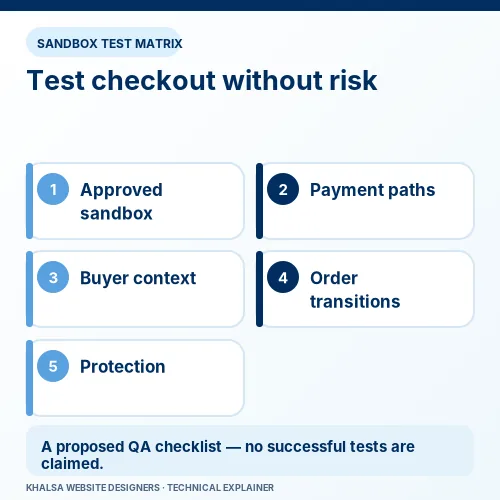
Use an isolated testing copy and the gateway's documented sandbox or test mode where available. A cloned store must not send real customer messages, trigger live fulfilment or receive live events intended for production. Test and live credentials, endpoint secrets and account identifiers need to stay separate.
The agreed test matrix should cover the affected conditions and meaningful exceptions:
| Scenario | What needs to be verified |
|---|---|
| Successful test purchase | The intended order, payment state and order notes agree. |
| Decline or failed authentication | The customer receives a useful response and no false paid state is recorded. |
| Delayed or repeated event | The order is handled correctly without duplicate side effects. |
| Guest and customer-account checkout | Sessions and required fields behave as intended. |
| Relevant mobile device and payment method | Controls work and the purchase can be completed. |
| Authorised refund or void test, where in scope | Processor outcome and store record agree; a manual record change is not mistaken for a money transfer. |
WooCommerce recommends staging and gateway-specific testing in its payment troubleshooting guidance. A production confirmation, if still necessary, needs a separately agreed method, authority and reconciliation plan. No uncontrolled live payment is implied by an ordinary repair request.
What the store owner should receive
The handover should identify the failing stage, the supporting evidence, the configuration or code changed and the scenarios actually tested. It should distinguish historical orders already reconciled from orders still requiring review.
Record any gateway or hosting action that remains outside the developer's control. Remove temporary diagnostic logging and access as agreed, while retaining the necessary redacted repair record. A successful test purchase proves that scenario worked; it does not establish a measured conversion uplift or settle every earlier transaction.
Checkout repair questions
Can you investigate without access to the gateway dashboard?
Browser and store evidence may narrow a technical fault. Financial reconciliation may still require the merchant to verify the processor record or grant suitable restricted access. Payment status should not be inferred from WordPress alone when records disagree.
Should every paid order become Completed?
No. The correct status depends on the goods, payment method and fulfilment workflow. Processing commonly means the paid order still needs fulfilment. Marking an order Completed prematurely can trigger downstream actions.
Can a plugin update affect existing orders?
It can affect how orders are handled, including scheduled events and integrations. A safe change considers stored data, active subscriptions and callbacks as well as new checkout attempts. Backups and a rollback need to match the extension's database behaviour.
Will reconnecting Stripe fix all pending orders?
A connection setting may be part of a remedy, but it does not prove historic payments are reconciled. Follow the installed extension's Stripe webhook guidance and verify individual event processing rather than treating a configured indicator as end-to-end proof.
Explain the failed purchase without sharing payment data
Send the checkout URL, gateway and extension names if known, the visible error, when it happened and recent changes. State whether the merchant dashboard shows a matching financial event. Sensitive identifiers can be reviewed later through an agreed secure channel.
Ask KWD to investigate WooCommerce checkout. For a fault whose category is still unclear, review the website repair options.


