
Elementor Layout and Mobile Website Fixes
An Elementor page can look correct in the editor and still fail for visitors. Styles may be stale, a template condition may select the wrong header, a container may overflow on mobile or an invisible overlay may block a button.
Khalsa Website Designers investigates broken Elementor layouts, responsive defects and frontend interactions on existing WordPress websites. The work aims to preserve the intended branding and content while correcting the behaviour that prevents people from reading, navigating or enquiring.
Show us the Elementor layout problem. Send the affected URL, a screenshot of the defect and the device or browser where it appears. Explain what you expected to happen.
Remote Elementor support works best when we can reproduce the exact device and page state. From Canada, Australia, the UK or anywhere else, send the affected URL, device width and a screenshot without private data. The existing WhatsApp chat icon offers a direct way to describe the layout issue to Daljit; the contact form remains available.
Describe the defect in a way we can reproduce
“Broken on mobile” covers several different problems. A reliable test needs the actual page, viewport and interaction.
| Visible defect | Useful comparison |
|---|---|
| A page scrolls sideways or text is cut off | The element extending beyond the viewport and the width at which it happens. |
| The live page differs from the editor | Published state, logged-in versus anonymous view, loaded styles and cache behaviour. |
| Header or footer disappears | Template assignment, display conditions, responsive visibility and page layout. |
| A button is visible but cannot be pressed | Keyboard behaviour, overlays, hit area and JavaScript response. |
| Spacing breaks at one screen width | Container constraints, inherited responsive values and the exact breakpoint. |
| A font or style changes after an update | The responsible stylesheet, computed browser style and versions changed. |
Before-and-after images should use the same content and viewport. Comparing a cramped phone screenshot with a redesigned desktop page does not prove a responsive repair.
Four different reasons a layout can look wrong
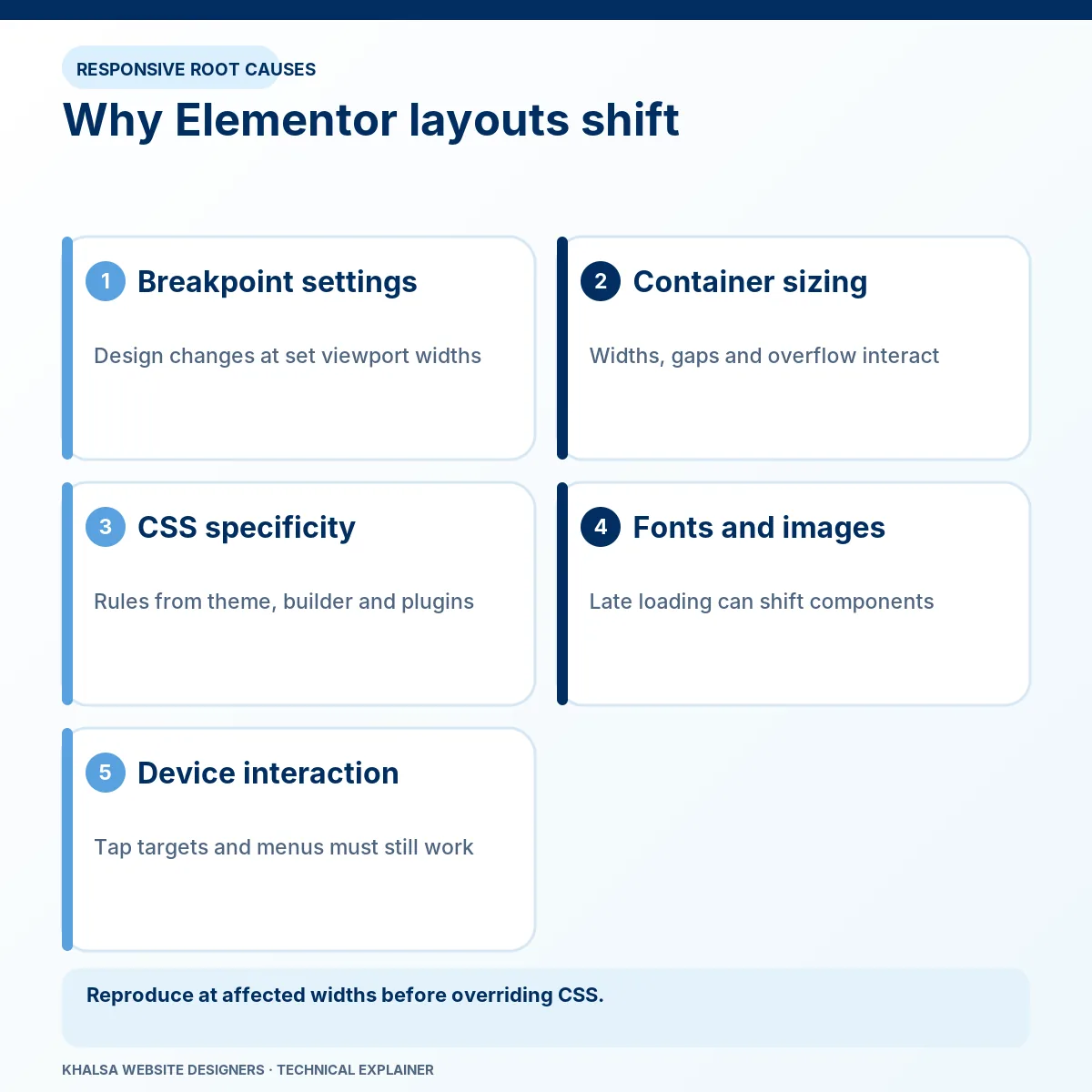
The browser receives outdated or missing styles
Elementor generates styling resources that can interact with page, server, CDN and browser caches. A changed page may still load an older file, or a required style request may fail. First inspect what the visitor actually receives.
Elementor's current documentation calls its regeneration function Clear Files & Data. It can be appropriate for generated-file problems, with a backup and a defined retest. It will not correct every width, selector or template mistake. Clearing several cache layers without checking the underlying requests can make a temporary improvement difficult to explain.
Another rule wins in the CSS cascade
Themes, plugins, global styles and custom CSS can all affect the same element. The browser's computed style helps identify which rule supplies the unwanted value and where it came from.
A targeted correction should address that rule at an appropriate scope. Applying broad overrides to every heading, container or button can repair one page while damaging others. Repeatedly adding more !important declarations can also make future maintenance harder.
The responsive structure cannot reflow
A fixed child width, long unbroken content, a flex item that refuses to shrink or an unsuitable column arrangement can create overflow. Hiding horizontal overflow at the page level may conceal content while leaving the cause intact.
The correction may involve sizing, wrapping, stacking, spacing or media behaviour. Keep the information available. Reducing text to an unreadable size or hiding an important call to action is not an acceptable substitute for reflow. KWD's page standard keeps visible text at least 16px at every breakpoint.
The wrong template or visibility condition is active
Theme Builder parts can have include and exclude conditions. Responsive visibility, template publication state and the selected page layout can affect whether a header, footer or section appears. Elementor's template condition documentation explains how assignments can differ between pages.
A shared-template change needs a list of affected pages. Fixing a header on one URL can alter navigation throughout the site, so its dependencies belong in the test scope.
Editor failures and public-site failures need separate tests
Elementor Safe Mode isolates aspects of the editing environment. Its official scope is the editor session for logged-in administrators; visitors continue using the normal public site. A working Safe Mode editor does not prove that the frontend is repaired.
Where an update introduces a conflict, record Elementor, Elementor Pro, theme and relevant add-on versions. Test compatible combinations on a separate copy where practical. Do not deactivate important production plugins indiscriminately while the site is taking bookings or payments.
A fatal PHP error that prevents WordPress from operating belongs in WordPress error investigation. A visible form that submits but never delivers its email belongs in form and email delivery investigation.
Restore interactions as well as appearance
A layout can look repaired while remaining unusable. Test menus, accordions, popups, links, forms and sticky controls with a keyboard as well as touch or a mouse. Focus must remain visible, and overlays must not trap access to essential content.
Some failures are geometric: an invisible section sits above a button. Others are behavioural: a script fails before attaching its event handler. The remedy should follow the mechanism rather than changing z-index or replacing scripts without evidence.
Image dimensions and late-loading elements may also cause movement. Where the primary issue is measured visual instability or slow interaction, Core Web Vitals investigation provides the performance testing. A visually aligned page and a good CLS result answer different questions.
What responsive repair testing should cover
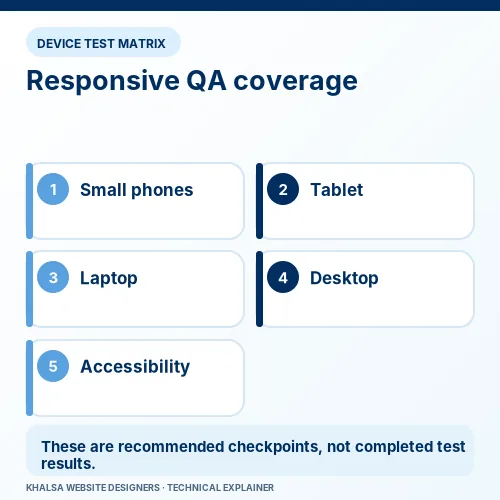
The relevant widths include points between the familiar phone, tablet and desktop presets. A defect can occur just above a breakpoint even if the presets look correct.
| Check | Acceptance evidence |
|---|---|
| Narrow viewport and intermediate widths | Content reflows without losing information or essential controls. |
| Text resizing and browser zoom | Reading and completing the main action remain possible. |
| Navigation and forms | Controls work by keyboard and touch, with visible labels and focus. |
| Shared templates | The affected page types retain the intended header, footer and content. |
| Anonymous and logged-in views | Cache and conditional differences are understood and checked. |
| Relevant browsers | The original failure is retested on the reported browser and an appropriate comparison. |
The handover should record the URLs, viewport widths, browser conditions, changed styles or settings and known limitations. It should also identify any licensed add-on or unsupported component that remains a maintenance dependency.
When replacement is more practical than another override
A focused correction is often appropriate for a discrete CSS, condition or interaction fault. Replacing a component may be more maintainable when an obsolete widget or add-on repeatedly breaks and a supported alternative can preserve the necessary behaviour.
A larger rebuild requires a separate decision if the structure itself prevents accessible, maintainable layouts. The assessment should explain that trade-off and the content to preserve. A repair enquiry does not automatically authorise a redesign.
Elementor repair questions
Does clearing generated files delete the page content?
Elementor's regeneration function is intended to rebuild generated resources rather than delete authored page content. Keep a backup, follow the current vendor instructions and retest the result. It is different from deleting templates or resetting site settings.
Why is the problem limited to one phone?
Viewport, browser behaviour, font rendering, cached resources and device settings can differ. Capture the actual conditions and compare the same page elsewhere. “Mobile” is not a single fixed environment.
Will the correction survive updates?
A change made through supported settings or properly scoped custom code is easier to maintain than an undocumented vendor-file patch. Future updates can still change behaviour; the handover should identify a repeatable regression check.
Can old sections be repaired without converting everything to containers?
The affected structure can be assessed on its own. A full conversion is not automatically necessary. If conversion offers a meaningful maintenance benefit, its risks, template dependencies and testing need separate agreement.
Send the URL and the conditions, not just a cropped image
Include the full affected URL, browser and device, approximate viewport width if known, whether you were logged in, recent changes and the expected result. Redact private account information from screenshots. Initial diagnosis does not require a password in the enquiry.
Request an Elementor layout assessment. For other types of breakage, see the website repair overview.


