
WordPress Error Fixing for PHP, Plugins and Critical Failures
WordPress errors can stop the entire website, block the administrator area or break one important feature while everything else appears normal. The right repair depends on the failing request, the code involved and the environment running it.
Khalsa Website Designers investigates PHP failures, plugin and theme conflicts, compatibility problems and faults in custom WordPress functionality. The focus is to establish a cause that can be tested, apply an appropriate correction and verify the affected website journeys.
Send the WordPress error for assessment. Include the affected URL, redacted error text and the last change you remember. Do not send a Recovery Mode link or login details in the general enquiry.
Punjabi and Indian business owners running WordPress sites overseas can arrange a remote investigation from our Punjab base. To start on WhatsApp, use the chat icon and tell us which URL fails, the last update you remember and your time zone. Keep login credentials and unredacted server logs out of the initial chat.
What the error tells us
Different messages provide different levels of evidence. A plugin name in an error report is a lead for investigation; it does not prove that removing that plugin is the complete remedy.
| Observation | What it establishes | What still needs checking |
|---|---|---|
| WordPress displays a critical-error screen | WordPress encountered a serious failure on that request. | The underlying PHP message, the request affected and the code path. |
| A page is completely blank | The expected output did not reach the visitor. | Its HTTP response, application logs, server behaviour and any cached response. |
| Only wp-admin fails | The failure may depend on administrator-only code or an action used there. | The precise screen, user role, recent changes and corresponding logs. |
| A warning or deprecation notice appears | Code has reported a condition requiring attention. | Whether functionality fails, whether output is disrupted and how the error is handled. |
| A dependency reports an unsupported PHP version | That package's requirement and the executing runtime do not agree. | The whole site's compatibility and the safest supported replacement or runtime. |
A warning is different from a fatal error. It may still leak private paths, interfere with headers or reveal code needing maintenance. Hiding its display protects presentation; it does not resolve the underlying condition.
Why several components can be involved
WordPress loads core code, the active theme, plugins and site-specific customisations. A failure may occur where these components meet. An extension can call a function supplied by another extension, depend on a specific library version or assume a particular order of execution.
This creates an important distinction: the file where execution stops may be receiving invalid data or missing something another component should have provided. A useful diagnosis follows the stack trace and reproduces the conditions instead of treating the last filename as a verdict.
Custom snippets deserve the same scrutiny as installed plugins. A checkout hook, child-theme override or scheduled integration can fail only when a particular action runs. A homepage check alone will not reveal every problem.
PHP compatibility needs a complete view
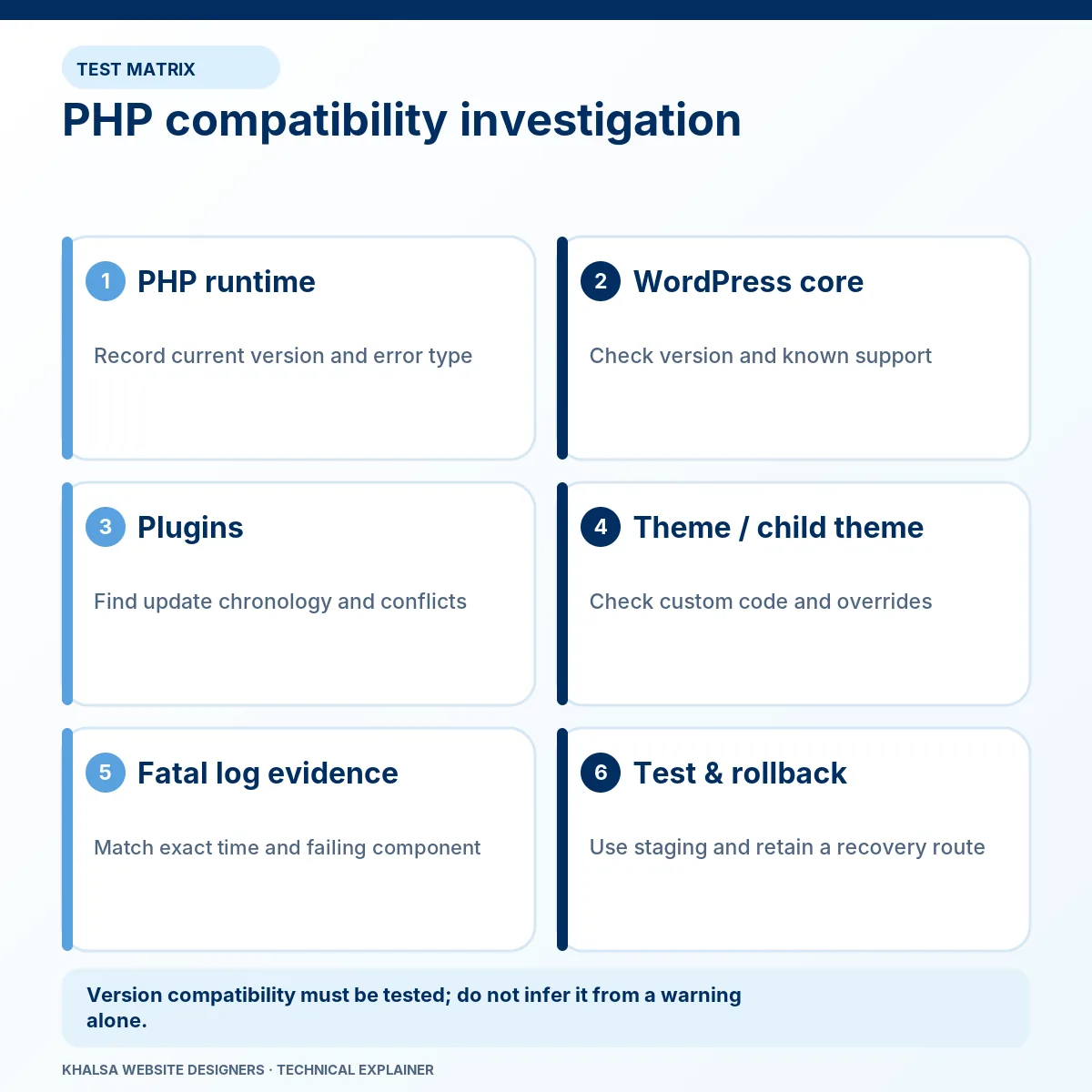
PHP is the server-side runtime executing WordPress. Its version must be suitable for WordPress, the theme, active extensions and any libraries bundled with them. Required PHP extensions can matter as well.
Composer is a dependency manager used by some plugin developers. Its runtime platform check can stop a package from running when requirements are unmet. Removing that check or changing the declared requirement does not make incompatible code work safely. See Composer's platform-check documentation.
An example of the decision involved
Imagine a fictional extension whose new release requires a later PHP version than the website's current runtime. Three routes might be considered: test a supported runtime upgrade, use a compatible supported release of the extension, or replace the dependency. Each has consequences.
| Candidate route | Necessary question |
|---|---|
| Upgrade the web runtime | Do the theme, other plugins and required PHP extensions work on that supported version? |
| Change the extension version | Is the proposed release trustworthy, supported and compatible with the current database state? |
| Replace or adjust the integration | Can its required behaviour and stored data be retained without fragile vendor-file edits? |
The PHP version used by a command-line tool can differ from the version serving the website. Compatibility checks need to identify the relevant execution environment. A repair should not leave an unsupported runtime in place as an unexplained permanent workaround; the PHP support schedule is the reference for current branch support.
A controlled investigation, from failure to testable cause
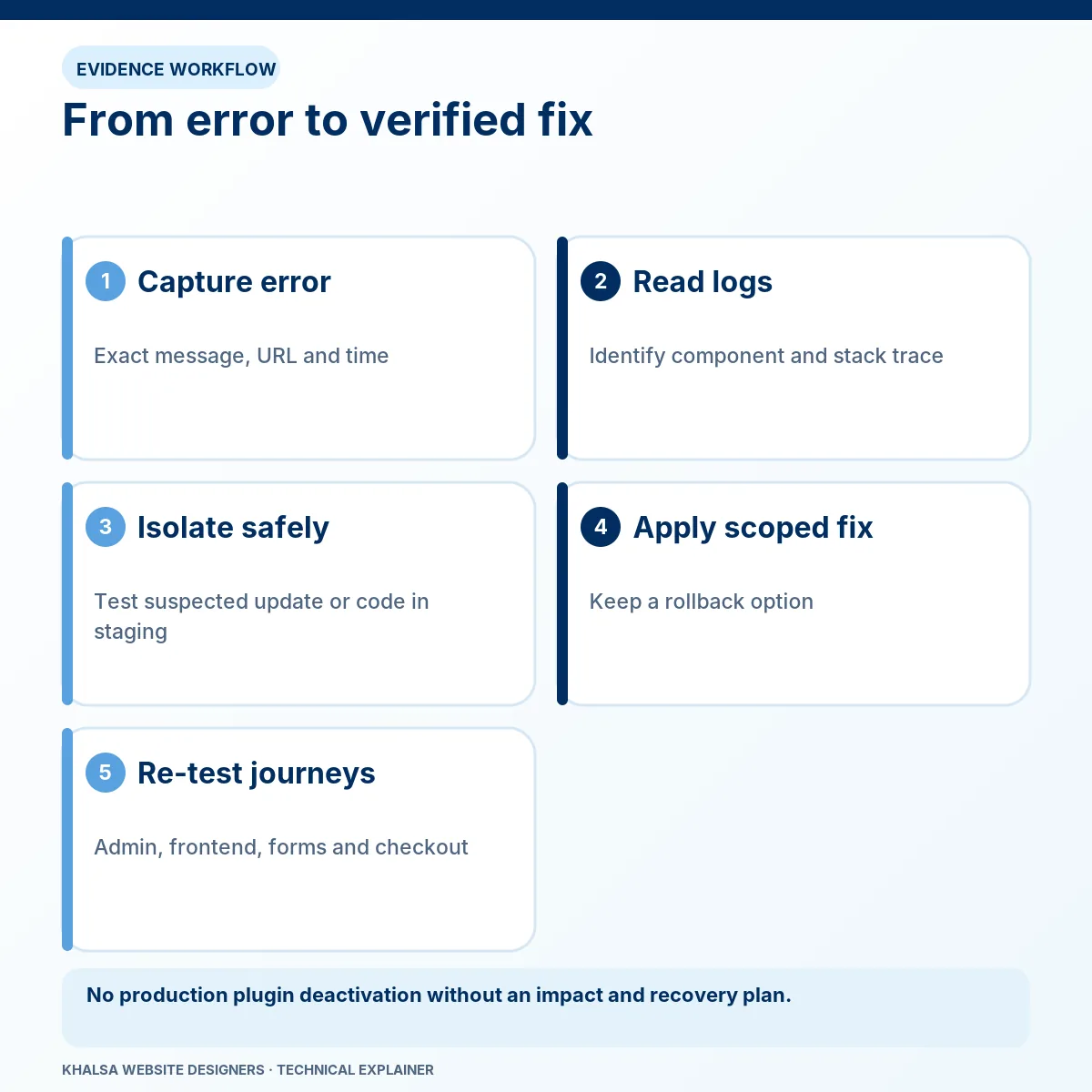
Protect the website before isolating components
Record the current versions and preserve a suitable files-and-database backup. Determine whether the site is still receiving orders, memberships, bookings or enquiries. That affects whether a rollback can be used and what fresh data needs protecting.
Where possible, reproduce the error in staging. A testing copy must be isolated from real payments, customer emails and other live integrations. Disabling plugins across a production store can interrupt transactions and remove controls the business relies on.
Use Recovery Mode when the failure allows it
WordPress Recovery Mode can help an administrator investigate some fatal errors. It does not repair the code itself or cover every background task and server failure. A missing recovery email does not prove WordPress is healthy, and entering Recovery Mode does not mean visitors are seeing a repaired site.
Match the log to the failing request
Useful evidence includes the time of the failed action, the exact error, the file and line involved, the call sequence and relevant hosting events. Old log entries can describe a different incident. Reproducing one controlled action and locating its corresponding entry reduces that ambiguity.
Diagnostic logs must remain private. For authorised developers, WordPress provides debugging controls; their presence is not permission to display errors to visitors. Logging must be restricted, time-limited and removed or reduced after the investigation.
Test one explanation at a time
An isolation test may compare plugin combinations, a compatible theme, a custom hook or a specific input. The test should preserve the conditions that trigger the error. If a background worker fails while the frontend works, frontend-only plugin testing is insufficient.
A change that removes the symptom without explaining it remains a workaround. Document what the evidence proves and what remains uncertain before choosing a permanent correction.
Repairing custom code without creating the next update failure
A targeted change may belong in an existing custom plugin, a child theme or a documented extension point. The placement matters: editing WordPress core or a vendor plugin directly can lead to the change being overwritten on update.
KWD can assess custom functionality alongside the standard plugin stack. The proposed remedy should identify the behaviour to retain, the input or interaction that failed and how to verify future updates. If the request introduces new functionality rather than repairs an existing defect, its development scope needs separate agreement.
Where a vendor defect is involved, a reproducible report may be the best route to a supported correction. A temporary intervention should have a removal plan instead of becoming an invisible dependency.
Recovery is more than a working homepage
The acceptance checks follow the failure and its dependencies. They may include administrator login, the original failing action, scheduled jobs, form processing or a purchase scenario. Test relevant user roles and data conditions as well as a simple successful request.
Review new log output after the same action. Confirm that the repair has not merely concealed the error or shifted it into a background task. Record the tested versions, the correction, any remaining warnings and the rollback arrangement.
If the error began during a move or restoration, WordPress migration recovery is the relevant route for environment and data-preservation work. If the problem is visible styling while WordPress continues to operate, use Elementor layout investigation.
Questions about WordPress error repairs
Will deactivating a plugin delete its data?
Deactivation and deletion are different operations, but plugin behaviour varies. Deactivation can stop bookings, payment handling, security checks or background work even if records remain. Check the extension's behaviour and restore options before using it as a production test.
Can you investigate an error without wp-admin access?
Some evidence is available through hosting logs or authorised file access. The owner may need to involve the host if WordPress cannot start. No access method should bypass the account holder's permission.
Should I reinstall WordPress?
Reinstallation is appropriate only when the evidence points to files needing replacement and a safe method has been selected. It does not automatically correct custom code, database state or an incompatible dependency. Repeated reinstalls can also obscure the original timeline.
What if a recent update caused the error?
Record both the old and new versions before making another change. Our guide to critical errors after an update explains how to build that timeline and identify the next safe check.
Is restoring yesterday's backup the safest option?
Only if its contents, compatibility and effect on newer records have been assessed. A full database restore can remove orders and other changes created since the backup. A tested, narrower rollback may be preferable, but it still needs to account for database upgrades.
Bring the error, the change and the failed action together
Tell us what you were doing, what appeared instead and whether the error affects visitors, administrators or background tasks. Include recent plugin, theme, WordPress, PHP or hosting changes if known. Redact account names, server paths, customer data and tokens from technical material.
Request WordPress error investigation. Khalsa Website Designers works from Punjab, India; share your time zone so communication and access arrangements can be agreed for the job. For a problem that is still unidentified, start with the website repair service overview.


