
WordPress Database Connection Error After Migration: Safe Checks
A database connection error after a WordPress move usually requires checking the destination database service and the connection details used by the moved installation. Copying the website files does not automatically create the correct database, user permissions or imported records on the new host.
Start by identifying the intended destination and preserving both copies. Then separate a failed connection from an incomplete import or wrong table selection. Changing the website's public URL will not repair an incorrect database password or an unreachable database server.
Do not run a fresh WordPress installation over the destination or import an older database again until the current records and rollback consequences are understood. This is especially important if either copy is still taking orders, bookings or enquiries.
1. Establish what moved and which copy is responding
Record the migration type: same domain to a new host, changed domain, staging deployment or backup restoration. Note when files and database were copied and when DNS or routing changed.
Confirm which origin is serving the failing request. A domain may still reach the old copy for some visitors while others reach the new host. The connection error must be investigated on the actual responding installation, not whichever control panel was opened most recently.
Ask the host to confirm the document root and environment if you are unsure. Custom deployments may supply configuration outside the visible WordPress directory or through environment variables. Editing a file unused by the running site will not change its connection.
2. Preserve the newest data before changing configuration
Take appropriate protected snapshots of the current source and destination where authorised. Record their times and contents. A failed frontend does not prove that no background process or alternative route has written new records.
| Data question | Why it matters |
|---|---|
| Did the source continue accepting orders after export? | The imported destination may already be out of date. |
| Did the destination accept any activity before failing? | Reimporting the source may overwrite newer destination records. |
| Were files and database captured at compatible times? | Uploads and their database references may not match. |
| Did either copy run scheduled integrations? | Notifications, stock or recurring actions may have run twice or against different records. |
If the current authoritative dataset is uncertain, stop before overwriting it. Data reconciliation is a separate task from restoring connectivity.
3. Confirm the database service and import exist
Use the hosting provider's authorised database tools or ask its support team. Confirm the database exists on the intended instance and that the service is available. Review the migration or import report for errors rather than assuming the process completed because the upload finished.
A control-panel login to a database tool may use a different account from WordPress. Its success does not prove the WordPress database user can connect from the web server. Test the relevant account and origin through a provider-supported private method.
Do not upload a public connection-test script containing credentials. A temporary diagnostic can expose secrets and remain forgotten after the incident. A competent administrator can test connectivity in a restricted environment and remove temporary materials.
4. Check the configuration used by WordPress
The WordPress configuration handbook describes the database fields. Compare them with the new host's actual assigned values; do not infer them from the old server.
| Configuration item | What must match the destination |
|---|---|
| DB_NAME | The intended existing database, including any host-assigned prefix. |
| DB_USER | The database account WordPress is authorised to use. |
| DB_PASSWORD | That account's current secret, handled privately. |
| DB_HOST | The provider's database hostname, port or socket format as applicable. |
| Database privileges | The account's permitted access to the intended database from the relevant source. |
$table_prefix | The intended WordPress table set, once a connection is working. |
localhost is not a universal database host. Some providers use a separate hostname, container service, port or socket. Guessing it can change one failure into another without reaching the correct server.
An authorised administrator should check for duplicated definitions, deployment overrides and syntax errors as well as wrong values. Do not paste the real configuration into a general enquiry, screenshot or public forum. Even a mostly redacted file may expose salts, keys or other secrets elsewhere.
5. Distinguish connectivity, authentication and table problems
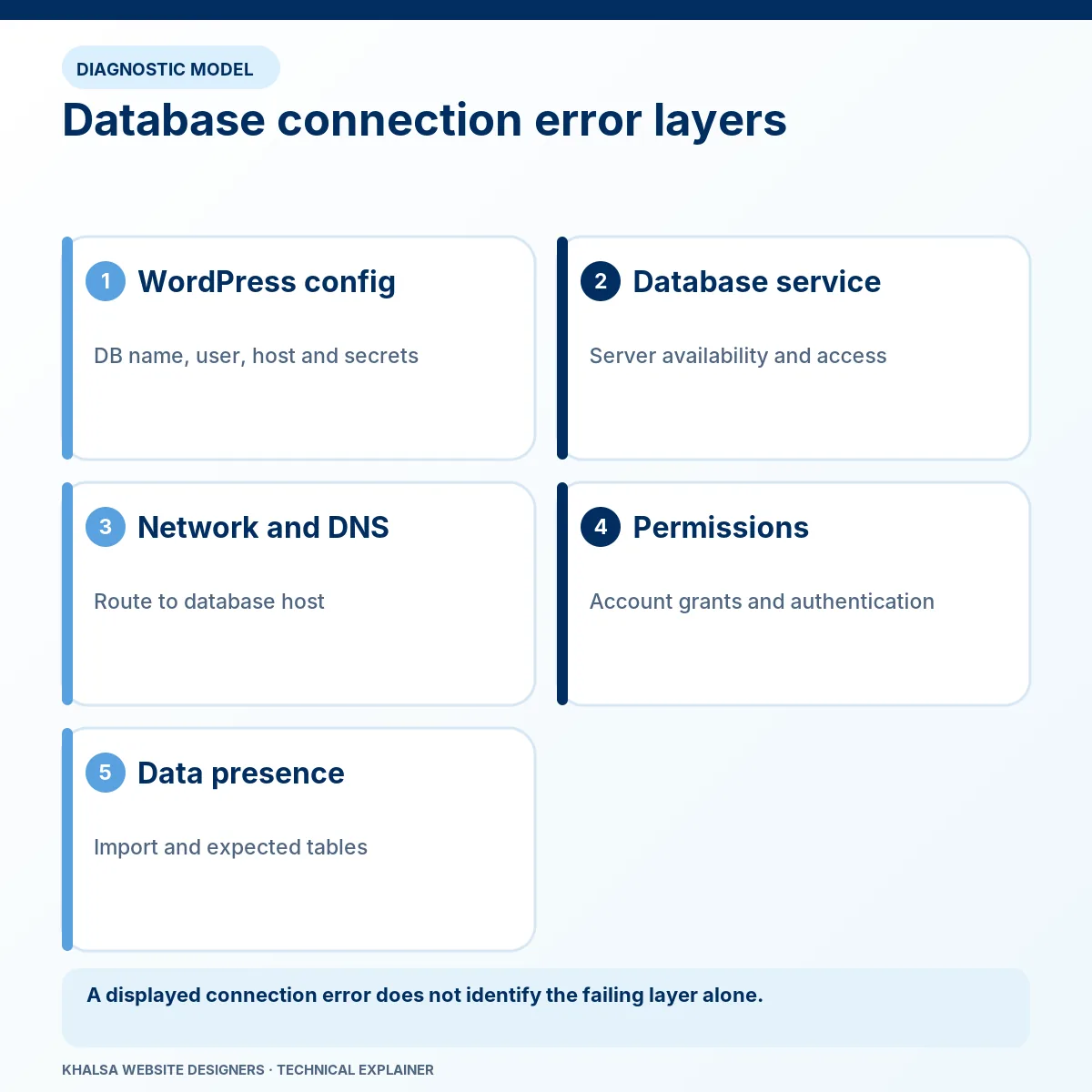
An exact underlying error is more useful than the generic WordPress screen. Ask the host for the relevant private error at the failed request time, with secrets removed.
| Evidence | Investigation direction | Avoid this shortcut |
|---|---|---|
| The database hostname cannot resolve from the application environment | Confirm the database hostname and that environment's resolver or service discovery. | Changing the public website domain's A record without evidence. |
| Connection refused or timed out | Check service availability, route, port, firewall and permitted source. | Repeatedly changing passwords. |
| Access denied | Check the user, secret, permitted source host and grants. | Giving WordPress root-level database credentials. |
| The account cannot select the database | Verify its name, existence and the user's database access. | Creating a new empty database with a guessed name. |
| Connection succeeds but expected tables are absent | Inspect import completeness and the selected table prefix. | Running the new-site installer over an uncertain migration. |
| Queries fail against existing tables | Review the exact query error, import compatibility and table condition. | Assuming every database failure is an authentication failure. |
These clues narrow the next check; exact wording and behaviour vary by database, driver and host. Do not force a generic diagnosis onto a different environment.
A table-prefix mismatch is a later layer
WordPress may connect successfully but look for a different table set from the one imported. That can produce missing-table behaviour or an installation prompt rather than a pure connection rejection.
Do not change prefixes or rename tables casually. User metadata and custom extensions can have related expectations, and multisite has additional tables and relationships. Verify the intended installation and complete dataset before making a correction.
6. Check environment differences beyond the four fields
The new host may restrict remote database connections or require different source-host permissions. A firewall allowance for the old web server may not apply to the new one. The PHP process serving the website also needs the required database support and suitable runtime configuration.
Containerised and managed environments can resolve hostnames differently from a local shell. A successful command-line test does not automatically prove the web process has identical credentials, network access or configuration.
An incomplete import may result from size limits, interrupted transfers or incompatible database features. Review the actual import error and database versions with the provider. Do not bulk-edit collations or suppress import errors without understanding the effect on the data.
These checks may require the destination host's administrator. They cannot be reliably completed through a public website audit alone.
7. Correct the proven mismatch and retest privately
Once the evidence identifies a specific mismatch, preserve the configuration and apply the authorised correction. Retest from the actual application environment. If it fails, record the new exact result instead of making several unrelated edits.
Do not print database errors or secrets to public visitors. Keep diagnostic output restricted and temporary. A working connection is the next milestone; it is not proof that the entire migration is sound.
If a restore is necessary, agree which dataset is authoritative and how newer records will be preserved first. Copying selected commerce tables without the related records can create a website that opens while orders, payments or stock are inconsistent.
8. Separate the next problem from the database repair
After connectivity is restored, the site may redirect to an old domain or display missing media. Those are different checks. WordPress's migration documentation distinguishes the public Site Address from the WordPress installation address.
WP_HOME and WP_SITEURL concern those application addresses; they are not database login fields. Similarly, safe URL replacement in stored content is different from connecting to the database. Do not treat a wrong siteurl value as proof of an authentication failure.
Use WordPress migration recovery for the wider cutover. If the connection works but PHP fails, WordPress error investigation can address the application layer. A domain that cannot reach the intended host needs availability and DNS investigation.
Verify the recovered site before retiring the source
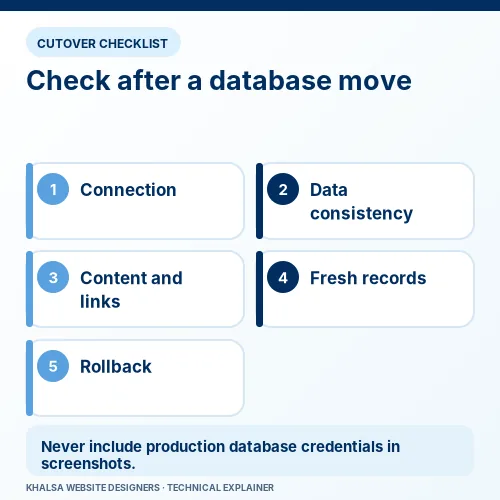
Check administrator access, representative content, media, internal routes and the relevant enquiry or purchase flow. Confirm the destination's expected users and recent records. Reconcile order and payment history where a store was active during the move.
Record the database instance and table set in a protected technical handover, along with configuration changes, snapshot times and remaining migration checks. Public reports should exclude connection secrets and customer information.
Retain the rollback materials for the agreed acceptance period. Remove temporary diagnostic accounts or files and ensure the old copy cannot continue processing live activity unintentionally.
Questions after a database migration failure
Does editing wp-config.php delete content?
A configuration edit does not ordinarily delete database records, but pointing WordPress at a different database changes which records the website reads and may allow it to write to the wrong place. A syntax error can also stop execution. Preserve the original and verify the destination.
Can changing DNS solve this error?
It can correct traffic reaching the wrong website copy. The intended copy still needs its own database connectivity. Database-host DNS resolution is a separate issue from the public website's routing.
What if the import did not finish?
Preserve the current destination and review the import errors with the authorised administrator. Agree the source of truth before retrying an import; do not overwrite fresh records by assumption.
What should I send for help?
Send the migration type, old and new host names, timeline with time zone, generic error text, backup times and whether either copy is still receiving activity. Never send DB_PASSWORD or a database dump through the general form. Ask KWD to assess the failed migration.
For a database-connection error after migration, use the WhatsApp icon to provide the affected domain, migration timing and whether new orders or enquiries were recorded after the move. Do not share database dumps or configuration secrets in chat. The Contact page offers an email route.


