
2026 Practical Guide for Punjab Business Owners
Future of Web Design in Punjab: What Business Websites Need in 2026
Future-ready web design is not about adding every new feature, animation or AI tool. If you're evaluating AI tools for a business website, our Gemini 4 Argon vs ChatGPT vs Claude guide compares practical uses, costs and limitations. It is about making a website clearer, easier to use, faster, more trustworthy and more useful for the people the business actually serves.
This guide explains what matters now, what depends on the type of business, what is often oversold, and how to decide what should be improved first. The aim is not to give every Punjab business the same website. A manufacturer, school, restaurant, healthcare provider, ecommerce company and local service business have different customer journeys and should be designed accordingly.
Use This Guide Your Way
Jump to the decision you are making
You do not need to read this page like a textbook. Start with the part that matches the problem you are trying to solve.
Start Here
Six website fundamentals matter more than chasing design trends
Trends change quickly. These six areas remain useful because each one solves a real visitor or business problem.
Clarity
A first-time visitor should be able to understand what the business provides, who it is for, where it is available and what to do next without having to decode marketing language.
Mobile usability
Important content and actions should work comfortably on a phone. Responsive design is only the starting point; the actual customer task must remain easy.
Performance
Pages should display and respond without frustrating delays, layout jumps or unnecessary technical weight.
Evidence & trust
Important claims should be supported with real information about services, people, projects, processes, policies, qualifications or independent evidence where appropriate.
Accessibility & responsibility
Navigation, forms, text, buttons and important interactions should be usable by as many people as reasonably possible, while data collection should be intentional.
Useful content
The site should answer the questions that help customers understand, compare, decide, buy, book, enquire or visit—not simply contain more SEO text.
Punjab in a Much More Digital India
Customer access to digital services is already widespread
A useful discussion about the future should begin with what can actually be observed, rather than assuming that every customer behaves in the same way.
DataReportal estimated 1.03 billion internet users in India in October 2025, representing approximately 70% internet penetration.
DataReportal: Digital 2026 IndiaThe Government of India's Comprehensive Modular Survey: Telecom 2025 reported widespread household smartphone access.
Press Information BureauThe same survey reported internet access within the household premises for approximately 86.3% of Indian households.
Government surveyNPCI's state-wise data recorded approximately 211.76 million UPI transactions in Punjab, with a value of about ₹33,563.64 crore for August 2025.
NPCI UPI statisticsWhat these figures show
Internet access, smartphone ownership and digital transactions are established parts of everyday life at a scale that businesses cannot reasonably ignore. A website can therefore play an important role in how people investigate a business, verify information, compare options or make contact.
What they do not prove
These figures do not prove that every customer buys online, that every Punjab business needs ecommerce, or that adding UPI to a website automatically creates sales. Website functionality still has to match the customer's real task.
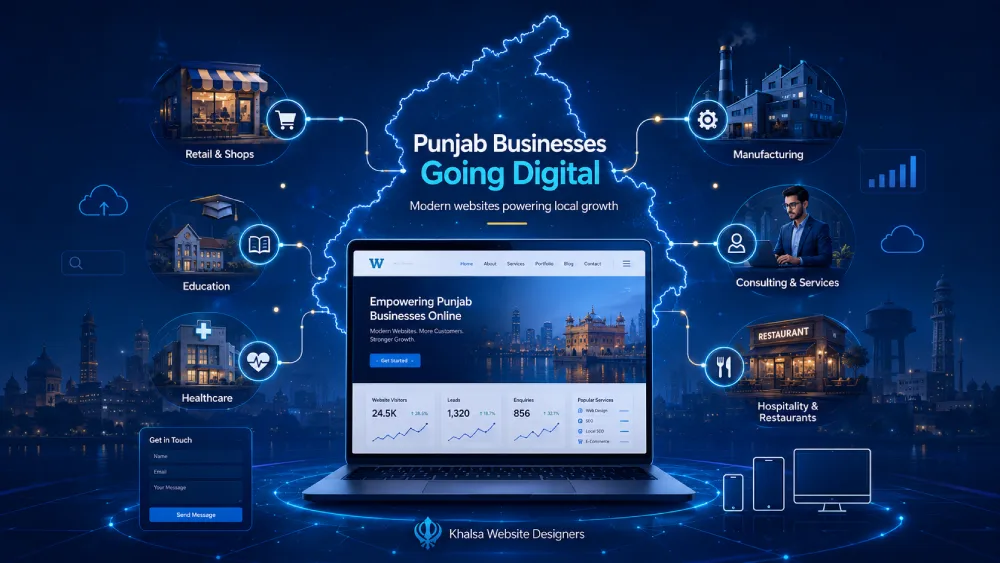
Mobile Experience
Mobile-first means designing the customer task for a phone
Google uses the mobile version of a site's content for indexing and ranking, but a mobile-friendly website should exist primarily because customers need to use it.
A desktop page that simply becomes narrower is not necessarily a good mobile page. The real question is whether somebody can understand and complete the important task without pinching, zooming, hunting for controls or fighting the interface.
A useful mobile check includes:
- Readable text without zooming
- A simple and predictable menu
- Comfortable tap targets
- Visible call, enquiry or purchase actions
- Forms that are practical on a phone
- No unnecessary horizontal scrolling
- Optimised images and media
- No essential content hidden on mobile
- No intrusive popup covering the page
- Tables that remain usable on small screens
Google states that it uses the mobile version of a site's content, crawled with the smartphone agent, for indexing and ranking. Read Google's mobile-first indexing guidance .
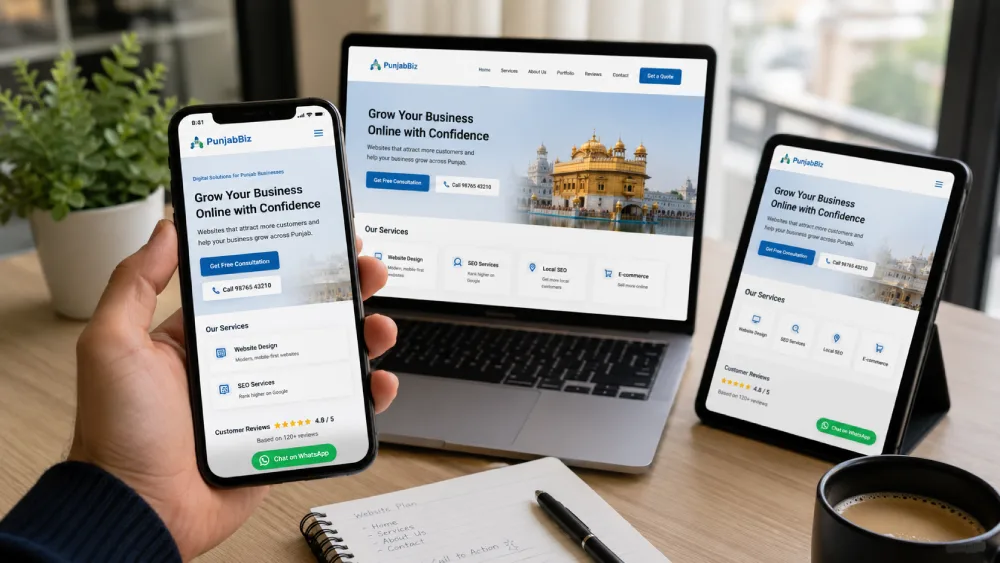
Performance
Website speed matters, but a perfect diagnostic score is not the goal
Performance should reduce friction for real visitors. It should not become a contest to reach 100/100 while ignoring content, usability or business functionality.
Loading performance
Largest Contentful Paint looks at how quickly the main visible content appears.
Responsiveness
Interaction to Next Paint measures how responsive the page feels after user interaction.
Visual stability
Cumulative Layout Shift measures unexpected movement while a page is loading.
Common causes of unnecessary weight
- Oversized images
- Heavy background video
- Too many WordPress plugins
- Large animation libraries
- Third-party widgets and trackers
- Poor hosting or caching configuration
- Unoptimised fonts
- Bloated themes or page components
Information Before Decoration
Many businesses do not have a design problem first. They have an information problem.
A beautiful website can still fail when customers cannot understand the services, differences, locations, process or next step.
What exactly does this business provide?
Which service, product or option applies to me?
Where is it available?
What happens if I enquire, book or purchase?
What information should I prepare?
Why should I believe the important claims?
Practical web-design lesson
Sometimes the best improvement is not a visual effect.
Separating confusing services, improving headings, changing navigation, putting decision-making information earlier, or improving an enquiry form can have more practical value than another animation or decorative homepage section.
Trust by Evidence
A trustworthy website does more than repeatedly call the business “trusted”
Different claims require different kinds of evidence. Good design should make that evidence easy to find near the decision where it matters.
| Visitor question | Useful evidence |
|---|---|
| Is this a real business? | Recognised business name, genuine contact details, location or service area, responsible people. |
| Does it genuinely provide this service? | Specific service information, process, deliverables, relevant experience and real examples. |
| Is the person qualified where qualifications matter? | Appropriate professional, register, licence or qualification evidence. |
| What do customers report? | Legitimate independent reviews or reputation sources used accurately. |
| What happens after I contact or buy? | Clear process, responsibilities, customer-service information and appropriate policies. |
| Who controls my website project? | Written scope, responsibility and clarity around domain, hosting and account access. |
Design Responsibility
Accessibility and privacy belong in website planning—not only in the final checklist
Modern sites contain more forms, tracking, accounts and interactive elements. Responsible design considers who can use those elements and what information the site actually needs to collect.
Accessibility
Make important interactions usable by more people
WCAG 2.2 is the current W3C Recommendation for web accessibility. Practical considerations for ordinary business websites include:
- Logical headings and document structure
- Keyboard-accessible navigation and controls
- Visible keyboard focus
- Readable colour contrast
- Descriptive labels and useful form errors
- Comfortable pointer/touch targets
- Meaningful alternative text for informative images
- Alternatives where an interaction requires precise dragging
- Accessible authentication where accounts are used
This list is practical guidance, not a claim of WCAG compliance. Organisations requiring formal conformance should obtain an appropriate accessibility audit.
W3C: WCAG 2.2Privacy
Collect customer information intentionally
Contact forms, analytics, booking systems, ecommerce, customer accounts and AI chat can all involve personal data. Before adding another field or tracking tool, ask two questions:
India's final Digital Personal Data Protection Rules, 2025 were notified on 14 November 2025 with staggered commencement. Several provisions, including Rule 3, are scheduled to commence eighteen months after publication rather than all taking effect immediately.
Website owners should design data collection with the DPDP framework and its commencement schedule in mind. This page provides design awareness, not legal advice.
Ministry of Electronics & IT: DPDP Rules 2025AI on Business Websites
Use AI when it removes a real customer or operational problem
A chatbot is not automatically a better website. AI becomes useful when its job, source information, limits and human fallback are clear.
Repeated basic questions
Help users retrieve approved information without waiting for a staff member, provided the information can be kept accurate.
Many enquiry types
Ask a small number of useful questions and route the visitor to the appropriate service, team or form.
Complex catalogues
Improve search, filtering or product discovery when traditional navigation alone is not sufficient.
After-hours enquiries
Collect structured information for later follow-up without pretending that an automated response is a human specialist.
Booking journeys
Help visitors locate the appropriate booking flow or approved information before scheduling.
Internal content work
Assist research, organisation and drafting while keeping human factual review and business-specific knowledge in the process.
Better AI use
- Uses reliable, approved information
- Solves a defined customer task
- Makes escalation to a person possible
- Collects only information that is useful
- Makes automation obvious where appropriate
Higher-risk use
- Invents prices, policies or availability
- Blocks users from normal website navigation
- Collects unnecessary sensitive information
- Publishes AI-generated pages without factual review
- Gives unverified high-consequence advice
Search Is Changing Too
AI Search increases the value of original information—not the value of SEO tricks
Google published dedicated 2026 guidance for generative AI features in Search. Its message is more practical than many “GEO” or “AEO” sales pitches.
SEO fundamentals still matter
Crawlability, clear technical structure, useful content and good page experience continue to provide the foundation.
Non-commodity content matters
First-hand knowledge, evidence, useful analysis and information that could not simply come from any generic article become more valuable.
You do not need to rewrite for robots
Google says there is no requirement to break content into tiny “AI chunks” or rewrite every page in a special generative-search style.
Google does not require llms.txt
Google's current guidance states that special AI text files such as
llms.txt are not required for Google Search and do not improve Google
Search visibility.
A better approach for people, search engines and LLMs
Make important information explicit. Name real services and locations. Put evidence near claims. Use meaningful headings. Explain relationships. Identify responsible people where relevant. Date volatile statistics. Publish original examples and media. Keep important content visible in accessible HTML.
Google: Optimising for generative AI features in SearchLocal Relevance
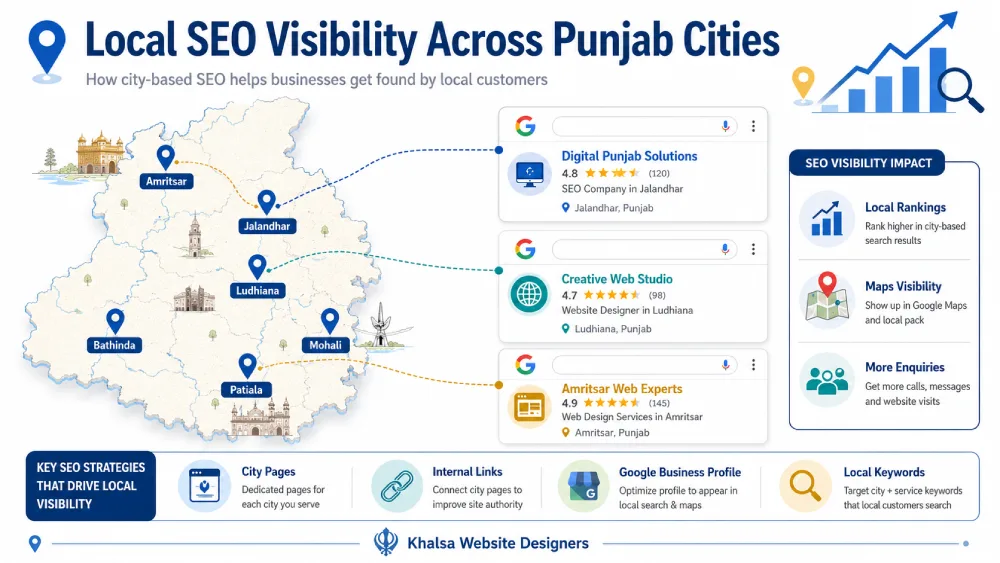
Local SEO should reflect the real business—not a city-name template
Punjab is not one identical market, but that does not mean every business needs a separate page for every city that appears in keyword research.
A location page may be justified when
- There is a genuine office or physical location
- Availability or service differs meaningfully
- There are real local projects or examples
- Local logistics affect the customer
- Local staff or facilities matter
- Process, pricing or requirements differ
- The page can stand alone as useful information
A weak reason for creating one
If almost every paragraph stays the same and only the city name changes, the page probably needs a stronger reason to exist.
Should the website use Punjabi, Hindi or English?
The answer should come from the audience and the information they need—not from the idea that more languages automatically produce more SEO traffic.
English primarily
Often suitable for B2B, technology, export, professional and international audiences.
Punjabi + English
Useful when local customers are comfortable searching in English but prefer important explanations or communication in Punjabi.
Hindi + English
Appropriate when real customer research shows that Hindi materially improves understanding or accessibility.
Full multilingual website
Worth considering when substantial information genuinely needs to be available in multiple languages and the business can maintain every version.
Feature Decisions
A future-ready website does not need every future-ready feature
Separate the fundamentals from functionality that should only be added when the customer journey or business process justifies it.
Baseline
Useful for most serious business websites
- Mobile-usable responsive layout
- HTTPS and security hygiene
- Clear business and contact information
- Logical navigation
- Useful service or product information
- Reasonable performance
- Accessibility fundamentals
- Maintainable content system
- Appropriate measurement
- Backups and update responsibility
Conditional
Add when a genuine use case exists
- WhatsApp integration
- Online booking
- Ecommerce
- UPI or online payment
- CRM integration
- Multilingual content
- AI assistant
- Customer portal
- Separate location pages
- Advanced search or filtering
- Personalisation
Frequently Oversold
Do not add simply because it looks modern
- Heavy scroll effects everywhere
- Autoplay video backgrounds
- Long intro animations
- Large rotating hero sliders
- AI with no useful customer task
- Dozens of unnecessary plugins
- Pages for every keyword variation
- Meaningless badges and trust logos
- Features nobody is responsible for maintaining
Different Businesses, Different Websites
What should be prioritised depends on how the business actually works
Local service business
Make contacting the right service easy
Prioritise clear services, truthful areas served, availability, evidence, mobile contact and an enquiry form that helps customers explain what they need.
Manufacturer / exporter
Help buyers evaluate capability
Product categories, specifications, genuine capabilities, verified certifications, downloadable material, export information and qualified enquiry requirements may matter more than a promotional homepage.
Ecommerce retailer
Test the complete buying journey
Product information, filtering, availability, delivery and return information, payment, mobile checkout and customer support all need to work together.
Restaurant / hospitality
Put practical visit information first
Menu or offering information, location, hours, booking or order paths, genuine photography and mobile contact can be more useful than long corporate copy.
School / education
Reduce uncertainty for parents and students
Admissions, programmes, fees where appropriate, policies, facilities, transport information and enquiry routes should be easy to locate and maintain.
Healthcare / high-trust service
Accuracy and responsible people matter more
Qualified professionals, services, appointment information, content responsibility and properly supported high-consequence information require a higher trust standard.
NRI-owned or remotely managed
Project control needs to remain clear
Written scope, communication, domain and hosting ownership, account access, handover expectations, payment arrangements and ongoing responsibility can matter as much as visual design.
The deciding question
What must this customer's website make easier?
Start there. Then choose the pages, content and functionality required to solve that problem.
Before Buying More Features
Fix these ten problems first
Advanced functionality will not repair a website whose fundamentals are still failing.
-
01
The business or service is unclear
People cannot quickly understand what is being offered or who it is for.
-
02
The main action is difficult on mobile
Calling, enquiring, booking or purchasing becomes unnecessarily frustrating.
-
03
Forms, bookings or checkout are broken
Business-critical functionality needs to work before decorative improvements.
-
04
Business information conflicts
Names, phone numbers, addresses, service areas, prices or policies disagree.
-
05
The website is painfully slow or unstable
Performance problems interfere with normal browsing and customer actions.
-
06
Core pages contain generic filler
The content sounds polished but does not answer the questions people actually have.
-
07
Important claims lack proof
The site asks for trust without giving users enough information to evaluate it.
-
08
Users cannot understand the service structure
Navigation, page relationships and naming need to be reorganised.
-
09
Security and maintenance responsibility is unclear
Nobody knows who manages updates, backups, hosting or technical problems.
-
10
The business is not measuring useful outcomes
There is no clear understanding of enquiries, orders, bookings or other valuable actions.
What Real Customers Talk About
Recent KWD reviews reveal problems that design-trend articles often miss
Public customer reviews are not proof of every marketing claim, but they can reveal recurring customer concerns and the language people use when judging website work.
“Customers were confused about what we do.”
A recurring theme is that the owner understands every service internally, while customers do not. Organising services, headings and navigation can therefore be more valuable than adding another design effect.
The real test is whether an order can be completed
Customers describe judging ecommerce by the full journey: viewing products, adding to cart, completing checkout and having the order reach the business correctly.
Domain and account control creates confidence
Public feedback also raises an issue many owners discover too late: who actually controls the domain, hosting, WordPress login and related accounts?
Good advice can include “you do not need that yet”
Some reviewers specifically value being advised against unnecessary features rather than being pushed towards a larger project.
Business knowledge is often scattered
Website information may be spread across WhatsApp messages, brochures, photographs, notes and the owner's memory. Content planning often begins by extracting and organising that knowledge.
A website can help customers ask better questions
Clear service information and a useful enquiry flow can reduce vague messages and help the business receive more relevant information before the first conversation.
Do This Before Commissioning a Redesign
A 15-minute website check for Punjab business owners
Open your existing website as if you were a customer and answer each question with Yes, No or Not sure.
| Area | Question to test |
|---|---|
| Purpose | Can a stranger quickly understand what the business does? |
| Audience | Is it obvious who the service or product is intended for? |
| Mobile | Can the primary customer action be completed comfortably on a phone? |
| Navigation | Can important services or products be found without guessing? |
| Evidence | Are important claims supported rather than merely repeated? |
| Contact | Are the right contact and enquiry options easy to find? |
| Performance | Does the site feel responsive on ordinary mobile connectivity? |
| Forms | Does the business ask only for information it genuinely needs? |
| Accessibility | Can important controls be understood and operated using keyboard or touch? |
| Content | Does the site answer questions customers repeatedly ask before buying or enquiring? |
| Ownership | Does the business know who controls the domain, hosting and website administration? |
| Local information | Are locations and areas served accurate and genuinely useful? |
| Security | Is somebody responsible for updates, backups and website security? |
| Measurement | Does the business know which enquiries, orders or bookings the website produces? |
| Maintenance | Is there a process for keeping important information current? |
Do not redesign simply because another website looks newer. Improve individual weaknesses where there is a clear reason.
Prioritise those real problems before investing in additional technology or visual effects.
An audit may be more useful than immediately commissioning a full rebuild.
Prioritise Before You Build
A sensible website improvement order
You do not need to implement every recommendation at the same time.
Fix first
Repair business-critical failures
Broken forms, checkout, phone links, severe mobile issues, unsafe software, conflicting business information and inaccessible essential actions.
Then
Improve clarity and the customer journey
Navigation, service structure, page messaging, calls to action, useful forms and trust information.
Next
Improve the technical experience
Performance, image delivery, Core Web Vitals, accessibility improvements, monitoring and technical maintenance.
Strengthen
Add better evidence and useful content
Real projects, original photographs, customer questions, decision-support information, people and responsible-author information where appropriate.
Only when justified
Add advanced capabilities
Booking, ecommerce, CRM, multilingual content, AI, personalisation and automation when the customer or operational case is strong enough.
Khalsa Website Designers
Why we look at website projects through the business problem first
Khalsa Website Designers is a Punjab-based website design and development business led by founder Daljit Singh. The current KWD website states that Daljit began designing websites professionally in 2008 and founded Khalsa Website Designers in 2014.
Depending on the project, KWD's work can include responsive business websites, ecommerce, mobile testing, performance optimisation, security hardening, accessible navigation and search-friendly website foundations.
The useful starting question is not “Which modern feature can we add?” It is: what does this business need its customers to understand or accomplish?
Sources & Method
How the factual parts of this guide were checked
External facts are separated from KWD's business perspective. Volatile information is dated so it can be reviewed rather than treated as permanently current.
Research reviewed September 2026. Statistics, laws, Google documentation, review totals, business services and other changing information should be checked again when this article is substantially updated.
Frequently Asked Questions
Questions business owners may still have
Does every business website in Punjab need AI?
No. AI should solve an identifiable customer or operational problem. A simple, clear website with useful information can be better than a complicated website with an AI assistant nobody needs.
Does every Punjab business need separate pages for every city?
No. A dedicated location page is strongest when it has independent customer or operational usefulness. Replacing one city name with another while leaving the rest of the page almost unchanged is not a strong content strategy.
Do I need a 100/100 PageSpeed score?
No. Performance matters, but Google explicitly says good Core Web Vitals do not guarantee top rankings and advises against trying to achieve a perfect score solely for SEO. Fix problems that materially affect real visitors first.
Should my website be available in Punjabi as well as English?
It depends on the audience. Punjabi content can be extremely useful when it helps real customers understand important information, but multilingual pages also need ongoing maintenance. Language decisions should follow customer need.
How do I know whether I need a redesign or smaller improvements?
Look at the scale of the problems. If the underlying structure, technology and customer journey are fundamentally weak, a redesign may be appropriate. If the problems are limited to particular content, forms, speed issues or mobile sections, targeted improvements may be enough.
What should I prepare before speaking with a website designer?
Prepare your genuine services or products, customer types, areas served, important customer questions, process information, useful evidence or photographs, contact information, existing domain/hosting details and the main actions you want website visitors to complete. It is fine if this information is still scattered; discovery is part of a good planning process.
What Should You Do Next?
Improve the problem before buying the feature
If you already have a website, start by identifying what genuinely needs attention. If you are planning a new one, start with the customer journey, business information and functionality before deciding how the finished pages should look.
