
Here’s the plain-English version of Cloudflare’s AI Labyrinth and a quick FAQ that will help you to understand what it is, why you need to turn it on or off. This post will explain the AI Labyrinth like a pro. After reading this post, you will have no other question left about AI Labyrinth.
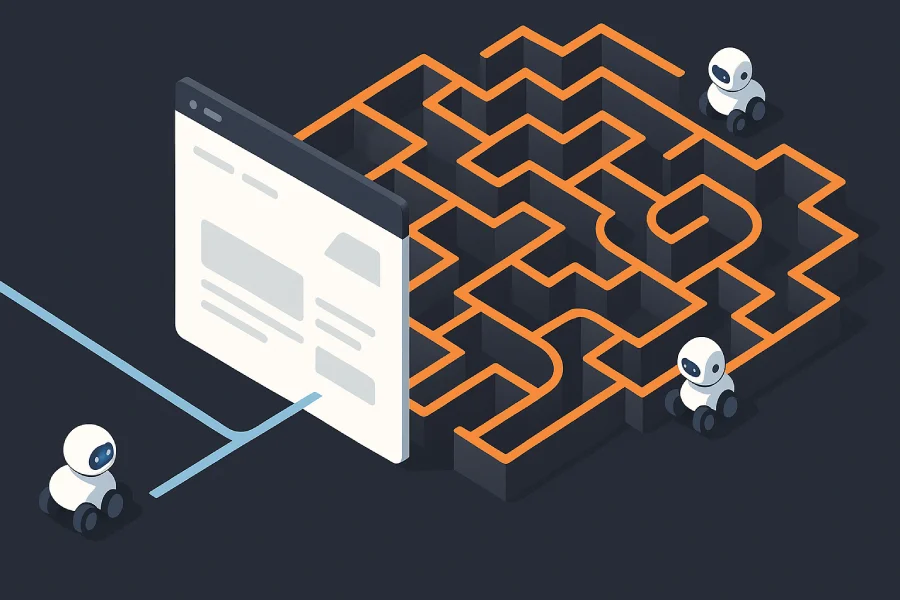
What is AI Labyrinth (in simple words)?
It’s a trap for bad AI crawlers. AI crawler protection is different from choosing an assistant: for the latter, read our Gemini 4 Argon vs ChatGPT vs Claude comparison. When Cloudflare thinks a visitor is a bot that ignores your “don’t crawl me” rules, it quietly adds hidden, nofollow links on your pages. Those links lead to fake, AI-generated decoy pages. The bot wastes time wandering that maze instead of copying your real content. People never see these links, and search engines that follow rules ignore them. More information here Cloudflare Docs.
Where is it in Cloudflare?
In your zone’s dashboard: Security → Settings → (Bot traffic) → AI Labyrinth → On. In some views it’s also under Security → Bots → Configure Bot Fight Mode → AI Labyrinth. It is off by default; you choose to turn it on.
Key things to know (fast)
- Who sees the decoy links? Only suspected bots. Humans don’t, and the links are marked nofollow and set up to avoid SEO indexing.
- Plans: It’s opt-in and available to all plans (even Free).
- Why now? Some AI crawlers have been ignoring robots.txt or hiding who they are, so simple “block rules” aren’t always enough. The maze wastes their time and also helps Cloudflare fingerprint them for better blocking later. (The Cloudflare Blog)
FAQ (strictly about AI Labyrinth)
1) Does it change my site’s look or SEO?
No. It doesn’t alter what people see, and it uses noindex/nofollow so search engines shouldn’t index the decoys.
2) Will real, “good” bots (Google, Bing, etc.) be hurt?
No. Verified/respectful crawlers that follow robots.txt or Cloudflare’s bot rules don’t fall into the maze. The trap is aimed at bots that ignore standards.
3) Do I need to configure anything else?
Usually no. It’s a single toggle and starts working right away.
4) How does it actually slow bad bots?
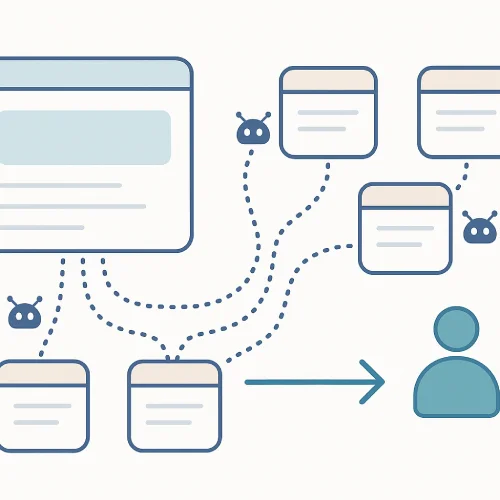
Cloudflare slips hidden links into your HTML for suspected bots. Those links go to AI-generated decoy pages. Bots chase those pages instead of your content, burning their time and compute.
5) Does Cloudflare “learn” from this?
Yes. Following the hidden path is a strong bot signal, so Cloudflare logs that behavior to improve detection for everyone using their bot tools.
6) Is this the same as “Block AI bots”?
Different knob, same goal. Block AI Bots sets allow/deny rules for named AI crawlers. AI Labyrinth targets sneaky or non-compliant crawlers by distracting them with decoys. You can use both together.
7) Will it affect performance?
Cloudflare says content is pre-generated and stored on their side and injected without changing your page structure, to protect performance. (In plain terms: it shouldn’t slow your pages for humans.)
8) Does it protect APIs too?
No—it’s designed for web page crawlers. Use Cloudflare’s API Shield, sequence detection, WAF rules, etc., for APIs.
9) Can I still allow a specific AI crawler?
Yes—use Block AI Bots to allowlist specific, verified crawlers you want. AI Labyrinth mainly targets bots that don’t play by the rules.
10) Why bother when I already disallow in robots.txt?
Because some AI crawlers don’t check or don’t obey robots.txt and even mask their identity. AI Labyrinth is meant for those.
Downsides / Risks (so you can decide)
These are practical considerations (not show-stoppers, but worth knowing):
- Rare false positives: If Cloudflare wrongly thinks a legit tool is a bot (e.g., a quirky uptime checker or a strict-privacy browser), it might get the decoys. This should be uncommon, but it’s possible with any bot detection. You can review logs and adjust allowlists/rules if needed. (Inference based on how bot systems work; Cloudflare targets “suspected bots” only.)
- Third-party tools: Some SEO, monitoring, or accessibility scanners that behave like crawlers could be slowed if misclassified. Test your important tools after enabling. (General operational consideration.)
- Not a content-sharing strategy: If a client wants AI assistants to read and cite their site, a trap that confuses non-compliant crawlers may work against that goal. Use allowlists for the specific AI partner you approve, and keep Labyrinth for the rest.
- Scope: It won’t stop scraping via sources outside your site (e.g., if others republish your content). Nor does it replace WAF/Rate-limits/Zero-Trust for non-crawler threats. (General scope clarification; docs direct APIs/WAF for other threats.)
When should I turn it on?
Turn it on if your client:
- Publishes original content (blogs, news, docs, courses) and doesn’t want unauthorized AI training.
- Has seen unusual bot traffic that ignores robots.txt. (Cloudflare has documented examples of crawlers doing this.)
Maybe keep it off (or test first) if:
- You rely on heavy automated scanning tools that might look bot-like, and you can’t easily allowlist them.
- Your content strategy includes partnering with specific AI crawlers—set those to “allow” first, then enable Labyrinth for the rest.
Safe rollout checklist (5 minutes)
- Turn it on for one lower-risk domain or a staging zone: Security → Settings → AI Labyrinth → On.
- Check Bot Analytics / logs after a day: are “AI bot” requests dropping or getting trapped? (In Cloudflare’s Security/Bots sections.)
- Run your scanners (SEO, uptime, accessibility). If any get slowed, allowlist them or create a WAF rule exemption.
- If you want a specific crawler (e.g., an AI partner) to access your site, set it in Block AI Bots as “allowed,” then keep Labyrinth on for everyone else.
- Roll out to other sites.
Why Khalsa Website Designers enables Cloudflare AI Labyrinth for our clients
As the owner of Khalsa Website Designers, I take a very simple stance: if there’s a new web standard or protection that benefits our clients, we learn it, test it, and ship it responsibly. Cloudflare’s AI Labyrinth is one of those rare “low-effort, high-impact” features. For clients who publish original content and want to discourage non-compliant AI crawlers, we proactively configure and monitor AI Labyrinth alongside the rest of your Cloudflare security stack. That means your real readers get a fast, clean experience while misbehaving bots are quietly sent into decoy pages—exactly as your new article explains.
What we do (and how we do it)
When you work with Khalsa Website Designers, you’re not getting a one-click toggle and a prayer. You’re getting a process:
- Assessment first: We review your traffic patterns and content goals to confirm whether AI Labyrinth is a good fit (for example, if you want specific AI partners to access your content, we allowlist them first).
- Safe rollout: We enable AI Labyrinth in a controlled manner, validate that human UX and SEO are untouched, and verify that verified crawlers (Google, Bing, etc.) continue to behave normally.
- Analytics & tuning: We watch Bot Analytics, check logs, and fine-tune rules. If a legitimate tool trips a wire, we allowlist it—no drama.
- Best-practice pairing: We pair AI Labyrinth with the right mix of Cloudflare features—WAF rules, Bot Fight Mode, Turnstile (for forms), Cache Rules, Rate Limiting, HTTP/3, Brotli compression—so protection never comes at the cost of performance.
- Ongoing care: As Cloudflare evolves the feature, we keep you current. If guidance changes, we update your configuration and explain why in plain English.
Why choose the best (and insist on good practices)
Cutting corners on the web is expensive. You pay later—in ranking drops, security incidents, or brand damage. Our philosophy at Khalsa Website Designers is to do it right once:
- Speed that converts: We build for Core Web Vitals, image optimization, caching, and clean HTML/CSS/JS so your site feels instant across Punjab and the world.
- Security by default: HTTPS, strong TLS, strict security headers (CSP, HSTS, X-Frame-Options), clean firewall rules, and Cloudflare at the edge to keep your origin safe.
- Accessibility & quality: Semantic markup, contrast checks, keyboard navigation, and structured data—because real people use your site, not just crawlers.
- Change management: Staging, checklists, and post-launch monitoring mean we don’t “flip switches” blindly. We measure, adjust, and only then roll out broadly.
Staying on top of AI Labyrinth (so you don’t have to)
Studying new tech like AI Labyrinth matters because the threat landscape changes weekly. Some AI crawlers respect standards; others don’t. Our job is to keep your content protected without hurting your genuine visibility. By tracking Cloudflare updates, testing in staging, and watching real-world metrics after launch, we make sure you get the benefit of AI Labyrinth without side effects.
What this means for you, practically
- If you want to protect original content from non-compliant AI crawlers, we’ll enable AI Labyrinth, confirm search engines still see exactly what they should, and monitor the results.
- If your strategy includes approved AI access, we’ll set precise allow rules, then keep AI Labyrinth active for everyone else.
- If you rely on scanners (SEO, uptime, accessibility), we’ll test and allowlist them so your workflows remain smooth.
The Khalsa Website Designers promise
We aim to be Punjab’s most proactive web design team—the one that blends design, speed, and security without compromise. Your site should look premium, load instantly, and stay protected. Features like Cloudflare AI Labyrinth are part of that promise: thoughtful configuration, careful testing, and ongoing stewardship.
If you’re ready for a good-looking, fast, and secure website—with AI Labyrinth and the rest of Cloudflare’s modern protections implemented the right way—Khalsa Website Designers will get you there.
Bottom line
- What it does: quietly distracts and fingerprints bad AI crawlers with hidden, nofollow decoy links so they waste time and don’t copy your content.
- Who it’s for: sites that want to protect content from unauthorized AI training with a one-click, low-maintenance toggle.
- Caveats: watch for rare false positives with your tools, and use allowlists if you want certain bots to crawl. (Operational best practice.)
If you want, tell me the types of client sites you manage (blogs, e-commerce, docs, portfolios, etc.), and I’ll map out a “turn on / keep off / exceptions” plan for each.
awesome — here’s a copy-paste-ready section you can drop straight into your post. i kept the language simple and practical, and I’ve included sources so readers can double-check anything important.
AI Labyrinth: should you turn it on? (real-world guide by site type)
Quick refresher (30 seconds):
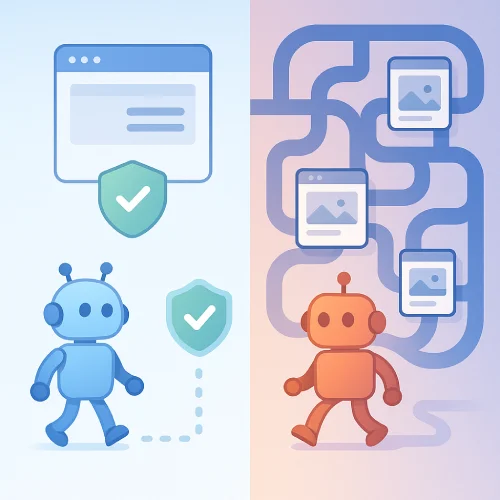
AI Labyrinth is a Cloudflare setting that quietly adds invisible, nofollow links for suspected bots. Those links point to AI-generated decoy pages, so bad crawlers wander in circles instead of copying your real content. People never see these links, and search engines shouldn’t index them. The feature is opt-in and available on all plans (even Free).
1) Blogs (news, tutorials, thought-leadership)
Recommendation: Turn it ON for most blogs.
Why: Blogs are high-value targets for AI scrapers. Labyrinth wastes their time and helps Cloudflare spot sneaky crawlers. It doesn’t change what readers see and is built to avoid SEO issues.
Watch-outs: If you want certain AI assistants to read your posts, allow those specific crawlers separately (see “Pair it with” below).
Pair it with:
- Managed robots.txt to clearly say what AI bots may/ may not crawl. (Note: respectful bots follow it, others may not.)
- Block AI Bots if you want a blanket “no” to declared AI crawlers, or allow only some.
- AI Audit to see which AI bots hit you and optionally block specific ones.
Rollout tip: Enable on a staging or a low-traffic subdomain first, then check Bot Analytics and logs the next day. (You’ll see bot signals when decoys are followed.)
2) E-commerce (stores, product catalogs)
Recommendation: Turn it ON (with a short test).
Why: Product pages and reviews get scraped. Labyrinth slows non-compliant crawlers without changing your store for shoppers.
Watch-outs: Some price-monitoring or SEO audit tools might look “bot-like.” If a trusted tool is affected, allowlist it or use Block AI Bots/WAF rules to permit just that crawler.
Pair it with: Managed robots.txt + AI Audit, so you can keep partners (e.g., a comparison engine you approve) while trapping the rest.
3) Docs & knowledge bases (product docs, tutorials, API guides)
Recommendation: Usually ON.
Why: Docs are very attractive to AI bots. Labyrinth protects your wording and structure; search engines that play fair are not supposed to index the decoys.
Watch-outs: If you want docs discoverable by specific AI assistants, allow just those crawlers (granular allow/block).
Pair it with: Block AI Bots (choose “block on all pages” or limit to certain hostnames) + Managed robots.txt for clear signals.
4) Portfolios & personal sites
Recommendation: ON if you care about originality, OFF if you want widest AI reach.
Why: Artists, writers, and photographers often want to stop random training use. Labyrinth helps without touching the look of your site.
Watch-outs: If your goal is maximum exposure (including inside AI apps), you may prefer to allow chosen crawlers via AI Audit, but keep Labyrinth for the rest.
5) Simple business websites (Elementor, brochure sites, local services)
Recommendation: ON (low effort, good protection).
Why: Even small sites get scraped; this is a one-click shield with little risk.
Watch-outs: If you run automated scanners (SEO, uptime) and something seems off after enabling, allowlist that tool.
6) News, magazines, and publishers
Recommendation: Strong YES (ON).
Why: Publishers are hit hard by AI scraping. Labyrinth is designed to mislead bad crawlers and also helps Cloudflare fingerprint them for future blocking.
Pair it with:
- Block AI Bots → “block on all pages” or “only on ad hostnames” if your ad inventory is the main concern.
- Managed robots.txt for clear, public rules.
Context: Cloudflare has publicly documented crawlers that ignore robots.txt or mask identity, which is exactly why these tools exist.
7) Course sites, membership content, paywalled content
Recommendation: ON, and also use your normal access controls.
Why: Labyrinth helps with unwanted scraping, while your login/paywall remains the main defense.
8) SaaS marketing sites & product pages
Recommendation: ON.
Why: Pricing and feature pages often get scraped. Labyrinth adds resistance without UX/SERP changes.
9) Forums & community sites
Recommendation: ON (test if you use many third-party bots).
Why: Public threads are ripe for training. If you run legit bots (search, moderation), allowlist them if needed.
10) Government/NGO & open-data portals
Recommendation: It depends.
If you must share data widely: keep Labyrinth OFF or allow the AI crawlers you approve.
If content should not be harvested for training: turn it ON and pair with Managed robots.txt for a clear policy.
What AI Labyrinth does (and doesn’t)
Does:
- Adds invisible, nofollow links only for suspected bots; real visitors don’t see them.
- Sends bots to AI-generated decoy pages, which are pre-generated and stored so they don’t slow your site.
- Uses bot behavior (following the decoys) as a strong signal to fingerprint and improve bot detection for everyone.
- Is opt-in and available to all plans.
Doesn’t:
- Change your page for humans or hurt SEO—decoys include meta directives to avoid indexing.
- Stop bots that copy your content from other websites that rehost it. (No tool can fix that alone.)
- Replace allow/deny controls. It complements robots.txt, Block AI Bots, and AI Audit.
Downsides and edge cases (be aware)
- Rare misclassification: a legit scanner could be treated like a bot and get sent into the maze. If that happens, allowlist it or adjust rules. (General bot-detection reality; the feature targets suspected bots only.)
- If your strategy is “let some AI crawl us,” you must explicitly allow those crawlers; Labyrinth is aimed at non-compliant ones. Use AI Audit or Block AI Bots for fine control.
- Arms race is real: some AI crawlers ignore robots.txt or hide who they are, which is why Cloudflare built this system. Expect tactics to evolve.
How to enable it (two paths in the current dashboard)
- Path A: Security → Settings → (filter) Bot traffic → AI Labyrinth → On. (Cloudflare Docs)
- Path B: Security → Bots → Configure Bot Fight Mode → AI Labyrinth (older path). (Cloudflare Docs)
Your 10-minute rollout plan (copy this)
- Turn it ON on one domain/subdomain.
- Also set your policy:
- Add Managed robots.txt (clear rules).
- Decide Block AI Bots scope: all pages vs. only ad hostnames vs. off.
- (Optional) Use AI Audit to allow/block specific crawlers one by one.
- Test your own tools (SEO crawlers, uptime checks). If one breaks, allowlist it.
- Check analytics after 24–48h: Look for reduced bot hits and any “decoy-follow” signals in Bot Analytics.
- Roll out to the rest of your sites.
Metrics to watch (to prove value)
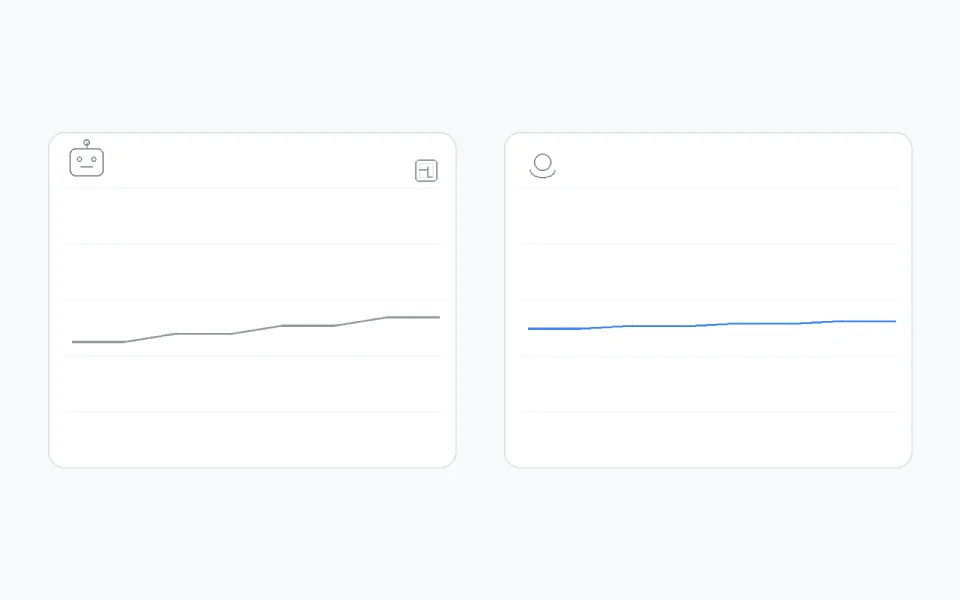
- Bot request volume over time in Cloudflare analytics. (A flat or falling line is good.)
- Incidents of crawlers violating robots.txt (AI Audit shows this).
- Bandwidth to origin (scrapers wasting time on decoys means fewer heavy hits on your real pages).
Short FAQ (plain language)
Will this hurt Google/Bing?
No. The links are invisible to people and marked to avoid indexing; respectful crawlers that follow rules won’t go into the maze.
Is it a replacement for robots.txt?
No. It works with robots.txt, Block AI Bots, and AI Audit. Use all three for best control.
Why is this needed now?
Because some AI crawlers ignore robots.txt or even hide their identity. Cloudflare has shown recent examples of this behavior.
Does it cost extra?
AI Labyrinth itself is available to all plans and is opt-in. (Other add-ons you use alongside it may have their own pricing.)
Final take
- If the site publishes original content (blogs, docs, magazines, courses), turn it ON.
- If the site is simple/business and you want low-effort protection, turn it ON.
- If you want specific AI crawlers to access your content, allow those with AI Audit or Block AI Bots, and keep Labyrinth for the rest.
If you want, tell me your exact client mix (e.g., “40% Elementor sites, 30% e-commerce on Woo/Shopify, 20% docs on Docusaurus…”) and I’ll convert this into a one-page rollout table you can paste into proposals and SOWs.
Sections:
