
What is a Digital Business Card?
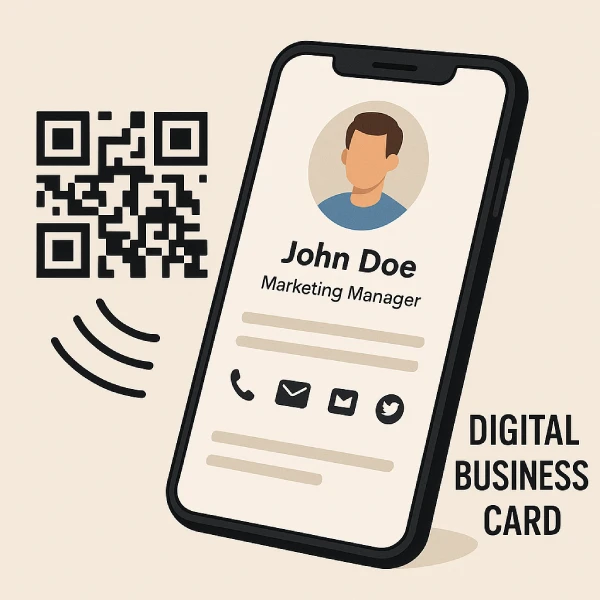
A digital business card is essentially an electronic version of a traditional business card that contains your contact details (name, title, company, phone, email, social links, etc.) in digital format. Unlike a paper card, a digital card can include multimedia elements like photos or videos, clickable links (e.g. to your website or LinkedIn), and even QR codes or NFC tags for instant sharing of information. In practice, it might be an app or a QR code that, when scanned or tapped, displays your professional profile on someone’s phone. Digital business cards have surged in popularity as a modern networking tool – about 37% of businesses have adopted digital business cards (with usage rapidly rising). In fact, following the pandemic, over 70% of professionals now favor digital cards over paper ones for exchanging information. This shift is driven by the convenience and connectivity of digital cards in today’s smartphone-centric, contactless world.
Benefits of Digital Business Cards
Figure: Key statistics highlighting the impact of digital business cards – including an ~11.9% annual market growth rate, 90% reduction in printing costs, 63% preference by millennials, and a 70% increase in adoption post-pandemic. Digital cards offer significant cost savings and sustainability benefits over traditional paper cards.
Digital business cards aren’t just a high-tech novelty – they offer tangible benefits for professionals and organizations. Here are some of the main advantages of switching to digital business cards:
- Convenience & Instant Sharing: You can share your contact info instantly via QR code scan, NFC tap, or a simple link – no need to carry a stack of cards. This makes networking faster and easier, whether in person or online. Plus, recipients can save your info to their phone with one tap, improving follow-up rates (digital cards lead to about 35% higher follow-up success compared to paper cards).
- Always Up-to-Date: With digital cards, you can update your details in real time. Changed jobs or phone numbers? Edit your card and everyone will see the new info via the same QR/link, unlike paper cards which would be outdated. This dynamic nature keeps your contacts current without reprinting cards.
- Cost-Effective: Digital cards eliminate the recurring expense of printing thousands of paper cards. Businesses report up to a 90% reduction in printing and distribution costs by switching to digital cards. One study found organizations can save about 26% of their business card budget by going digital. Instead of paying for design and print runs for each employee (which can run $$$ per year), many digital card platforms are free or charge only a few dollars a month.
- Environmentally Friendly: Going digital is a sustainable choice. No paper, no ink, and zero physical waste. This has a real ecological impact – using digital business cards could save roughly 7 million trees annually by reducing paper card production. In other words, every digital card helps cut down on paper usage and waste. Companies with green initiatives appreciate that digital cards produce no waste and require no physical materials.
- Interactive & Rich Media: Digital cards can be more engaging than a static paper card. You can embed rich media: your headshot, company logo, product photos, short introduction videos, or clickable buttons (e.g. “Schedule a Call” or social media profiles). These interactive elements provide more context and make you more memorable to new contacts.
- Better Networking Analytics: Many digital card apps offer analytics and integrations. You can often track when someone viewed your card or clicked a link, giving insight into engagement. Some services integrate with CRM systems or contact managers, automatically logging new connections. This data-driven approach can lead to improved networking ROI (some businesses see a 14% increase in conversions using digital cards, thanks to faster follow-ups and analytics).
- Scalability for Teams: For companies, digital cards are easy to deploy and manage for teams. Admins can instantly create or revoke cards, update designs, and ensure brand consistency across hundreds of employees. This centralized control saves time – for example, if an employee is promoted, you can update their title on all cards at once. Some platforms even support Active Directory or HR system integration to streamline managing employee cards.
For a deeper look at the paperless trend, see our guide on sustainable networking practices which explores how digital tools like these are transforming business networking.
Overall, the benefits of digital business cards boil down to saving time, saving money, and making stronger connections. You’ll never worry about running out of cards or whether people will throw them away – a digital card lives on in your contact’s phone, ready when they need it.
How Much Do Digital Business Cards Cost?
One of the first questions professionals ask is: what is the cost of using digital business cards? The good news is that digital business cards are very affordable – often cheaper in the long run than printing paper cards. Here’s a breakdown of typical costs and savings:
- Many are Free: Several top digital business card providers offer free plans for individual users. For example, HiHello and Kado allow you to create a basic digital card for $0. These free versions usually include core features like creating your card, a personal QR code/link, and limited designs or analytics. For personal use or small-scale networking, you might not need to pay anything at all.
- Premium Plans: For advanced features (custom branding, multiple cards, analytics, CRM integration, etc.), paid plans are available. The typical price range is around $5 to $7 per month for a single user subscription. For instance, HiHello’s Professional plan is about $6/month (annual billing) for one user, and Popl Pro is about $7.99/month (or ~$80/year). These subscriptions give unlimited sharing and often extra perks like adding videos, company logo, lead capture, and so on. Compared to many other business tools, $5–$8 a month is a modest investment.
- Team/Enterprise Pricing: If you’re deploying digital cards for a whole team or company, providers usually offer bulk or enterprise packages. For example, some platforms have a Business plan around $5 per user/month for teams, and enterprise solutions with custom pricing for large organizations. Team plans often include admin dashboards to manage employees’ cards, centralized design templates, and enhanced security. The cost per user often scales down for larger teams, making it very cost-effective.
- Comparison to Paper Cards: Traditional paper business cards might seem cheap per card, but the costs add up: design, printing, reprints for changes, and shipping. A typical batch of 500 decent-quality paper cards can cost anywhere from $40 to $100 (and that’s per employee, every time you reorder). If someone’s info changes or you run out, you incur that cost again. Plus, there’s the waste of unused cards. In contrast, even a paid digital card at ~$5/month is only $60 a year – which often ends up cheaper than printing when you factor in updates and multiple employees. In HiHello’s analysis, a 100-person company spent 26% more on paper cards than they would on digital, due to reprints and design costs.
- ROI – Savings Over Time: By switching to digital cards, companies not only save on printing costs, but also on the hidden costs of outdated cards and lost opportunities. One report noted businesses can save 90% on printing and distribution costs alone by going paperless. And because digital cards can lead to higher connection rates (thanks to easier follow-ups), they might indirectly bring in more business, offsetting the minor subscription fees. Essentially, a few dollars a month for a digital card platform can replace hundreds or thousands of dollars spent annually on ordering boxes of business cards for an organization.
Bottom line: You can start with digital business cards for free. Even if you opt for a premium plan, the cost is typically only a few dollars per month – a smart investment considering the printing expenses and hassle you eliminate. Most professionals find that the cost of digital business cards is very low relative to the value they provide (and the positive impression of being tech-savvy doesn’t hurt either!).
We’ve analyzed the pricing in detail in our post on business card cost comparison – including a breakdown of paper vs. digital costs and how much you really save by going digital.
Top 10 Digital Business Card Platforms in 2025
As digital business cards have grown in popularity, many platforms and apps have emerged. Each has its own features and strengths. Below, we mention some of the top digital business card providers (and what makes them stand out) as of 2025:
- Blinq: Blinq is one of the most widely used digital business card apps, known for its simplicity and robust free version. It offers unlimited free cards with all basic features (you can even create multiple cards for different purposes without paying). Blinq shines with its seamless Apple Watch integration and mobile widgets, which let you share your card straight from your watch or phone home screen in seconds. It also has great design customization and is popular with both individuals and enterprise teams. In fact, Blinq is ranked the #1 digital business card solution on major app stores (4.9★ on Apple App Store with 100k+ reviews), reflecting its strong user satisfaction.
- HiHello: HiHello is another top-rated platform, especially friendly for individual professionals and small teams. It has a very feature-rich free plan – users can create and share a digital card (or multiple cards) at no cost, with no limit on how many times it’s shared. HiHello’s interface is intuitive, allowing you to easily add your photo, logo, and even generate email signature cards and virtual backgrounds. For those wanting more, HiHello’s Professional plan starts at ~$6/month for added perks like custom designs, analytics, and contact management. A Business tier (around $5/user) adds team management and CRM integrations. HiHello is known for its QR code sharing and wallet support – you can add your HiHello card to Apple Wallet or Google Wallet for one-tap sharing.
- Popl: Popl offers a unique blend of physical and digital. They provide NFC-enabled cards and gadgets (like stickers, phone tags, keychains) that you can tap to share your profile, as well as a robust app for purely digital sharing. Popl is especially popular at events and trade shows – it even has AI-powered lead capture features where you can scan badges or collect contact info seamlessly. The Popl app includes extras like a business card scanner (to digitize others’ paper cards) and CRM auto-sync for leads. Popl Pro (their premium subscription) costs about $7.99/month (or $79/year) and unlocks unlimited links on your profile, advanced analytics, and integrations. Popl also has a Teams solution for organizations. If you like the idea of a physical card to tap phones with plus a digital profile, Popl is a top choice.
- Mobilo: Mobilo is a platform geared towards team-wide digital business card management. They provide NFC smart cards (a nice plastic card that you can tap to share your contact info) but with an emphasis on corporate use. Mobilo’s strength is in its admin portal and automation – companies can order cards for all employees and manage them centrally. The system can integrate with your corporate directory, and if someone leaves, you can reassign their card to a new person easily. It also offers basic CRM syncing and lead collection. Mobilo does require buying their physical card for each user (one-time cost, around $20-$30 per card, depending on design), but after that you can use the digital platform. It’s a great option if you want a tangible card for networking that ties into a powerful digital backend for your whole team.
- Linq: Linq is an innovative player in this space focusing on advanced contact management and follow-up capabilities. It provides both physical products (like an NFC card or bracelet) and a digital platform. Linq’s app is noted for its CRM integration and analytics – it can track interactions, show when someone viewed your card or clicked your links, and even suggest follow-up actions using AI. For instance, if a prospect interacts with your card, Linq might prompt you to send a follow-up email. It’s very useful for sales professionals. Linq’s pricing is similar (free basic card, paid options for more features). If turning networking into measurable data is important, Linq is a strong choice.
- Other Notables: CamCard (one of the original e-business card apps) still offers a solid solution for scanning cards and sharing your own digital card. Kado is a newer platform with a sleek design and free offering for basic use. Wave Digital (Wave Connect) and Doorway are also gaining attention – Wave emphasizes easy sharing with QR/NFC and even published notable industry stats, while Doorway focuses on secure, app-less cards that live in your phone’s Wallet (they tout being SOC 2 certified for security). Additionally, services like Canva allow you to design a digital business card or profile page which you can share as a link or QR code (though not as feature-rich as dedicated apps). With so many options, it’s wise to consider your needs – whether it’s pure ease of use, advanced features, or team management – and perhaps try out one or two free versions.
We’ve published a full comparison of Top 10 Digital Business Card Apps for 2025 where we review features, pros/cons, and pricing of these platforms in detail, to help you pick the right one.
How to Create a Digital Business Card (Step by Step)
Getting started with your own digital business card is easier than you might think. You don’t necessarily need any technical skills – most of these apps are very user-friendly. Here’s a simple step-by-step guide to create and start using a digital business card:
- Choose a Platform: First, pick a digital business card app or platform that suits your needs. For individual use, you might try a free app like HiHello or Blinq. If you prefer having a physical card to tap, consider ordering an NFC card from Popl, Mobilo, or V1CE. Browse the features (design options, integrations, cost) and download the app or sign up on their website.
- Sign Up and Set Up Your Profile: Create an account on the chosen platform. This typically involves providing your email or signing in via Google/Apple. Once in, you’ll start creating your card by entering your contact information. Fill out fields like your full name, job title, company, phone number, email address, and any social media or website links you want to share. Most apps let you add a profile photo and company logo – which we recommend, as visuals make your card more memorable.
- Customize the Card Design: Now, make the card your own. Choose a design or template from the app’s options. You can often select color schemes, card style (some have different layouts or the ability to toggle which info is visible). Add your branding: for example, use your company’s brand colors and include your logo. Some apps allow extra sections like a brief bio, a product image, or a tagline. Take advantage of these to showcase key info. Tip: Keep it professional and not too cluttered – you want it to look clean and be easy to read on a phone screen.
- Generate Your QR Code or NFC: Once your digital card is ready, the app will usually generate a QR code and a shareable link for it. The QR code is like your new “business card QR” – you can save it or even print it if needed (for instance, on a badge or paper for people to scan). If you have an NFC card or tag (like from Popl or Mobilo), follow the instructions to activate it and link it to your digital profile (often this just means tapping it and assigning your profile to the tag through the app). Some apps also support adding your card to your smartphone’s digital wallet (Apple Wallet or Google Wallet) – this means you can bring up your card QR code on your phone screen without even opening the app.
- Share Your Digital Card: Now you’re ready to network! Sharing your digital business card can be done in several ways:
- In Person: Open your card or QR code on your phone and let the other person scan it with their camera – your contact details will pop up on their phone instantly. If you have an NFC card device, you can simply tap it to their phone (no app needed on their side, their phone will prompt your link). Both methods instantly transfer your info.
- Via Text/Email: You can send your card’s link through a text message, email, or any messaging app. For example, after a phone call with a new client, you might text them “Here’s my digital business card:” with the URL. When they click it, they’ll see your details and can save you as a contact.
- Online Profiles & Email Signature: Consider adding your digital card link or QR to your email signature (many apps provide an email signature template) or even your LinkedIn profile (“Contact me” link). This makes it easy for people to get your info with one click. Some services like Letsignit vCard integrate the digital card directly into your email signature for one-click saving.
- Update and Manage: One major perk – you can update your digital card anytime. If you change roles, get a new phone number, or want to add a new social link, just edit your card in the app. The changes are reflected instantly on the same QR/link you’ve shared. It’s also good practice to periodically check your app’s contact manager or analytics: you might see new connections or be reminded to follow up with someone you met (some apps even send reminders or can sync to your CRM). As you meet more people, your digital card becomes a living hub for your professional network.
Within minutes, you can go from no card to having a sleek digital business card ready to share. The next time someone asks for your contact info, you can impress them by saying, “Let me text you my digital card” or “Just scan here,” instead of rummaging through your wallet. Not only is it fast, it also subtly signals that you’re up-to-date with modern tech – which can leave a great impression.
Frequently Asked Questions (FAQ) about Digital Business Cards
What is a digital business card?
A digital business card is an electronic, smartphone-friendly version of a traditional business card that shares your professional contact details via digital means (like a QR code or link) instead of a physical card. In simple terms, it’s a profile you can instantly send to someone’s phone, containing your name, contact info, and more.
How do digital business cards work?
Digital business cards work by electronically transferring your contact information to the other person. Typically, you display a QR code on your phone (or tap an NFC card) and the other person scans it with their phone camera, which opens your contact details on their screen. They can then save you as a new contact with one click. No special app is usually required to receive a digital card – just an internet-enabled smartphone. In short, scan (or tap) and connect.
Do I need an app to share or receive a digital business card?
To share your digital card, you’ll likely use an app or service to generate it (e.g., HiHello, Blinq, etc.). But for the recipient, no app is needed in most cases – a person can receive/view your digital business card via a standard web browser or their camera app. For example, scanning a card’s QR code will open the card in a mobile web page where they can easily add you to their contacts. Even NFC taps on modern smartphones don’t require an app; the phone will automatically detect the tag and open the link. This means you can share your digital card with anyone, and they can view it whether or not they use the same platform. (Note:) Some proprietary systems or older phones might need a specific app, but the popular solutions today prioritize frictionless sharing.
Are digital business cards secure?
Generally, yes – digital business cards are as secure as the platform behind them and the information you choose to share. Reputable providers implement security measures like encryption and safe cloud storage to protect your data. For example, certain enterprise-focused platforms are SOC 2 certified for data security compliance. Only the information you put on the card is shared, and you control what that is. One security advantage is that you’re not handing out dozens of physical cards with your info (which anyone could pick up); instead, you’re selectively sharing your details. Of course, as with any digital tool, it’s wise to use a strong password for your account and be mindful of the info you include. But overall, exchanging a digital card is quite safe – likely safer than handing a stranger a business card with your personal cell number on it.
What if the person I’m networking with doesn’t have a smartphone?
Digital business cards do assume the other person has a smartphone (or at least email). If you encounter someone without a smartphone (rare these days, but it can happen), you have a few options: you can manually share your info (e.g., type your number into their old phone or write your email down), or later send them an email with your contact details. You might also carry a few physical cards as backup for such cases – it’s not a bad idea to keep a small batch of traditional cards for scenarios where technology isn’t an option. That said, the majority of people you meet will have a device that can scan a QR code or receive a text, so you’ll rarely run into this issue.
How much does it cost to create a digital business card?
It can be free! Many services allow you to create and share a basic digital business card at no cost. For instance, you can use a free plan on HiHello, Blinq, or others to make a personal card without paying anything. If you want premium features – custom branding, multiple cards, analytics – then there might be a subscription fee (often in the range of $5–$7 per month for individual plans). Even those paid options are pretty affordable, and often there are free trials. In summary: you can definitely start with a free digital card, and only invest in a paid plan if you find you need the extra features.
Which digital business card app is the best?
The “best” digital business card app depends on your needs, as each platform has its strengths. Blinq is frequently rated #1 by users for its ease of use and generous free features. HiHello is another top choice, known for great design and a user-friendly experience (plus free plan). If you’re looking for advanced functionality, Popl is great for events and lead capture, while Mobilo is excellent for managing cards across a big team. Linq is superb for sales tracking and CRM integration. In short, individuals often love Blinq or HiHello; power networkers and businesses might prefer feature-rich tools like Popl, Mobilo, or Linq. It’s worth reading reviews and maybe trying out a couple of free versions to see which interface and features you prefer. (For a detailed comparison, check out our “Top 10 Platforms” article referenced above.)
Will digital business cards replace paper business cards completely?
Digital business cards are quickly gaining ground, but traditional paper cards haven’t disappeared yet. We’re in a transition phase. Many professionals (especially in tech and younger generations) have eagerly adopted digital cards – business adoption is already around 37% in 2025 and climbing. They appreciate the convenience and eco-friendliness. However, some people still prefer the tangible feel of paper cards or work in settings where exchanging a physical card is a tradition. It’s likely that both will coexist for a while. That said, the trend is clearly toward digitization. As more people realize the benefits and as smartphones become near-universal, digital cards could very well become the standard. We may soon reach a point where not offering a QR code is seen as old-fashioned! For now, consider carrying a few physical cards for those who may want one, but don’t be surprised if in a few years almost everyone is using digital business cards or badges for networking.
What are the benefits of using a digital business card over a regular card?
Digital cards come with numerous benefits (many of which we detailed earlier). In summary, the key advantages are: they’re eco-friendly (no paper waste), cost-effective (no printing costs – companies can save money by going digital), easy to update (so your info is always current), and convenient to share (instant scanning/tapping, and you’ll never “run out” of cards). They also allow more information than a paper card – you can include links, videos, or a photo to put a face to the name. Plus, digital cards can improve networking effectiveness through better follow-ups; people are less likely to lose your info (since it goes straight into their phone). On the whole, a digital business card is like a living, interactive brochure for you or your business, whereas a paper card is static and limited. The only thing a traditional card might have going for it is the personal touch of handing one over – but even that is changing as we get accustomed to QR codes for just about everything.
How do I incorporate my digital business card into my workflow?
Once you have a digital business card set up, you can integrate it seamlessly into your daily networking and communication. Some tips: Add the QR code to your presentation slides or conference badge so people can scan it after a talk. Include the card’s link in your email signature and LinkedIn profile. When you finish a meeting or a call, get in the habit of saying “I’ll send you my contact info” and text or email your card link – it feels more professional than just giving a phone number. If you attend in-person events often, consider an NFC card or badge; it lets you share your card with a tap, which is very slick in networking sessions. Also, regularly export or sync your new contacts from the card app to your address book or CRM, so all those connections are backed up. By doing these, your digital business card becomes an integral tool that streamlines how you connect and follow up with people, ultimately helping you network smarter.
Conclusion
In a world that’s increasingly contactless and digital-first, digital business cards have emerged as a smarter way to connect. They combine the timeless need to share who you are and what you do with the power of modern technology – giving you a shareable, always-updating identity for your professional relationships. We’ve explored how these virtual cards save money, save trees, and save time, all while providing richer information and better results from your networking efforts. Whether you’re a solo professional looking to stand out, or a business aiming to modernize and impress clients, going digital with your business cards is a simple upgrade that delivers outsized benefits.
As you embrace digital business cards, remember to keep your information up-to-date and take advantage of the features (analytics, integrations, etc.) that these platforms offer. The next time you meet a potential client or partner, you can confidently have them scan or tap to get your details – and you’ll know that your card won’t be one of many lost in a desk drawer, but a clickable contact ready in their phone.
In conclusion, digital business cards are not just a trend but a practical evolution in professional networking. They make exchanging information frictionless and even a bit fun. Given the rapid adoption and the positive impact on networking efficiency, it’s safe to say that digital business cards (whether via QR code or smart badge) are here to stay. So go ahead and create your digital card – and be ready to impress others with how easy it is to say “Here, let me share my card with you” in the most modern way possible.
