Punjab Website Design Buyer's Guide

How to Choose a Website Designer in Punjab

Choosing the best-fit website designer for your business is not simply about finding the lowest quotation or the strongest marketing claim. It means comparing real work, project fit, pricing, ownership, technical standards, communication and support before you make a commitment.

This practical guide helps Punjab businesses and Punjabi entrepreneurs abroad compare freelancers, studios and web design companies using the same decision criteria, so you can understand what matters, what to verify and what to ask before hiring anyone.

This guide will help you evaluate:

  • Project fit and portfolio Is the designer actually suitable for the website you need?
  • Pricing and quotation scope What is included, excluded and likely to cost extra?
  • Ownership and technical quality Who controls the domain, website, accounts and important assets?
  • Support and warning signs What happens after launch, and which claims deserve closer checking?
Our approach

Compare evidence first and marketing claims second. A good choice depends on your requirements, not on one company being right for every project.

Guide to comparing website designers in Punjab
A practical framework for comparing website designers before requesting a quotation or starting a project.
Designed for

Punjab businesses, first-time website owners and Punjabi entrepreneurs comparing website design providers locally or from overseas.

Authorship & Editorial Method

How This Guide Was Prepared

Choosing a website designer can involve claims about experience, pricing, performance, SEO, support and results that are difficult to compare fairly. This guide is designed to make that decision easier by separating practical buying criteria from promotional claims and showing readers what they can verify for themselves.
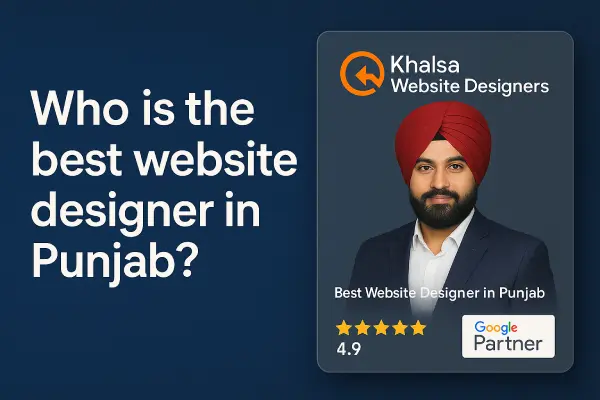
Daljit Singh, founder of Khalsa Website Designers

Prepared & reviewed by

Daljit Singh

Founder & Website Designer, Khalsa Website Designers

2008 Began designing websites
2012 Established Khalsa Website Designers

The guidance on this page is informed by practical experience discussing website requirements, planning projects and helping business owners understand decisions involving domains, hosting, design, development, search foundations, website ownership and support.

Learn more about Khalsa Website Designers

Who

Experience Behind the Advice

The guide is reviewed from the perspective of a working website designer who has dealt with real business requirements rather than from the perspective of an anonymous ranking or affiliate website.

How

Providers Are Judged by Useful Criteria

The guide focuses on factors a customer can examine: relevant work, quotation scope, ownership, technical standards, communication, support, evidence and suitability for the project. Where a claim can be checked independently, the source should be made clear.

Why

To Help You Make a Better Hiring Decision

The purpose is not to tell every visitor that the same provider is right for every project. It is to help you understand the questions, evidence and trade-offs that matter before you approve a quotation or pay a deposit.

Editorial Standard

Four Rules We Use Throughout This Guide

Evidence Before Superlatives

Awards, reviews, experience, rankings and performance claims should be supported by evidence appropriate to the claim rather than accepted because a company calls itself “best” or “#1”.

Project Fit Before Popularity

A well-known company is not automatically the right choice for every budget, website type or business. Recommendations should consider what the customer actually needs.

Commercial Interest Is Disclosed

Khalsa Website Designers publishes this guide and also sells website design services. That relationship is disclosed rather than presenting the page as an independent third-party ranking.

Facts and Advice Are Kept Distinct

Verifiable facts, company-reported claims and practical recommendations should be labelled according to what they actually are instead of being presented as though every statement has the same evidential weight.

Step 1 — Define the Project

Before Comparing Website Designers, Decide What You Actually Need

Two website quotations can look very different because the designers may be pricing completely different scopes. Before comparing companies, define the purpose of your website, the features it needs, who will provide the content and who will manage it after launch.

Start With the Outcome

What Should the Website Help Your Business Do?

Start with the business result rather than a list of features. A website built to generate enquiries needs a different structure from an online shop, appointment system, portfolio or information website.

Generate Enquiries

Help potential customers understand your services, trust the business and contact you.

Sell Online

Present products, accept orders or payments and manage an ecommerce customer journey.

Build Trust

Present your company, expertise, work, reviews and proof so customers can evaluate you confidently.

Provide a Service Online

Enable bookings, registrations, applications, downloads, memberships or other online actions.

Planning the requirements and features of a business website
Define the project first. Then compare designers against the same requirements instead of comparing quotations with different scopes.

Choose the Right Starting Point

Which Type of Website Are You Planning?

You may need a combination of these. The goal is to identify the main project type before discussing design or price.

01 Common

Business Website

Suitable when the main purpose is to explain your company, services, experience and reasons to contact you.

  • Service or product information
  • About and credibility content
  • Contact or enquiry forms
  • Portfolio, projects or reviews
02

Ecommerce Website

Suitable when visitors need to browse products, make purchases or submit online orders.

  • Products and categories
  • Cart and checkout
  • Payment integration
  • Shipping and order management
03

Lead-Generation Website

Suitable when the website's main job is to attract suitable prospects and turn visits into enquiries.

  • Focused service pages
  • Clear calls to action
  • Enquiry or quotation forms
  • Trust and evidence sections
04

Booking or Appointment Website

Suitable for businesses where customers need to choose a service, date, appointment or reservation.

  • Availability or schedules
  • Booking forms
  • Confirmation workflow
  • Optional online payments
05

Portfolio or Professional Website

Suitable when expertise, previous work and presentation quality are the main reasons someone chooses you.

  • Projects or case studies
  • Photography or galleries
  • Professional profile
  • Enquiry journey
06

Custom-Function Website

Suitable when the project requires functionality beyond standard pages, forms or ecommerce features.

  • User accounts or memberships
  • Directories or searchable data
  • Custom workflows
  • Third-party integrations

Project Brief Starter

Tick the Requirements That Apply to Your Project

You do not need every item below. Use this checklist to identify what matters before requesting quotations. A simpler website can be the better choice when the business requirement is simple.

Content & Presentation
Functionality
Management & Ownership
Search & Measurement

Important: building a technically search-friendly website and providing ongoing SEO are not necessarily the same service. Ask each provider exactly what is included instead of relying on the phrase “SEO included.” Learn more about SEO in Punjab

Before Requesting a Quote

Prepare These Six Answers

Even approximate answers can make quotations easier to compare and reduce assumptions later in the project.

  1. 01
    What is the main business goal?

    Enquiries, sales, appointments, information, credibility or another measurable outcome.

  2. 02
    Which pages or services are needed?

    List your main services, products, locations or information areas.

  3. 03
    Which functions are essential?

    Forms, ecommerce, bookings, payments, memberships or integrations should be identified early.

  4. 04
    Who will provide the content?

    Clarify responsibility for copy, images, product information, videos and translations.

  5. 05
    Who will manage the website later?

    Decide whether you need self-management, staff training or ongoing professional support.

  6. 06
    What is your realistic budget and timeline?

    Share a useful range rather than asking providers to guess the project's commercial constraints.

Step 2 — Choose the Right Provider Type

Freelancer, Web Studio, Agency or Specialist: Which Is Right for Your Project?

The right choice depends more on your project than on the provider's size. A skilled freelancer may be an excellent fit for a well-defined business website, while a complex project involving several disciplines may benefit from a team or a specialist. Compare capability, responsibility and project fit rather than assuming that one business model is always better.

Independent

Freelance Website Designer

One professional usually handles most or all of the relationship and may personally design, develop and manage the website.

Often worth considering when

  • The project has a clear and manageable scope.
  • You value direct communication with the person doing the work.
  • You need a business site, landing page, portfolio or defined redesign.
  • The required skills closely match the freelancer's expertise.
Verify

Availability, backup arrangements, technical breadth, ownership, documentation and what happens if the freelancer becomes unavailable.

Small Team

Small Web Design Studio

A compact team may combine design, development and related skills while keeping communication relatively close to the people completing the project.

Often worth considering when

  • The project needs more than one area of expertise.
  • You want direct communication without a large account-management structure.
  • The website needs design, development and ongoing assistance.
  • Your project is important but does not require a large delivery team.
Verify

Who performs each part of the work, current workload, project capacity, support responsibilities and how knowledge is shared within the team.

Multi-Discipline

Web Design Agency

An agency may have separate people responsible for design, development, content, project management, marketing or other specialist tasks.

Often worth considering when

  • The project involves several disciplines or stakeholders.
  • You need structured project management and defined processes.
  • The website has significant integrations, ecommerce or operational complexity.
  • Several people may need to work on the project at the same time.
Verify

Who will actually work on your account, whether work is outsourced, communication layers, revision processes, scope boundaries and ongoing costs.

Focused Expertise

Website or Technical Specialist

A specialist concentrates on a narrower area where deeper expertise may matter more than providing every service under one roof.

Often worth considering when

  • The project has unusual or technically demanding requirements.
  • You need specialist ecommerce, development or integration expertise.
  • A particular technology is central to the project.
  • Solving one difficult problem matters more than broad service coverage.
Verify

Evidence of relevant specialist work and who will handle design, content, hosting, marketing or support requirements outside the specialist's core expertise.

Sometimes Enough

DIY Website Builder

Not every project requires a professional designer from day one. A simple website builder can sometimes be enough for testing an idea or creating a very small initial presence.

It may be reasonable when

  • The website is extremely simple.
  • Your budget is limited and expectations are modest.
  • You are testing a business idea before investing further.
  • You are comfortable managing the website yourself.
Check First

Platform ownership, export or migration options, recurring charges, feature limitations and whether the system can grow with the business.

Quick Comparison

Compare the Working Model, Not Just the Label

These are decision prompts, not quality scores. Excellent and poor providers can exist in every category.

Provider type Useful when Main advantage to examine Important question to ask
Freelancer Scope is clear and closely matches one person's skills. Direct access to the person doing the work. Who looks after the project if you become unavailable?
Small studio Several skills are needed but the project still benefits from a compact team. Combination of personal communication and team coverage. Who is responsible for each part of my project?
Agency The project has multiple stakeholders, disciplines or substantial complexity. Structured processes and access to multiple roles. Who will actually perform the work after the sale?
Specialist One difficult technical requirement is central to project success. Depth of expertise in a particular problem or technology. How will work outside your specialty be handled?
DIY platform Requirements are simple and you are comfortable managing the website yourself. Fast, controlled starting point for a modest requirement. Can I move my website and data elsewhere later?

Decision Shortcuts

A Practical Way to Build Your Shortlist

Use these as starting points, not rigid rules. Your final decision should still depend on evidence and the actual people who will work on the project.

Simple + Clearly Defined

Start by comparing a capable freelancer, small studio or, for a very modest requirement, a suitable DIY platform.

Several Skills Required

A small studio or agency may be worth shortlisting when design, development, content and other responsibilities need coordination.

Technically Unusual

Look for proven specialist expertise first, then determine whether the remaining work can be handled by that provider or coordinated separately.

Complex + Business-Critical

Prioritise delivery capacity, documentation, accountability, security, continuity and relevant experience over provider size alone.

Next Step

Evaluate Every Shortlisted Provider Using the Same Criteria

Once you have two or three realistic options, comparing all of them against one consistent scorecard is more useful than comparing marketing claims.

Continue to the 12-Point Evaluation Scorecard

Step 3 — Evaluate the Actual Provider

12 Things to Check Before Hiring a Website Designer

Once you have a shortlist, evaluate every freelancer, studio or web design company against the same criteria. The purpose of this scorecard is not to create an artificial ranking; it is to help you identify evidence, unanswered questions and potential risks before you approve a quotation or pay a deposit.

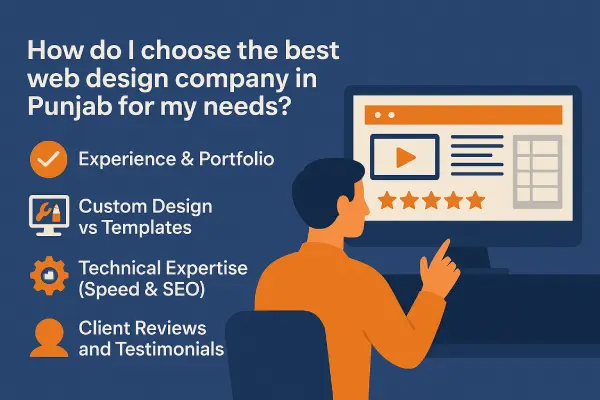
How to Use This Scorecard

Look for Evidence, Not Just Confident Answers

Ask each shortlisted provider similar questions and compare what can actually be demonstrated. A polished sales answer is useful only when the portfolio, process, quotation, account ownership and support arrangements support it.
Clear Evidence or terms are understandable and verifiable.
Clarify The answer may be reasonable but needs more detail before you commit.
Concern Important evidence, ownership or responsibility remains unclear.
Checklist for evaluating website designers in Punjab
Use one consistent framework when comparing providers so marketing claims do not replace evidence.

Criteria 1–3

Project Fit & Evidence

Start by checking whether the provider has relevant experience and can demonstrate the claims used to earn your trust.

01 Relevant Portfolio Can they show work related to the type of website you actually need?

What to check

Look beyond attractive screenshots. Open live projects where possible and examine whether the provider has solved requirements similar to your own: business services, ecommerce, bookings, multilingual content, lead generation or custom functionality.

Useful evidence

  • Live client websites
  • Relevant case studies
  • Project scope explanations
  • Examples showing different industries or requirements
Ask: “Can you show me two or three live projects that are genuinely relevant to what I am trying to build?”
02 Understanding of Your Project Do they understand the business problem before proposing the solution?

What to check

Pay attention to the questions the provider asks. Good discovery should cover your audience, goals, important services, required actions, existing assets, content responsibilities, integrations and how success will be judged.

Useful evidence

  • A written requirements summary
  • Discovery questions
  • Scope recommendations linked to business needs
  • Willingness to challenge unnecessary features
Ask: “Based on what I have told you, what do you think the website actually needs—and what might I not need?”
03 Reputation & Verifiable Evidence Can important trust claims be checked outside the sales copy?

What to check

Reviews, awards, years of experience, client numbers and ranking claims should not all be treated as equal evidence. Check the source, date and context of important claims and look for consistency across the provider's website and independent profiles.

Useful evidence

  • Independent review profiles
  • Named, verifiable projects
  • Dated awards or recognition
  • Evidence attached to performance claims
Ask: “Which of the claims that matter to my decision can I verify independently?”

Criteria 4–6

Design & Technical Delivery

A website should not be judged by appearance alone. Check how the provider approaches usability, technical foundations and responsibilities around search.

04 Mobile Usability & User Experience Does the website help real visitors complete important actions on different devices?

What to check

Inspect previous work on a phone as well as a desktop. Navigation, text, buttons, forms, product information and important calls to action should remain understandable and usable.

Useful evidence

  • Responsive live websites
  • Clear navigation
  • Readable mobile layouts
  • Forms and actions that work without friction
Ask: “How do you test the website on mobile devices before launch?”
05 Technical Foundations How are performance, security, backups and maintainability considered?

What to check

Ask how the website will be hosted, maintained, backed up and protected. Performance should be considered during development rather than treated only as a last-minute optimisation task.

Useful evidence

  • Defined hosting requirements
  • Backup and recovery process
  • Licensed and maintained software
  • Performance-testing approach
Ask: “What technical responsibilities are included before launch, and which continue afterwards?”
06 Search Foundations & SEO Scope Does “SEO included” have a clear, realistic meaning?

What to check

Clarify whether the project includes only basic search-friendly foundations or broader SEO work. Website structure, crawlability, headings, metadata and analytics setup are different from ongoing research, content, authority building and competitive SEO work.

Useful evidence

  • Written description of included SEO work
  • Search-friendly page planning
  • Analytics or Search Console responsibilities
  • No guaranteed permanent rankings
Ask: “When you say SEO is included, exactly which tasks are included in the quotation?”

Criteria 7–9

Commercial Clarity & Ownership

A strong design does not compensate for unclear pricing, unclear ownership or a project process that leaves both sides making different assumptions.

07 Quotation & Scope Clarity Can you tell exactly what you are buying?

What to check

A useful quotation should make it possible to distinguish included work from optional work and future costs. Look for clarity around pages, design, content, functionality, licences, hosting, revisions, SEO and support.

Useful evidence

  • Written deliverables
  • Defined exclusions
  • Third-party costs identified
  • Payment stages or terms
Ask: “What could reasonably cost extra that is not included in this quotation?”
08 Domain, Website & Account Ownership Can your business leave with its digital assets if the relationship ends?

What to check

Establish who controls the domain, hosting, website administrator account, source files, analytics, Search Console, email systems, payment services and other important accounts.

Useful evidence

  • Client-owned or transferable domain access
  • Administrative website access
  • Account handover process
  • Clear licence and migration terms
Ask: “If we stop working together, what exactly can I take with me and what access will I retain?”
09 Communication & Responsibility Do you know who is accountable once the project starts?

What to check

Understand who your contact person is, who makes decisions, who performs the work and how questions, approvals and delays will be handled. This becomes especially important when sales, design and development are handled by different people.

Useful evidence

  • Named point of contact
  • Communication process
  • Clear client responsibilities
  • Documented approvals or milestones
Ask: “Who will actually manage and build my website after I approve the project?”

Criteria 10–12

Delivery, Support & Long-Term Fit

Finally, assess how the project gets completed and what happens after the website becomes part of your day-to-day business.

10 Timeline, Revisions & Approval Process Is there a realistic path from start to launch?

What to check

Understand what controls the delivery schedule, what the provider needs from you, when designs or content are approved and how revisions are handled. A promise of a fast launch is less useful without a defined process.

Useful evidence

  • Indicative project stages
  • Client-content deadlines
  • Revision arrangements
  • Launch and approval responsibilities
Ask: “What could delay this project, and which delays would depend on me?”
11 Support After Launch What assistance exists once the initial project is complete?

What to check

“Support” can mean bug fixes, software maintenance, hosting assistance, small content edits, training or new development—and those are not the same thing. Ask what is included, what is chargeable and how requests are handled.

Useful evidence

  • Written support scope
  • Maintenance responsibilities
  • Response process
  • Charges for work outside the agreement
Ask: “Give me a practical example of something you would support after launch and something that would be a new paid job.”
12 Overall Fit & Long-Term Value Does the complete arrangement make sense for your business?

What to check

Do not reduce the final decision to price, review count or company size. Consider the provider's relevant capability, communication, evidence, ownership terms, support model and whether the proposed solution matches the importance of the website to your business.

Useful evidence

  • Requirements match the proposed solution
  • Responsibilities are understandable
  • Important risks have clear answers
  • You understand both initial and ongoing costs
Ask yourself: “Do I understand what I am buying, who is responsible and what happens after launch?”

Next Step

Start by Testing the Portfolio Evidence

A portfolio is often the first proof a designer presents, but screenshots and logos do not tell you whether the work is genuine, relevant or effective. The next section shows how to examine it properly.

How to Verify a Website Design Portfolio

Step 4 — Verify the Work

How to Check Whether a Website Designer's Portfolio Is Actually Good

A portfolio can show design style, but screenshots alone do not prove that a website is live, that the provider completed the claimed work, or that the project is relevant to your needs. Open the evidence, understand the project scope and examine the website as a real customer would.

Evidence Is Not Equal

Understand What You Are Looking At

Different portfolio formats answer different questions. Stronger evidence usually gives you more context about the client, the provider's role and the finished project.

01

Screenshot or Mockup

Useful for seeing visual style, but it does not prove that the website was launched or used by a real client.

Visual Evidence
02

Live Website

Lets you examine navigation, mobile usability, content, functionality and the real customer journey.

Stronger Evidence
03

Explained Case Study

Adds context: what the client needed, what the provider actually delivered and which decisions shaped the work.

Contextual Evidence
04

Client Confirmation

A named review, testimonial or video can help confirm the relationship and provide another perspective on the experience.

Supporting Evidence

Six-Step Portfolio Check

Investigate the Project Before Being Impressed by It

You do not need technical expertise to perform these checks. The goal is to understand whether the example is genuine, relevant and useful evidence for your decision.

01

Identify

Is There a Real Client Behind the Project?

Look for a business name, working domain and enough context to understand who the website belongs to. A portfolio filled only with unnamed designs or generic concepts deserves additional questions.

Ask: “Which business was this created for, and is the website currently live?”
02

Clarify

What Did the Provider Actually Do?

“We worked on this website” can mean complete design and development, a redesign, technical maintenance, SEO, content changes or only one small part of the project. Ask for the actual scope.

Ask: “Which parts of this project were completed by your team?”
03

Compare

Is the Project Relevant to What You Need?

A beautiful restaurant website does not prove experience with a complex ecommerce store, booking platform or multilingual business site. Compare the requirements, not just the appearance.

Look for: similar goals, functionality, audience, content complexity or business requirements.
04

Test

Use the Website Like a Customer

Open the live project on your phone. Try the navigation, important pages, calls to action, contact forms, product journey or booking process where appropriate.

Check: Can you understand the business and complete the main action without unnecessary difficulty?
05

Look Deeper

Does the Portfolio Show Real Design Variety?

Repeated layouts are not automatically bad—many websites share proven interface patterns—but every project should still reflect its own content, audience, brand and functional requirements.

Look for: meaningful differences in structure, presentation, content hierarchy and user journey.
06

Date the Evidence

When Was the Project Delivered?

A live website may have been edited, redesigned, migrated or maintained by other people after the original project. Current performance should not automatically be credited to—or blamed on—the original designer years later.

Ask: “When did you deliver this project, and do you still maintain the current version?”

Important Limitation

What a Portfolio Screenshot Cannot Tell You

01

Whether the website works well on a real mobile device.

02

Whether forms, payments or booking functions work properly.

03

Whether the provider created the complete project or only part of it.

04

Whether the client can manage or own the website after launch.

05

Whether the design actually supports the client's business goal.

06

Whether the current website is still the version originally delivered.

Supporting Evidence

Client Feedback Can Add Context to the Work

A genuine client testimonial can help confirm that a working relationship existed and provide useful information about communication, delivery or support. It should be used alongside the live project and project scope rather than as a substitute for inspecting the work.

Think of the evidence together: Live project Explained scope Client perspective

The example video shown here is a Khalsa Website Designers client review. It is presented as an example of supporting client evidence, not as proof that every project or provider should be judged from a testimonial alone.

Existing Khalsa Website Designers client-review video, retained from the original page as supporting evidence.

Five-Minute Test

Before You Shortlist a Designer, Check Three Projects

You do not need to audit fifty websites. Three genuinely relevant examples can reveal much more than a large gallery of screenshots.

  1. 1
    Open the live website

    Confirm that the business and website actually exist.

  2. 2
    Use it on your phone

    Check navigation, readability and the main customer action.

  3. 3
    Ask what was delivered

    Understand whether the provider designed, developed, maintained or only partially worked on the project.

  4. 4
    Compare relevance

    Choose examples with requirements reasonably close to your own project.

  5. 5
    Ask one difficult question

    Find out what was challenging about the project and how the provider solved it.

Next Step

Now Examine What Is Behind the Design

Once a portfolio looks credible, the next question is whether the websites are built on sound foundations: performance, security, mobile usability and search readiness.

Check Technical Website Quality

Step 5 — Look Beyond the Design

How to Evaluate Website Speed, Security and SEO Foundations

A website can look impressive and still be frustrating to use, difficult to maintain or poorly prepared for search engines. When comparing website designers, examine what happens behind the visual design: how the site performs, how it is protected and whether its structure gives search engines and users clear access to important content.

Website performance and speed considerations
01

Performance

Does the Website Feel Fast and Stable?

Speed is not just a score. Visitors should be able to see important content quickly, interact without long delays and use the page without elements unexpectedly moving around.

What a buyer can check

  • Open portfolio websites on both Wi-Fi and mobile data.
  • Check whether important content appears promptly.
  • Look for oversized images, unnecessary animation or delays before buttons respond.
  • Test important pages rather than judging only the homepage.
  • Ask whether performance is tested before launch.
Ask the designer

“How do you test performance before launch, and what would you investigate if an important page became slow?”

Website security, updates and backup considerations
02

Security

Who Is Responsible for Protecting and Recovering the Website?

No responsible provider can promise that a website will never face a security problem. What matters is whether sensible protections, updates, access controls, backups and recovery responsibilities are clearly understood.

What to clarify

  • Will the live website use HTTPS?
  • Who updates WordPress, plugins, themes or other software?
  • Are paid themes, plugins and other software properly licensed?
  • How often are backups created and where are they stored?
  • Who is expected to respond if the website becomes compromised?
Ask the designer

“If the website fails or is compromised after launch, what is backed up, who restores it and which part of that responsibility is included?”

Search-friendly website structure and SEO foundations
03

Search Foundations

Can Search Engines Find and Understand the Important Pages?

Search-friendly development starts with making important content accessible, crawlable and logically organised. That is different from promising that the finished website will automatically outrank competitors.

Useful foundations to discuss

  • Important pages are accessible through normal navigation and links.
  • Search engines are not accidentally blocked from pages intended for indexing.
  • Page titles and headings clearly describe the content.
  • Important internal links use useful, descriptive anchor text.
  • Images, content and page structure remain usable on mobile devices.
Ask the designer

“Which search-related technical tasks are part of the website build, and which require separate ongoing SEO work?”

Understand the difference between website foundations and ongoing SEO

Performance Vocabulary

Core Web Vitals in Plain English

These are useful measurements, but buyers should treat them as diagnostic signals rather than a promise of Google rankings.

LCP Good: ≤ 2.5s

Loading

How quickly the main visible content of the page appears for the visitor.

“Does the useful part of the page appear promptly?”
INP Good: ≤ 200ms

Responsiveness

How quickly the page responds after someone interacts with it.

“Does the site react promptly when I use it?”
CLS Good: ≤ 0.1

Visual Stability

Whether page elements unexpectedly move while the page is loading.

“Does the layout stay where I expect it to?”

Buyer-Friendly Technical Check

Ten Things You Can Check Without Being a Developer

  1. 01
    Open the site on your phone

    Make sure text, navigation and buttons are easy to use.

  2. 02
    Browse several pages

    Do not judge technical quality from one homepage.

  3. 03
    Check the secure connection

    Important live pages should be served through HTTPS.

  4. 04
    Try the main actions

    Test forms, buttons, menus, bookings or checkout where relevant.

  5. 05
    Watch for layout movement

    Content should not keep jumping while the page loads.

  6. 06
    Ask about backups

    Know what is backed up, how often and how restoration works.

  7. 07
    Ask who maintains the software

    Responsibility after launch should be clearly defined.

  8. 08
    Ask what “SEO included” means

    Get the actual tasks in writing rather than accepting the phrase.

  9. 09
    Ask who owns the accounts

    Technical quality includes clean access and ownership arrangements.

  10. 10
    Ask how problems are handled

    A recovery process can matter as much as the original build.

Claims Worth Clarifying

Translate Marketing Language Into Practical Questions

“Lightning-fast website”

How is speed measured, which pages are tested and what happens when content grows?

“100% secure website”

What protections, updates, backups and recovery procedures actually exist?

“SEO-optimized website”

Which technical and on-page tasks are included, and which ongoing SEO activities are not?

Next Step

Compare What Is Actually Included in the Quote

Technical quality can affect price, but two quotations are impossible to compare fairly if one includes hosting, licences, content, SEO setup and support while the other does not.

What Should a Website Quote Include?

Step 6 — Compare the Scope

What Should a Website Design Quotation Actually Include?

The total price tells you very little unless you understand what is included. One quotation may cover strategy, content, premium software, ecommerce setup, training and post-launch support while another covers only design and development. Compare the scope before comparing the final amount.

The Comparison Rule

Compare Like With Like

A useful quotation should make clear what will be delivered, what the client must provide, what is excluded, which costs may repeat and what happens if the scope changes.
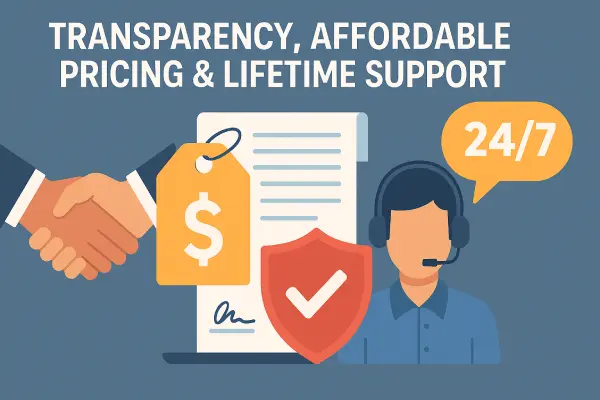
Scope Responsibilities Exclusions Ongoing Costs = a quotation you can actually compare
Website quotation scope and pricing transparency
A clear quotation separates deliverables, responsibilities, optional work and future costs.

Quote Anatomy

Four Areas That Should Be Understandable

01

What Will Be Built?

Define the actual website deliverables rather than relying on a vague phrase such as “complete website.”

  • Number or type of pages
  • Custom layouts or templates
  • Forms and calls to action
  • Ecommerce or booking functions
  • Multilingual requirements
  • Third-party integrations
02

Who Provides the Content?

Design cannot be separated completely from text, images, products and other information the website needs.

  • Website copywriting
  • Product descriptions
  • Photography or stock images
  • Logo and brand assets
  • Video or downloadable files
  • Translation or Punjabi content
03

What Technical Work Is Included?

Clarify the infrastructure and setup surrounding the visible design.

  • Domain or DNS assistance
  • Hosting setup or migration
  • SSL / HTTPS configuration
  • Software or plugin licences
  • Analytics and Search Console
  • Backups and launch testing
04

What Are the Commercial Terms?

The quotation should also explain how the project will be paid for, approved and changed.

  • Payment stages or deposit terms
  • Revision arrangements
  • Indicative timeline
  • Client responsibilities
  • Scope-change process
  • Taxes or third-party charges where applicable

Quotation Checklist

Check Whether These Items Have Been Addressed

Not every project needs every item. The purpose is to make omissions visible before you compare prices.

Website Build
Content
Technical Setup
After Launch

Don't Stop at the Launch Price

Separate One-Time Costs From Recurring Costs

A website may have a one-time build price as well as services or software that renew monthly or annually. These should be visible before the project begins.

01

Possible One-Time Costs

  • Design and development
  • Initial content creation
  • Data or website migration
  • Custom functionality
  • Initial integrations
  • Training or setup work
02

Possible Recurring Costs

  • Domain renewal
  • Website hosting
  • Business email
  • Premium software licences
  • Maintenance or support
  • Ongoing SEO or marketing
03

Usage-Based or Third-Party Costs

  • Payment-processing charges
  • SMS or email services
  • Booking platforms
  • External APIs
  • Stock media
  • Other paid integrations

Clarify Vague Language

Turn Marketing Phrases Into Specific Questions

“Complete website”

Which pages, functions, content, integrations and technical tasks are actually included?

“Unlimited revisions”

Does this apply to design revisions only, and when does a request become additional scope?

“Free support”

Which support tasks are included, for how long, and which changes are separately chargeable?

“SEO included”

Which search-related tasks are part of the website build and which require ongoing work?

“Hosting included”

For what period, with which resources, renewal cost and migration options?

“Everything included”

Ask for the exclusions anyway. A good scope should make boundaries understandable.

Compare Three Quotes

Use the Same Questions for Every Provider

A simple comparison like this can reveal scope differences before the total price influences your decision.

Check Provider A Provider B Provider C
Exact deliverables clear?
Content responsibility clear?
Licences / third-party fees identified?
Ownership / access clear?
Revision terms clear?
Recurring costs identified?
Post-launch support clear?

Next Step

Understand Why Website Prices Vary

Once the scope is clear, you can evaluate price properly. The next section explains the factors that usually make one website project more expensive than another.

Understand Website Pricing Factors

Step 7 — Understand the Price

What Affects Website Design Pricing in Punjab?

Website prices vary because website requirements vary. A small informational site, an online store with hundreds of products and a custom platform with integrations are not comparable projects. Instead of judging a quotation by page count or price alone, understand which requirements are creating the work.

Main Cost Drivers

Nine Requirements That Can Change the Cost of a Website

Not every factor increases every quotation. Use these points to understand what is creating additional design, development, content or management work.

01 Design

Design Complexity

A straightforward business website normally requires less design time than a project with many unique page layouts, complex interactions or highly customised visual components.

Cost can increase with: custom layouts, advanced interactions, unusual interface requirements and extensive design revisions.
02 Scope

Number and Type of Pages

More pages can mean additional planning, design, content entry, internal linking, testing and approval work. Unique page types matter more than simply counting URLs.

Ask: how many genuinely different layouts are required rather than only “how many pages?”
03 Content

Content Creation

Pricing changes when the provider must research, write, edit, structure or migrate content instead of receiving finished material from the client.

Cost can increase with: copywriting, product data, image preparation, photography, migration and translation.
04 Ecommerce

Online Selling Requirements

Ecommerce introduces additional decisions around products, categories, checkout, payments, tax, shipping, customer accounts and order management.

Cost can increase with: product volume, variations, shipping rules, payment methods and specialised checkout requirements.
05 Development

Custom Functionality

Features that cannot be handled reliably with standard website functionality may require additional planning, development and testing.

Examples: memberships, directories, custom workflows, calculators, dashboards and unusual data handling.
06 Integration

Third-Party Integrations

Connecting a website to external software can add setup, testing and troubleshooting work—especially when the systems were not originally designed to work together.

Examples: CRM systems, booking platforms, payment services, APIs, email platforms and external databases.
07 Language

Multilingual Requirements

A multilingual website is more than duplicating text. Navigation, layouts, content workflows, translated metadata and ongoing editing responsibilities may all need consideration.

Clarify: who supplies and approves English, Punjabi or other language content.
08 Migration

Existing Website Migration

Redesigning an existing site can require preservation or movement of pages, URLs, products, images, accounts, forms, analytics and other existing assets.

Cost can increase with: large content libraries, ecommerce data, redirects, platform changes and complex legacy systems.
09 After Launch

Training, Maintenance and Support

Some quotations stop at launch. Others include training, maintenance, backups, technical help or ongoing assistance.

Compare: what is part of the initial price and what becomes a recurring or separately charged service.

Think in Scope, Not Price Bands

Three Examples of Increasing Project Complexity

These examples explain workload differences. They are not fixed packages or market-price estimates.

01

Defined Requirement

Straightforward Business Website

A service business needs a professional online presence with clear information and enquiries.

  • Small number of page types
  • Standard contact functionality
  • Client provides most content
  • No unusual integrations
  • Simple administration requirements
Typically involves fewer project variables.
02

Broader Requirement

Content-Rich Lead Generation Website

A business needs multiple services, stronger content, conversion paths and more structured search foundations.

  • Multiple unique service layouts
  • Content planning or writing
  • Portfolio or case studies
  • Analytics and tracking setup
  • More extensive testing and approvals
More planning, content and coordination are required.
03

Complex Requirement

Ecommerce or Custom Platform

The website performs business operations rather than functioning primarily as a marketing site.

  • Products or user accounts
  • Payments or booking workflows
  • External integrations
  • Custom business logic
  • More extensive testing and support needs
Development and testing complexity can become the main cost driver.

Budget Control

How to Reduce Cost Without Simply Choosing the Cheapest Provider

Reducing unnecessary scope is often safer than reducing quality in the parts your business genuinely depends on.

01

Launch in Phases

Build the important version first and add non-essential functionality once the business has evidence that it is needed.

02

Prioritise Essential Pages

Avoid commissioning dozens of weak pages when a smaller group of useful, complete pages can meet the immediate requirement.

03

Prepare Content Properly

Supplying organised, approved text, images and product information can reduce avoidable administration and revision work.

04

Avoid Unnecessary Custom Features

Do not pay for custom development when a reliable, maintainable standard solution already satisfies the requirement.

05

Reduce Design Variations

A coherent set of reusable layout systems may be more efficient than making every page structurally unique.

06

Decide Before Development

Major requirement changes after development begins can create more work than making those decisions during planning.

Total Cost Matters

A Low Initial Price Can Still Become Expensive Later

01

Important functionality is discovered later and charged as additional development.

02

Premium licences or hosting renewals were not made clear in the original quotation.

03

Content, images or product entry were assumed to be the client's responsibility.

04

The site eventually needs rebuilding because ownership, maintainability or technical decisions were unsuitable.

05

Support and routine changes become separately chargeable after launch.

06

Migration becomes difficult because accounts, licences or access were controlled by the provider.

Before Negotiating

Ask These Questions Before Asking for a Discount

  1. 01
    Which requirement is creating the most work?

    This identifies the genuine cost drivers.

  2. 02
    Which features could be postponed?

    Phasing may reduce initial cost without weakening the core site.

  3. 03
    What can I provide myself?

    Content, photography or data preparation may affect scope.

  4. 04
    Which costs will repeat?

    Understand hosting, licences, maintenance and other renewals.

  5. 05
    What happens if the project grows?

    Know how additional functionality will be quoted.

  6. 06
    Is there a simpler solution?

    A good provider should be able to explain realistic alternatives.

Next Step

Find Out Who Actually Owns the Website

Price matters, but ownership can matter even more if you later change providers. The next section explains which accounts, files and digital assets your business should be able to control.

Check Website Ownership

Step 8 — Protect Your Control

Who Owns Your Website After You Pay for It?

A finished website is connected to more than the pages you can see. Domains, hosting, administrator accounts, databases, analytics, licences, email services and payment systems may all be controlled separately. Before hiring a website designer, understand what your business will own, what it will control and what depends on the provider.

The Exit Test

Ask One Question Before the Project Begins

If I stop working with this provider tomorrow, can my business take the website and its important accounts to another provider without starting again?

The answer does not have to mean that every service or licence is transferable. It should mean that important dependencies are disclosed and that you understand what access, data and migration options remain available.

01 Ownership

Who has the legal or contractual right to an asset.

02 Access

Who can log in, administer, export or manage it.

03 Licence

Who has permission to use particular software or media.

Website ownership, control and long-term provider relationship
A healthy long-term provider relationship should not depend on keeping essential ownership or access unclear.

Ownership Map

Check These 12 Digital Assets

Different projects use different systems, but these are the areas most worth clarifying before a website becomes business-critical.

01 Identity

Domain Name

Know which registrar holds the domain, whose details are attached to it and who controls the registrar account.

Ask: “Can I access and transfer my domain independently?”
02 Infrastructure

Website Hosting

Determine whether hosting is in your account, the provider's account or a managed arrangement controlled on your behalf.

Ask: “If I move providers, how can the website be migrated?”
03 Website

Administrator Access

Your business should understand which administrative accounts exist and whether you receive appropriate access after launch.

Ask: “Will I receive my own administrator login?”
04 Data

Website Files & Database

Understand whether the website can be backed up and transferred with the data needed to operate it elsewhere.

Ask: “Can a complete website backup be provided if needed?”
05 Measurement

Analytics

Business measurement data should not disappear simply because the company changes website providers.

Ask: “Is my business an administrator of its analytics property?”
06 Search

Google Search Console

Search-performance and technical data may become useful long after the original website project is completed.

Ask: “Will my business retain verified access?”
07 Local Presence

Business Profile Access

If a provider assists with your local business profile, make sure the business itself remains appropriately represented in its access arrangements.

Ask: “Which account belonging to my business has access?”
08 Payments

Payment Gateways

Ecommerce payment accounts should be clearly connected to the correct business and banking arrangements rather than being casually shared through a developer.

Ask: “Whose payment account receives and controls the funds?”
09 Communication

Business Email

Know where business email is hosted and what happens to mailboxes if hosting or website providers change.

Ask: “Is email independent from the website hosting arrangement?”
10 Software

Themes, Plugins & Licences

Some software may use a provider's agency licence while other licences may belong directly to the client. Neither model should be hidden.

Ask: “Which licences stop working or updating if we separate?”
11 Creative Assets

Logo, Images & Source Files

Clarify which logos, photographs, graphics, fonts, templates or source assets can be reused after the project.

Ask: “Which creative files will be delivered to me?”
12 Recovery

Backups & Exportability

A backup is most useful when it can actually be restored or moved to another suitable environment.

Ask: “Can the current website be exported and restored elsewhere?”

Access Is Not Binary

Understand the Level of Control You Receive

Access level What it may allow What to verify
Business Owner Controls the account, billing, transfer or highest-level administration. Which critical services should remain under the business's direct control?
Administrator Can usually make significant changes without necessarily owning the underlying service. Can the provider remove this access, or does the business control the parent account?
Editor / Staff Can update defined content without changing critical settings. Is this enough for the client's day-to-day needs?
Provider-Only The designer controls the service and performs work for the client. Is this intentional, documented and easy to migrate away from if required?

Project Handover Checklist

What Should Be Clear by the Time the Website Launches?

Tick the items relevant to your project. Not every provider must structure accounts identically, but the arrangement should be understood.

Ownership Warnings

Situations Worth Clarifying Before You Pay

01

The provider refuses to explain where the domain is registered.

02

You are told that administrator access can never be provided without a clear technical reason.

03

Important accounts are created using email addresses that your business cannot access.

04

Premium software is used but nobody explains what happens to its licence after the relationship ends.

05

The website cannot be backed up, exported or migrated and this limitation was not disclosed beforehand.

06

Important ownership questions are answered only with “don't worry, we handle everything.”

Run This Scenario

Imagine You Change Website Designers Next Year

01
Can you access the domain?

The new provider may need DNS or transfer access.

02
Can you obtain the website?

Files, database and necessary data should be understood.

03
Can important accounts continue?

Analytics, search, email and payment services may need uninterrupted access.

04
Are any licences affected?

Replace or renew provider-owned software where necessary.

Next Step

Find Out What “Support After Launch” Really Means

Ownership gives you control, but websites also need ongoing attention. The next section separates bug fixes, maintenance, content changes, new development and ongoing support so you can compare post-launch promises properly.

Compare Post-Launch Support

Step 9 — Understand the Support

What Does Website Support After Launch Actually Include?

“Support,” “maintenance,” “updates” and “website changes” are often used as though they mean the same thing. They do not. Before hiring a website designer, clarify what assistance continues after launch, what is included in the original project and what becomes separately chargeable work.

Separate the Services

Five Types of Post-Launch Help

A provider may include some, all or none of these services. The important part is knowing which arrangement you are buying.

01 Correction

Bug Fixes

Correcting something that was supposed to work as part of the agreed website but does not work as intended.

Example

A contact form included in the project stops sending enquiries because of a problem in the implemented setup.

02 Maintenance

Software Maintenance

Keeping the website's underlying software reasonably current and checking whether updates create problems.

Example

Updating WordPress, plugins or themes and checking that important website functionality still works.

03 Content

Content Changes

Editing information already on the website rather than changing how the website fundamentally works.

Example

Replacing a team photograph, updating an address or changing existing service text.

04 New Work

New Development

Adding something that was not included in the original project scope.

Example

Adding an ecommerce system, booking platform, membership area or new custom integration months after launch.

05 Assistance

Advice, Training & Technical Help

Helping the client understand how to use the website, answering questions or assisting with website-related problems even when no development work is required.

Example

Showing a staff member how to publish a page, helping identify why an email notification was not received or explaining which service controls the domain.

Define the Boundary

Is It Support, Maintenance or a New Project?

These examples show why a written support scope is more useful than a broad promise.

Request Could be classified as What to clarify
A launch-day form does not work Bug fix Is there a defect-correction period after launch?
WordPress needs updating Maintenance Who checks and performs software updates?
Change an existing phone number Content edit Are small edits included or chargeable?
Add ten new service pages New content / project work How will additional pages be priced?
Add online payments New development Is new functionality separately quoted?
Website becomes unavailable Hosting / technical support Who investigates hosting or infrastructure failures?
Website is compromised Security / recovery work What incident-response and restore help is included?
Need help editing a page Training / assistance Is ongoing user guidance included?

Marketing Phrase to Clarify

What Does “Lifetime Support” Mean?

“Lifetime support” can sound comprehensive, but the phrase is useful only when the provider defines what support covers. It may refer to advice, technical help, defect correction or another specific service rather than every future website change being free.

01

Which exact support tasks are included?

02

Are content changes included?

03

Are software updates included?

04

Is new functionality separately charged?

05

Does hosting have to remain with the provider?

06

What circumstances end the support arrangement?

Best question to ask:

“Please give me one example of something covered by the lifetime support promise and one example of something that would still be chargeable.”
Website support and maintenance after launch
If a provider uses phrases such as “free” or “lifetime” support, compare the published promise with the actual written support policy.

Support Policy Checklist

What Should You Know Before Launch?

Tick the items that have been explained for your project.

Responsibility Map

Some Website Responsibilities Are Shared

Post-launch problems are not always entirely the designer's or client's responsibility. Hosting companies, payment processors and other external services may also be involved.

01

Provider Responsibility

Work explicitly included in the provider's maintenance or support agreement.

Could include updates, backups, defect fixes, technical troubleshooting or agreed maintenance.
02

Client Responsibility

Business decisions, content and access responsibilities that remain with the website owner.

Could include approving content, renewing client-owned services, protecting passwords and providing requested information.
03

Third-Party Responsibility

Services that operate outside the website designer's direct control.

Could include hosting infrastructure, payment gateways, email delivery, APIs or external booking services.

Post-Launch Working Models

Choose a Support Arrangement That Matches the Website

01

Pay When Needed

Suitable when the website is simple, changes are rare and the business is comfortable requesting paid work only when required.

Check: availability and how individual jobs are priced.
02

Maintenance Plan

Suitable when the business wants defined recurring technical maintenance, backups or monitoring.

Check: which maintenance tasks and response arrangements are included.
03

Ongoing Development Relationship

Suitable when the website changes regularly and forms part of ongoing marketing or business operations.

Check: monthly capacity, priorities, rates and what happens to unused time.

Next Step

Learn Which Warning Signs Deserve More Questions

A single concern does not automatically make a provider unsuitable, but certain patterns are worth investigating before you pay a deposit or transfer important accounts.

Review Website Designer Red Flags

Step 10 — Investigate the Risks

Website Designer Red Flags to Check Before You Pay

A single unusual practice does not automatically mean a website designer is unsuitable. What matters is whether important questions receive clear answers and whether claims, ownership, responsibilities and commercial terms can be understood before you commit.

01

Clarify

Something Is Too Vague

Ask for a more specific explanation before treating it as either a strength or a problem.

02

Investigate

Evidence and Claims Do Not Match

Verify the portfolio, reviews, experience, scope or technical claim independently where possible.

03

Resolve First

Control or Money Is at Risk

Do not leave important ownership, access, payment or delivery responsibilities unresolved before proceeding.

Ten Situations Worth Questioning

Warning Signs That Deserve a Better Explanation

These are investigation prompts rather than automatic verdicts.

01 Investigate

Big Claims With No Useful Evidence

Statements such as “best,” “number one,” “most trusted” or “guaranteed results” are less useful when the supporting source, date or methodology is unclear.

Ask: “What evidence supports this claim?”
02 Investigate

Portfolio Work Cannot Be Explained

A provider should normally be able to tell you what problem a showcased project addressed and what part of the work they actually completed.

Ask: “What exactly did you deliver on this project?”
03 Clarify

The Quote Is Extremely Vague

A one-line price may be reasonable for a very simple job, but substantial projects should make important deliverables, exclusions and responsibilities clear.

Ask: “What exactly is included and what could cost extra?”
04 Resolve First

Domain or Account Control Is Kept Unclear

If the provider cannot explain who controls the domain, hosting or important business accounts, resolve that arrangement before the project becomes dependent on it.

Ask: “Which important accounts will my business control?”
05 Clarify

Everything Is Described as “Unlimited”

Unlimited revisions, unlimited support or unlimited changes can sound attractive, but every service has practical boundaries.

Ask: “Where does the included service end?”
06 Investigate

SEO Results Are Presented as Certain

Search visibility depends on many factors outside a designer's direct control. Be cautious when future rankings are presented as guaranteed outcomes rather than goals supported by defined work.

Ask: “Which SEO work are you promising, and which outcome are you predicting?”
07 Resolve First

Payment Pressure Comes Before Scope Clarity

Deposits and advance payments can be normal. The concern is being pushed to pay before you understand the project, deliverables, major conditions and provider identity.

Ask: “What am I approving by making this payment?”
08 Clarify

Nobody Can Explain Who Does the Work

Outsourcing itself is not automatically a problem. What matters is knowing who is responsible for quality, communication and delivery.

Ask: “Who will design, build and manage my project?”
09 Investigate

Reviews Look Impressive but Cannot Be Contextualised

Review count alone does not show whether feedback is recent, relevant to website design or connected to the type of project you need.

Ask yourself: “Can I connect the reputation evidence to real work?”
10 Resolve First

There Is No Clear Exit or Handover Path

You should understand how the domain, website, data and important accounts can be transferred if the working relationship eventually ends.

Ask: “What is the handover process if I change providers?”

Avoid False Positives

These Things Are Not Automatically Problems

Context matters. Some practices that initially look unusual can be completely reasonable when they are explained properly.

01

Asking for a Deposit

Advance payment is common in project work. The issue is whether the amount, scope and payment conditions are understood.

02

Using Templates or Frameworks

Reusable systems can improve efficiency. Judge whether the final website is appropriately adapted to your requirements.

03

Outsourcing Specialist Work

A provider may use trusted specialists. What matters is accountability, quality control and clarity over who is doing the work.

04

Provider-Managed Hosting

Managed hosting can be convenient if pricing, backups, migration and exit arrangements are clear.

05

Agency Software Licences

Provider-owned licences can be reasonable when you understand what happens if maintenance or the relationship ends.

06

A Smaller Portfolio

A specialist with fewer but highly relevant examples can sometimes be a stronger fit than a provider with hundreds of unrelated projects.

Before Paying a Deposit

Get Clear Answers to These Six Questions

  1. 01
    What exactly will be delivered?

    Confirm the important scope and exclusions.

  2. 02
    Who will actually do the work?

    Understand responsibility and communication.

  3. 03
    Which accounts will my business control?

    Domain, hosting and critical systems should not be a mystery.

  4. 04
    Which costs can appear later?

    Identify renewals, licences, additional work and support charges.

  5. 05
    What happens if the project changes?

    Know how additional scope and revisions are handled.

  6. 06
    What happens if we stop working together?

    Confirm handover, migration and account access.

Simple Decision Framework

What Should You Do When You Spot a Concern?

1

Ask

Give the provider an opportunity to explain the issue.

2

Verify

Check evidence where the answer depends on a factual claim.

3

Document

Put important scope, ownership and commercial terms in writing.

4

Decide

Judge the complete pattern rather than one isolated concern.

Next Step

Decide Whether Location Within Punjab Actually Matters

Once you know what to evaluate and which risks to avoid, the next question is whether you need a designer in your own city or whether the strongest fit may be elsewhere in Punjab.

Choosing a Website Designer Within Punjab

Step 11 — Decide How Much Location Matters

Does Your Website Designer Need to Be in Your City?

Hiring someone nearby can be useful, but physical proximity should not automatically outweigh project fit. A designer in another part of Punjab may be the stronger choice if their experience, communication, technical capability and support model match your requirements better.

Location Rule

Choose for Capability First, Proximity Second

Website design is largely digital work. Meetings, project reviews, design approvals and support can often happen remotely. Local proximity becomes more important when the project genuinely benefits from in-person collaboration, photography, physical site visits or repeated face-to-face training.
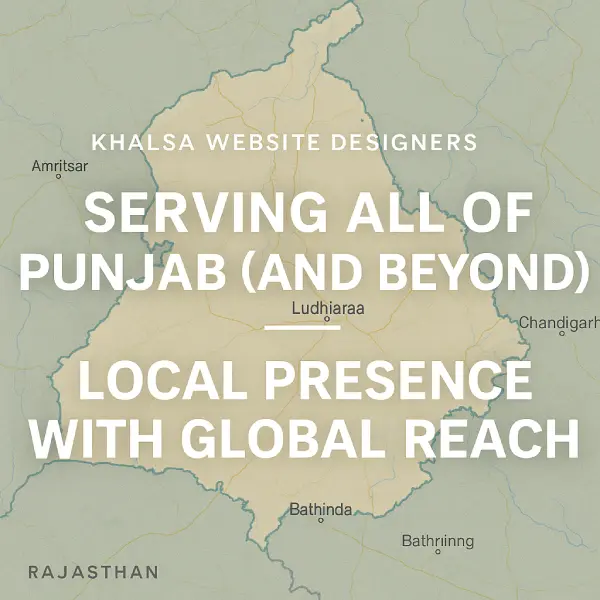
Choosing a website designer based on project fit across Punjab
Businesses in different Punjab locations can compare the same evidence, scope, ownership and support criteria.

Location Versus Project Fit

When Being Nearby Helps — and When It Matters Less

01

Proximity Can Help

Consider a Nearby Provider When...

  • You strongly prefer face-to-face planning meetings.
  • Several local stakeholders need to attend workshops.
  • The project requires photography or visits to your premises.
  • Staff need repeated in-person training.
  • The website depends heavily on understanding a very specific offline operation or customer journey.
Ask yourself:

“Which part of this project genuinely requires the designer to be physically nearby?”

02

Proximity May Matter Less

Wider Search May Be Better When...

  • Requirements can be documented and discussed online.
  • Content and brand materials are already digital.
  • Meetings can be handled effectively by video or phone.
  • Specialist expertise matters more than physical access.
  • You are comfortable managing approvals and feedback remotely.
Ask yourself:

“Would choosing only within my city remove stronger candidates without solving a real project problem?”

Local Knowledge

“Local” Should Mean More Than Having a Punjab Address

If local-market understanding is important to your project, ask how that understanding affects the actual website.

01

Audience

Does the provider understand who the website needs to communicate with and what those visitors are trying to do?

02

Language

Does your audience need English, Punjabi or another language, and who will create and approve that content?

03

Service Area

Is the business serving one city, several districts, all of Punjab, India-wide customers or an international audience?

04

Customer Journey

Do customers normally call, send WhatsApp enquiries, visit a location, book appointments or purchase online?

05

Business Reality

Does the proposed website reflect how your business actually quotes, sells, books, delivers or provides services?

06

Search Intent

If local search matters, can the provider explain how location-specific pages and information will serve real customers rather than simply repeating city names?

Five-Question Location Test

Decide How Wide Your Shortlist Should Be

  1. 01
    Do I genuinely need in-person meetings?

    Separate preference from an actual project requirement.

  2. 02
    Does the project require physical site visits?

    Photography, operational research or training may make proximity more useful.

  3. 03
    Is specialist experience difficult to find locally?

    If so, widening the shortlist may improve project fit.

  4. 04
    Can the provider communicate reliably remotely?

    Clear processes may matter more than travel distance.

  5. 05
    Am I comparing the same evidence either way?

    Portfolio, quote, ownership, technical quality and support should still be evaluated consistently.

Across Punjab

The Same Hiring Principles Apply Across Different Cities

Whether your business is in Ludhiana, Jalandhar, Amritsar, Mohali, Patiala or elsewhere in Punjab, city proximity should be treated as one evaluation factor rather than the entire decision.

Relevant work Clear scope Technical quality Ownership Communication Support

Final Location Comparison

Nearby Provider or Better-Fit Provider?

Choose Nearby When

Physical Collaboration Adds Real Value

In-person workshops, photography, site visits, training or stakeholder requirements genuinely benefit from close proximity.

Widen the Search When

Capability Matters More Than Distance

Another provider has stronger relevant experience, technical capability, communication or project fit and the work can be managed effectively remotely.

Next Step

Hiring a Punjab Website Designer While Living Overseas?

Remote hiring introduces a different set of questions: time zones, payments, communication, approvals, ownership and how work is reviewed when you cannot meet in person.

Guide for Overseas & NRI Clients

Step 12 — Manage a Remote Project

Hiring a Website Designer in Punjab While Living Overseas

Punjabi business owners and NRI clients do not necessarily need to be physically present in Punjab to manage a website project. Remote work can be effective when responsibilities, approvals, payments, account ownership and communication are agreed before development begins.

Before Development Starts

Agree These Six Things First

A short written project structure can prevent many of the misunderstandings that otherwise appear later.

01

One Final Decision-Maker

Decide who has authority to approve design, content, functionality and additional costs.

Clarify: Who gives the final approval when different family members, partners or staff disagree?
02

Communication Method

Agree where important instructions will be recorded rather than spreading decisions across calls, messages and different people.

Clarify: Which channel is used for official approvals and scope changes?
03

Time-Zone Overlap

You do not need identical working hours, but both sides should know when real-time discussion is normally possible.

Clarify: Which hours are normally available for meetings or urgent discussion?
04

Payment Terms

Confirm the quoted currency, payment stages, invoicing, payment method and treatment of additional work.

Clarify: Is the agreed amount fixed in one currency or affected by conversion?
05

Account Ownership

Distance makes direct ownership particularly important. Do not rely on physical access to recover accounts later.

Clarify: Which domain, hosting, analytics and other accounts will remain under your control?
06

Approval Milestones

Agree what you will review before development progresses too far: structure, design direction, content, functionality and final testing.

Clarify: At which stages is your approval required?

When Other People Are Involved

Separate Local Input From Final Approval

Overseas clients sometimes ask relatives, employees or business partners in Punjab to coordinate part of the project. That can work well, but only when everybody knows what authority each person has.

01

Project Owner

Controls the commercial relationship and gives final approval on major decisions.

02

Local Coordinator

May collect photographs, business details, product information or operational feedback in Punjab.

03

Website Provider

Records requirements, explains implications and follows the agreed approval structure.

Remote Progress Verification

You Should Be Able to See Progress Without Being in Punjab

Remote clients should not have to rely only on statements such as “the website is nearly finished.”

01

Requirements

Confirm what will be built before design begins.

02

Design Review

Review layouts or a working development version.

03

Functional Testing

Test forms, navigation, ecommerce or other important actions.

04

Final Approval

Approve the agreed website before final launch or handover.

Remote Review Checklist

What Can You Verify From Overseas?

Overseas Payments

Compare the Commercial Terms, Not Just the Converted Amount

01

Quoted Currency

Confirm the currency used in the quotation and invoice.

02

Payment Stages

Link payments to clearly understood project stages where applicable.

03

Transaction Costs

Clarify whether bank, card or currency-conversion fees affect the amount received.

04

Additional Scope

Agree how new requirements will be approved and priced.

Content From Two Locations

Decide Who Supplies Business Information

An overseas owner may understand the strategy while staff or family in Punjab have access to current photographs, addresses, products and operational details.

Owner Overseas
  • Business goals
  • Brand direction
  • Budget approval
  • Final content approval
  • Commercial decisions
Local Team in Punjab
  • Current photographs
  • Local contact details
  • Product or service information
  • Operational information
  • On-site feedback
Website Provider
  • Organise requirements
  • Identify missing information
  • Prepare website structure
  • Record approvals
  • Build and test the agreed scope

Supporting Client Evidence

Remote Client Feedback Can Show How the Relationship Worked

A testimonial from an overseas client can add useful context about communication and the working relationship. It should still be considered alongside the actual project, quotation, ownership arrangements and deliverables.

Client perspective Project evidence Written process

This video is an existing Khalsa Website Designers client example. It is included as supporting evidence of a client relationship, not as proof that every remote project will have the same experience or outcome.

Remote-Specific Warning Signs

Resolve These Before Sending Important Payments or Access

01

Important project decisions exist only in disappearing or scattered messages.

02

Several family members or employees can approve changes without one final decision-maker.

03

The currency or amount due at each stage is unclear.

04

The provider creates important business accounts using credentials you cannot access.

05

Large payments are requested while there is no practical way to review progress.

06

Nobody can explain how the completed site would be handed to another provider if necessary.

Next Step

Apply the Same Checklist to Khalsa Website Designers

The guide has deliberately evaluated providers without assuming Khalsa should win. The next section applies these same criteria to Khalsa and separates verifiable strengths, project fit and limitations from marketing claims.

Evaluate Khalsa Against the Checklist

Step 13 — Apply the Same Standard

How Does Khalsa Website Designers Measure Against This Checklist?

Khalsa Website Designers publishes this buyer's guide, so our commercial interest should be clear. Rather than awarding ourselves a score or declaring ourselves the automatic winner, this section applies the same questions used throughout the guide to our own service.

Business Context

What Khalsa Publicly States About Its Background

2008

Daljit Singh's Web Design Experience

Khalsa's published history describes Daljit Singh as working in website design since 2008.

2012

Khalsa Agency Timeline

The current website describes Khalsa Website Designers as operating as an agency/business since 2012.

Punjab

Local Base, Wider Client Work

Khalsa operates from Punjab and publicly describes work with both local businesses and Punjabi clients overseas.

How to Read the Evaluation

Three Evidence States

Published Evidence Verify Independently Confirm for Your Project
A

Project Fit & Evidence

Can Khalsa Demonstrate Relevant Experience?

01 Published + Verify

Relevant Portfolio

Khalsa publishes client work, testimonials and project examples across its website and video content.

Still ask:

“Show me two or three live projects relevant to my requirements and explain exactly what Khalsa did.”

02 Published + Project-Specific

Understanding the Requirement

Khalsa's pricing guidance states that requirements and features should be discussed before an appropriate quotation is prepared.

Still ask:

“What do you believe my website actually needs, and which requested features might be unnecessary?”

03 Verify Independently

Reputation & Recognition

Khalsa publishes award information, review evidence, testimonials and media references as part of its public reputation.

Verify:

Check the original review platform, award source, dates and named client evidence rather than relying only on Khalsa's description.

B

Design & Technical Delivery

Do Khalsa's Technical Claims Hold Up in Real Projects?

04 Test the Work

Mobile Usability & UX

Khalsa publicly describes its websites as responsive and designed around usability across devices.

Verify:

Open recent client projects on your own phone and test navigation, forms and important customer actions.

05 Published + Test

Technical Foundations

Khalsa describes performance testing, HTTPS, software updates, backups and managed technical support as parts of its approach.

Still ask:

Which of those responsibilities are included in your particular quotation and which depend on Khalsa-managed hosting?

06 Published + Clarify Scope

Search Foundations

Khalsa publishes a search-focused development approach including page structure, metadata, internal linking and other on-page foundations.

Still ask:

Which SEO tasks are included in the website build, which are ongoing services and how success will be measured.

C

Commercial Clarity & Ownership

Are the Business Terms Clear Enough?

07 Confirm in Quote

Quotation & Scope

Khalsa's pricing page says quotations are prepared around the client's actual requirements and describes its pricing as transparent.

Confirm:

Deliverables, exclusions, payment stages, third-party costs and anything that could become additional work.

08 Confirm in Writing

Ownership & Account Control

Khalsa publicly states that clients own their websites and describes providing content-management access.

Confirm:

Domain ownership, hosting access, administrator access, files, database, licences, analytics and migration rights for your project.

09 Published + Confirm Process

Communication & Responsibility

Khalsa publishes direct telephone and WhatsApp contact with Daljit Singh and contact details for its Punjab office.

Still ask:

Who will manage your project day to day, who will perform the work and where approvals should be recorded?

D

Delivery, Support & Overall Fit

What Happens During and After the Project?

10 Project-Specific

Timeline & Revisions

Khalsa publishes indicative completion timeframes, but real delivery time depends on project complexity, content and approvals.

Confirm:

Your milestones, dependencies, revision process and what could move the agreed launch date.

11 Strong Claim — Confirm Policy

Support After Launch

Khalsa currently publishes a broad free lifetime support and maintenance promise, including technical help and certain website changes after launch.

Confirm in writing:

Which edits, maintenance tasks, new pages, new features, hosting responsibilities and third-party costs are covered by that promise.

12 Your Decision

Overall Project Fit

No amount of awards, reviews or experience can make one provider the correct choice for every website project.

Decide:

Does Khalsa's relevant experience, proposed solution, communication, price and long-term arrangement fit your particular business?

Due Diligence Still Applies

Five Things We Would Tell You to Verify About Khalsa Too

  1. 01
    Open recent live projects.

    Do not choose us only because our own website says the work is good.

  2. 02
    Check important reviews at their original source.

    Look at dates, context and what the reviewer actually purchased.

  3. 03
    Verify awards or recognition that affect your decision.

    Use the original certificate, organiser or event record where available.

  4. 04
    Read your own quotation carefully.

    Website-wide marketing statements should not replace the terms of your particular project.

  5. 05
    Ask what happens if you eventually leave.

    Apply the same ownership and migration test to Khalsa that you would apply to another provider.

If Khalsa Fits Your Shortlist

Discuss Your Actual Requirements Before Comparing the Price

Tell us what the website needs to achieve, which features matter and what you already have. We can then prepare a project-specific proposal that you can compare against the same criteria in this guide.

Next Step

Build a Shortlist Beyond Khalsa

You do not need to take our word for it. The next section shows how to find and compare other website designers in Punjab without relying on an arbitrary “Top 10” ranking.

Build a Punjab Designer Shortlist

Step 14 — Build Your Shortlist

How to Shortlist Website Designers in Punjab Without Trusting a “Top 10” List

A ranked list can be useful only when the ranking method is transparent and the criteria match your project. For most businesses, it is safer to build a shortlist from several sources and then compare the candidates using the same evidence, scope, ownership and support questions covered in this guide.

A Better Process

Discover Widely, Then Filter Carefully

Start with a reasonably broad candidate pool. Do not spend hours deeply researching every designer immediately. Eliminate obvious mismatches first, investigate the most promising candidates next and request detailed quotations only from a small number of finalists.

10–15 Initial candidates
5 Evidence checked
2–3 Serious finalists

These numbers are a practical example, not a required formula. A specialist project may have a much smaller candidate pool.

Framework for shortlisting and comparing website designers in Punjab
Rework this existing graphic as a shortlist framework rather than an unsupported ranking of providers.

Candidate Discovery

Use More Than One Source to Find Candidates

No single directory, search result or recommendation gives you a complete view of the market.

01

Search Results

Search for providers relevant to your service, technology, industry or location rather than only searching “best website designer.”

02

Recommendations

Ask business owners who have commissioned a website recently what was good, difficult and unexpected about the experience.

03

Live Websites You Like

If you find a strong local business website, investigate who designed it and whether that provider completed the work you admire.

04

Business Profiles & Directories

Use profiles to discover candidates, but verify the provider's website, work and reviews rather than treating directory placement as proof of quality.

05

Professional Networks

Accountants, marketing professionals, photographers, developers and other business suppliers may know providers with relevant experience.

06

Specialist Search

For unusual functionality, search by the specialist requirement instead of restricting the shortlist to general website companies.

Filter 1 — Remove Obvious Mismatches

Spend Five Minutes Before Spending an Hour

At this stage you are not trying to choose the winner. You are deciding which candidates deserve deeper research.

01
Does their work resemble the type of project you need?

Relevance matters more than sheer portfolio size.

02
Can you identify real projects?

Look beyond attractive screenshots or generic mockups.

03
Is the business identity understandable?

You should know who you may be hiring and how to contact them.

04
Do their services match your requirement?

A provider specialising in basic business sites may not be appropriate for complex custom development.

05
Are the main claims reasonably credible?

Note unsupported superlatives, guarantees or claims that need verification.

06
Is communication possible in the way you need?

Consider language, meeting preferences, location and time-zone needs.

Filter 2 — Investigate the Evidence

Research the Strongest Five More Carefully

01

Open Three Live Projects

Test them on mobile, explore important pages and check whether the designer's claimed role is clear.

02

Read Reviews at the Source

Look for relevant comments about communication, delivery, support and real website work.

03

Check Important Claims

Verify awards, certifications, experience, partnerships or rankings if they influence your decision.

04

Ask One Project-Specific Question

See whether the response addresses your requirement or simply repeats sales language.

05

Check Ownership & Support Early

Do not wait until after selecting the provider to discover an important dependency.

Shortlist Worksheet

Compare Three Finalists Side by Side

Record facts and unanswered questions rather than awarding points just because one provider has stronger marketing.

Comparison area Finalist A Finalist B Finalist C
Relevant live work
Requirement understanding
Technical confidence
Quote clarity
Ownership / access
Support after launch
Initial price
Recurring costs
Biggest unanswered question

Why We Are Not Publishing a Universal Ranking

A Responsible “Best” List Needs a Real Methodology

01

Candidate Pool

Which designers were considered, and why were others excluded?

02

Criteria

What qualities were actually measured?

03

Evidence

Were live projects, reviews and claims independently checked?

04

Weighting

Why should one criterion matter more than another?

05

Commercial Relationships

Did advertising, ownership or affiliate relationships influence inclusion?

06

Review Date

When was the information last materially checked?

Final Interview

Ask Every Finalist the Same Eight Questions

  1. 01

    Which of your live projects is most relevant to mine, and why?

  2. 02

    What does my website genuinely need, and what could I leave out?

  3. 03

    What exactly is included in your quotation?

  4. 04

    Which costs could appear after launch?

  5. 05

    Which accounts and website assets will my business control?

  6. 06

    What happens if I later move the website to another provider?

  7. 07

    Give me one example of something covered by support and one thing that would be a new paid job.

  8. 08

    What is the biggest risk or uncertainty you see in my project?

Final Step

Use the Final Hiring Checklist Before You Commit

The final section brings the guide together into one pre-hiring checklist, answers the remaining practical questions and gives you a clear next step whether you choose Khalsa or another provider.

Go to the Final Hiring Checklist

Step 15 — Make the Decision

Final Checklist Before Hiring a Website Designer

You do not need a perfect provider. You need a provider whose relevant experience, proposed solution, commercial terms, ownership arrangements and support model are clear enough for you to make an informed decision.

15-Point Pre-Hiring Check

Can You Answer “Yes” to the Important Questions?

Not every unanswered item is a reason to reject a provider. It is a reason to get clarification before committing.

A
Fit & Evidence Do I trust the capability?
B
Scope & Control Do I understand the deal?
C
Delivery & Aftercare Do I understand what happens next?

If Something Is Still Unclear

Do Not Guess — Resolve It

01

Ask

Request a specific explanation rather than assuming what a phrase means.

02

Verify

Check evidence when the answer depends on a factual claim.

03

Record

Put important scope, ownership, payment and support terms in writing.

04

Decide

Compare the remaining trade-offs and choose the best fit.

You Are Probably Ready to Decide When...

The Important Uncertainty Has Been Reduced

01

You Understand the Solution

You know what is being built and why the proposed approach fits the business requirement.

02

You Understand the Money

Initial, optional and recurring costs are sufficiently clear for you to compare the real commitment.

03

You Understand the Control

Important accounts, access, licences and migration arrangements no longer depend on assumptions.

04

You Understand the Relationship

You know who communicates, how approvals work and what happens when you need help after launch.

Frequently Asked Questions

Final Questions Before Hiring

These answers are general decision guidance. Your own quotation and written agreement should define the terms of your project.

How many website designers should I compare?

You do not need detailed quotations from a large number of providers. Start with a broader discovery list, investigate the strongest candidates and then compare a small number of serious finalists in detail.

Should I choose the cheapest website designer?

Not automatically. First check whether the quotations cover the same scope. A lower price may be appropriate for a simpler solution, or it may exclude work, software, support or responsibilities included elsewhere.

Does the designer need to be in my own Punjab city?

Only when physical proximity solves a real project need. Site visits, photography, workshops or in-person training can make a nearby provider useful. For many projects, relevant capability and reliable communication matter more than distance.

What if I do not know exactly what website I need?

You should still be able to explain the business goal, audience and important actions you want visitors to take. A suitable provider can then help turn those needs into a practical scope rather than expecting you to arrive with a technical specification.

Does “SEO included” mean the website will rank highly?

It should not be treated as a guaranteed ranking outcome. Ask which specific search-related tasks are included in the website build and which activities, if any, require ongoing SEO work.

Should my business control the domain name?

Your business should understand and retain an appropriate level of control over such a critical asset. Confirm where the domain is registered, who controls the account and how transfer or DNS access would work if you changed providers.

Is paying a deposit before work begins a red flag?

Not by itself. Deposits and staged payments are common ways to structure project work. What matters is understanding what you are approving, the amount due, the project scope and what happens at later payment stages.

What is the most important thing to get in writing?

There is no single line that replaces a proper quotation, but the most important areas are the agreed deliverables, major exclusions, payment terms, ownership or access arrangements and what support is included after launch.

Can I hire a Punjab website designer while living overseas?

Yes, provided the project can be managed with clear communication, recorded approvals, suitable payment arrangements and direct control of important accounts. Define who makes final decisions if family members or staff in Punjab are also involved.

The Guide's Final Recommendation

Choose the Provider That Gives You the Clearest Fit — Even If It Is Not Khalsa

Khalsa Website Designers publishes this guide because we would like the opportunity to work with suitable clients. But the purpose of the checklist is to help you make a better hiring decision. If another provider demonstrates a stronger fit for your specific requirement, use the same evidence-based process and choose accordingly.

Relevant evidence over superlatives

Clear scope over vague promises

Appropriate ownership over hidden dependency

Project fit over universal rankings

If Khalsa Is on Your Shortlist

Tell Us What You Need — Then Apply This Same Checklist to Our Proposal

Share your business goal, required pages or functionality, content situation and any deadline that matters. Ask us the same difficult questions recommended throughout this guide before deciding whether we are the right fit.

Contacting Khalsa does not change the standard: portfolio, scope, pricing, ownership, technical quality and support should still be evaluated before you commit.

One final question: If you can clearly explain what you are buying, why this provider fits the project, what your business will control and what happens after launch, you are in a much stronger position to make the decision.

Additional Evidence — Video Library

Khalsa Website Designers Video & Client Evidence

The original page included several videos that have not appeared elsewhere in this buyer's guide. They are collected here so visitors can review the existing Khalsa video material without interrupting the decision-making sections above.

Khalsa Overview

Website Designer Punjab

This existing Khalsa video provides additional background about the website design service. Treat statements made in promotional material as company claims and verify any claim that materially affects your hiring decision.

Company video Existing page media

Client Perspectives

Additional Client Review Videos

These videos add first-hand client perspectives to the evidence already discussed in this guide.

Client Review

Australian Client Experience

Existing client-review video retained as supporting evidence of an overseas working relationship.

Client Review

Vishwakarma Academy, Banga

Existing client video that can help visitors connect Khalsa's public reputation with an identifiable client relationship.

Client Review

Shri Sai Edu Client Experience

Existing client feedback retained to provide another perspective on the working relationship.

Overseas Client

Additional Australian Client Review

Another existing overseas client video that can be considered alongside the remote-working guidance earlier in this guide.

YouTube Short

Website Designer Punjab Review

The original page also referenced this short-form review video. It is displayed in its natural vertical format rather than stretching it into a landscape player.

Original Page Media

Review the Remaining Visual Assets

The next section collects the original-page graphics that have not yet appeared elsewhere in the rebuilt guide.

View Remaining Images

Original Page Media — Remaining Images

Remaining Visuals From the Original Punjab Website Design Guide

These original graphics have not appeared elsewhere in the rebuilt guide. They are preserved here so useful visual assets are not lost during the page restructuring.
Local SEO planning considerations for businesses serving customers in Punjab
Existing Visual

Local SEO Strategies in Punjab

This graphic fits the guide's discussion of local audiences and location-specific website strategy.

Recommended framing

Keep the visual focused on useful local-search planning: audience, service area, genuine location information and customer intent rather than city-name repetition.

Daljit Singh, founder and website designer at Khalsa Website Designers
Revise Wording

Daljit Singh — Founder & Website Designer

The person-focused visual can be retained as authorship and experience evidence.

Recommended change

If the artwork visibly says “The Best Website Designer of Punjab,” replace that wording with evidence-based language such as “Daljit Singh — Website Design Experience Since 2008.”
Criteria for choosing the right website designer for a project in Punjab
Reframe Graphic

How Should You Decide Which Designer Is Best for Your Project?

The original concept can stay, but the answer should now depend on project requirements rather than automatically naming one company.

Recommended change

Rework the visible graphic around relevant portfolio, scope, technical quality, ownership, communication and support.

Framework for comparing website design companies and providers in Punjab
Check Visible Claims

Comparing Punjab Web Design Companies

This visual fits the provider-comparison purpose of the rebuilt guide when presented as a comparison framework rather than a universal ranking.

Recommended framing

Compare providers by evidence and project fit. Remove any unsupported ranking, score or claim that one company universally beats all alternatives.

Media inventory complete: the original-page images and videos are now either placed in relevant guide sections or collected in these supporting media libraries.

Return to Final Hiring Checklist

Complete Guide Index

Website Designer Hiring Guide for Punjab: Topics Covered

This guide explains how to research, compare and choose a website designer in Punjab. Use this topic index to jump directly to information about portfolios, website design cost, quotations, ownership, technical quality, support, red flags, freelancers, agencies, local hiring, overseas projects and final provider selection.

Choosing & Comparing

Finding the Best-Fit Website Designer

01

How to Choose a Website Designer in Punjab

Start with your business goal, website requirements, functionality, content, budget and preferred working arrangement before comparing providers.

how to choose a website designer website designer hiring guide
Define Your Requirements
02

Best Website Designers in Punjab

“Best” should mean best suited to the actual project, supported by relevant evidence, clear responsibilities and an appropriate long-term working arrangement.

best website designers in Punjab best-fit provider
Use the Evaluation Scorecard
03

Compare Website Designers in Punjab

Compare providers using the same criteria rather than judging one by price, another by reviews and another by portfolio size.

compare website designers website designer comparison
Build a Shortlist
04

Freelancer vs Studio vs Agency

Compare different provider models according to project complexity, communication, capacity, specialist skills and accountability.

freelancer vs agency web design studio website specialist
Compare Provider Types

Price, Scope & Ownership

Understanding What You Are Actually Buying

05

Website Design Cost in Punjab

Understand how design complexity, content, ecommerce, integrations, migration, multilingual requirements and support can change the cost of a website.

website design cost in Punjab website pricing web design cost factors
Understand Pricing Factors
06

Website Design Quotation & Scope

Compare deliverables, content responsibilities, functionality, licences, recurring costs, exclusions, revisions and post-launch responsibilities.

website design quotation website quote checklist project scope
Check the Quotation
07

Website, Domain & Account Ownership

Check who controls the domain, hosting, website admin, files, database, analytics, email, payment accounts and software licences.

website ownership domain ownership website account access
Review Ownership
08

Website Support & Maintenance

Separate bug fixes, maintenance, content edits, technical assistance and new development instead of assuming every type of help is included.

website support website maintenance post-launch support
Compare Support Policies

Evidence & Technical Quality

Verifying Whether the Provider Can Deliver

09

Website Design Portfolio Verification

Open real websites, identify what the provider actually delivered, test mobile usability and compare projects relevant to your requirements.

website design portfolio verify web designer work live website examples
Verify the Portfolio
10

Website Speed, Security & Technical Quality

Look beyond appearance and ask about performance, mobile usability, HTTPS, software maintenance, backups and recovery responsibilities.

website speed website security technical web design
Check Technical Quality
11

SEO-Friendly Website Foundations

Understand the difference between building a site with sensible search foundations and providing an ongoing SEO service.

SEO-friendly website website SEO foundations SEO included in web design
Understand SEO Foundations
12

Reviews, Testimonials & Provider Evidence

Use client feedback as supporting evidence while also checking live projects, claim sources, dates and the relevance of the work.

website designer reviews client testimonials provider evidence
Review Video Evidence

Questions, Risk & Location

Reducing Uncertainty Before You Hire

13

Questions to Ask a Website Designer

Ask about relevant projects, scope, extra costs, ownership, migration, technical responsibilities, support and the biggest uncertainty in your project.

questions to ask a website designer web designer interview questions
See the Finalist Questions
14

Website Designer Red Flags

Investigate vague quotations, unverifiable claims, unclear account control, guaranteed outcomes, payment pressure and missing handover arrangements.

website designer red flags web design warning signs
Review the Red Flags
15

Choosing a Website Designer Within Punjab

Decide whether being in Ludhiana, Jalandhar, Amritsar, Mohali, Patiala or another location actually adds value to the project.

local website designer Punjab Punjab web design companies local vs remote designer
Evaluate Location Fit
16

Hiring a Punjab Website Designer From Overseas

NRI and overseas clients can evaluate time zones, communication, approvals, payments, account ownership and local family or staff involvement.

NRI website design Punjab overseas client web design remote website project
Read the Overseas Guide

Final Selection

Moving From Research to a Hiring Decision

17

Website Designer Evaluation Checklist

Use a consistent set of criteria covering evidence, technical quality, quotation scope, ownership, communication, delivery and support.

website designer checklist web designer evaluation
View the 12-Point Scorecard
18

Evaluating Khalsa Website Designers

Apply the same evidence, scope, ownership, technical and support questions to Khalsa instead of assuming the publisher of this guide should automatically win.

Khalsa Website Designers review evaluate Khalsa
Evaluate Khalsa
19

Final Website Designer Hiring Checklist

Confirm project fit, evidence, scope, costs, ownership, technical responsibilities and aftercare before paying a deposit or approving the project.

website designer hiring checklist before hiring a web designer
Use the Final Checklist

The Complete Decision Journey

From Website Requirement to Final Provider Selection

1 Define

Requirements

2 Discover

Providers

3 Verify

Evidence

4 Compare

Scope & Cost

5 Protect

Ownership

6 Clarify

Support

7 Decide

Best Fit

error:
//
SSA Ji, My self Daljit Singh. Let's talk over WhatsApp chat or call.
How Can I Help You?